An AI chatbot for your WordPress site is more than just a fancy new tool—it’s your round-the-clock sales and support agent. It automatically kicks off conversations with visitors, gives them instant answers, and captures leads 24/7. Think of it less like a piece of software and more like a digital team member who actively engages, qualifies, and guides potential customers without you lifting a finger.
Why Your Website Needs a WordPress Chat Bot
If your main way of getting leads is still a static “Contact Us” form, you’re leaving a lot of business on the table. Today’s buyers move fast. They want answers now, not hours or days later. A contact form is a dead end; people fill it out, cross their fingers, and then go look at your competitor’s site while they wait.
A WordPress chatbot completely flips that script. It’s a proactive conversation starter that greets every visitor the second they land on your site. Imagine having your best salesperson on duty, ready to help, day or night—and they don’t even need a coffee break.
From Passive Collection to Active Engagement
The real magic is in the shift from passively collecting information to actively engaging with your visitors. Instead of making a potential customer do all the work, the chatbot starts a helpful, friendly conversation. It’s a small change that makes a huge difference in how people see your brand.
Let’s say someone is looking at your pricing page and has a quick question about a specific feature.
- Without a chatbot: They’d have to hunt for an FAQ page or fill out a form and wait. More often than not, they’ll just give up and leave.
- With a chatbot: The bot can pop up and ask, “Have any questions about our plans?” It then delivers an instant, accurate answer based on the information right there on your website.
This isn’t just about adding new tech; it’s about making a great first impression. You’re immediately showing visitors that you’re responsive and helpful, which builds trust right from the start.
The Power of Instant Qualification
A smart chatbot does more than just chat—it qualifies leads for you. You can set up custom rules to ask key questions about a prospect’s budget, timeline, or specific needs. This means that by the time a lead ever gets to your sales team, they’re already warmed up and vetted. No more wasting time on tire-kickers.
With WordPress powering over 43% of all websites, it’s the perfect place to put this technology to work. Customer expectations are higher than ever, and old-school contact forms just don’t cut it anymore.
We’re seeing this firsthand in the data. Businesses that add AI chat to their WordPress sites are finding their chatbot-powered funnels convert 2.4x more customers than their old static forms. Why? Because they’re finally meeting buyers where they are—with speed and convenience. You can dig into more of these findings on WordPress AI chatbot performance.
Now, let’s look at a head-to-head comparison of how traditional forms stack up against a modern AI chatbot.
Static Forms vs AI Chatbot Performance
| Metric | Traditional Contact Form | AI WordPress Chat Bot |
|---|---|---|
| Response Time | Hours or days | Instant, 24/7 |
| Engagement | Passive (user-initiated) | Proactive (bot-initiated) |
| Lead Qualification | Manual, post-submission | Automated, in real-time |
| Conversion Rate | Low (~2.4% average) | High (up to 2.4x higher) |
| User Experience | Impersonal, high-friction | Conversational, helpful |
The numbers speak for themselves. While static forms served their purpose, the AI chatbot is clearly the winner for driving engagement and converting modern website visitors. It's a direct, interactive channel that turns casual browsers into qualified leads.
Installing Your Chat Bot Plugin in Minutes
Getting your WordPress chat bot up and running is way easier than you might think. You don't need to be a developer or get bogged down in technical manuals. For most people using WordPress, you can go from zero to a live, functioning chat bot in just a few minutes.
There are really two ways to go about this. The most common route is using a dedicated WordPress plugin, which handles all the heavy lifting for you. The other option is to add a small code snippet directly into your theme's header—it's a simple copy-and-paste job.
The Plugin Path: The Easiest Route
For the vast majority of website owners, grabbing a plugin is the obvious choice. It’s a one-click installation that demands zero coding skills. If you've never done it before, it's worth taking a moment to learn how to install a plugin in WordPress, but it's incredibly quick. You just search for it right from your dashboard.
This is the kind of simple, automated flow a good plugin creates—turning a casual visitor into a genuine lead without you lifting a finger.
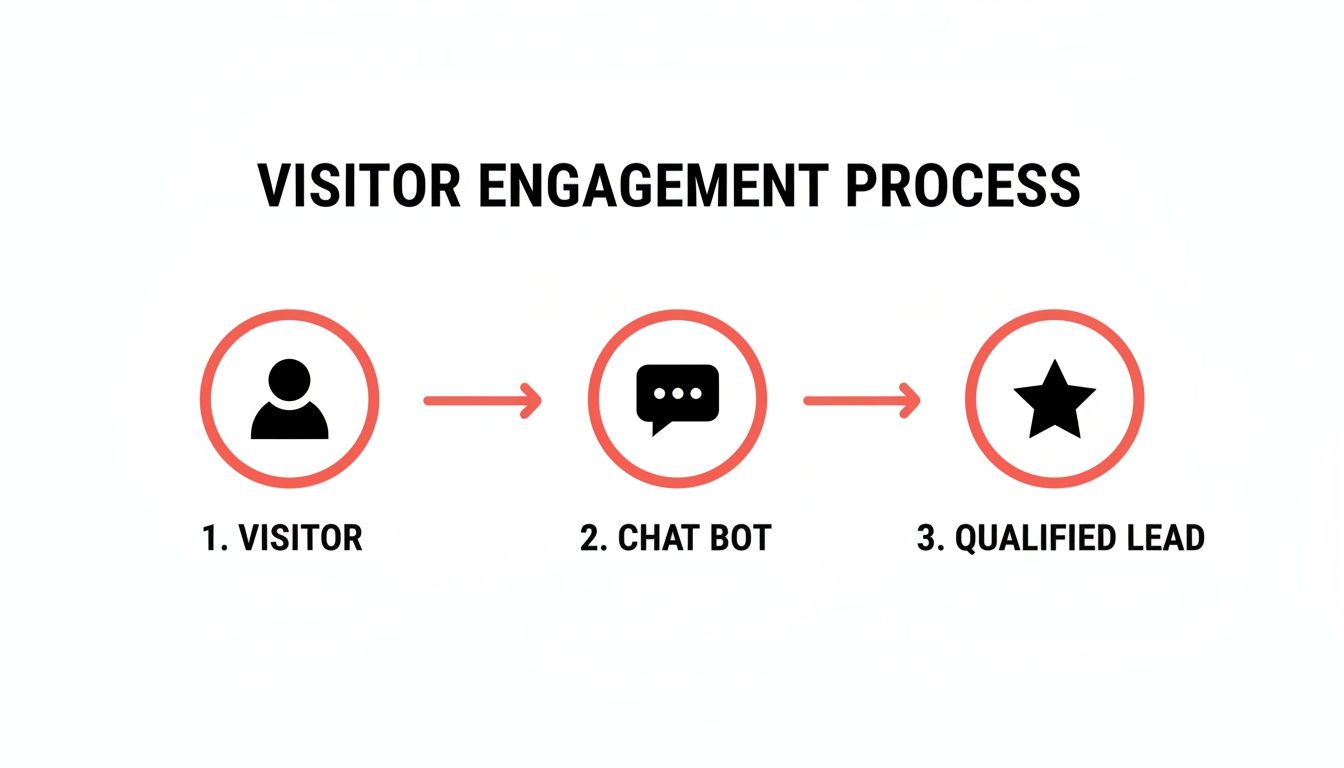
As you can see, the bot acts as a smart filter, engaging and qualifying traffic before it ever hits your team’s inbox.
Ready to get it done? Here's the simple process:
- Go to Plugins: From your WordPress dashboard, find the "Plugins" menu on the left and click "Add New."
- Search for the Chat Bot: In the search bar on the top right, type in the name of your chosen chat bot plugin (like "LeadBlaze," for example).
- Install and Activate: Once you spot the right plugin, hit "Install Now." In a moment, that button will change to "Activate." Click it, and that’s it!
With the plugin active, a new menu item will pop up in your WordPress dashboard. That's where you'll head next to connect your account and start training the AI.
Adding a Code Snippet Manually
While I almost always recommend the plugin, some users prefer a more hands-on approach to keep their site lean. This method involves adding a single line of JavaScript code into your website's header. It sounds a bit technical, but it’s truly just copying and pasting.
The snippet method is lightweight and clean. It’s perfect for users who are comfortable navigating their theme settings and want to minimize the number of plugins they have installed. The end result and functionality are identical to using the plugin.
Your chat bot provider will give you the exact snippet you need. You'll typically paste this into your theme’s settings panel or use a simple "Headers and Footers" plugin to manage it. If you're weighing the pros and cons, our guide on choosing a https://leadblaze.ai/blog/wordpress-online-chat-plugin dives deeper into this.
No matter which path you take, the goal is the same: get your chat bot live so it can start doing its job. You’re just a few clicks away from turning that passive website traffic into active, qualified leads.
Training Your AI to Be the Perfect Brand Ambassador
Okay, so your chatbot is installed on your WordPress site. Now for the fun part. A generic, out-of-the-box bot is just a tool, but a trained bot? That becomes a true extension of your brand—a digital ambassador ready to greet every visitor with the right message and personality.
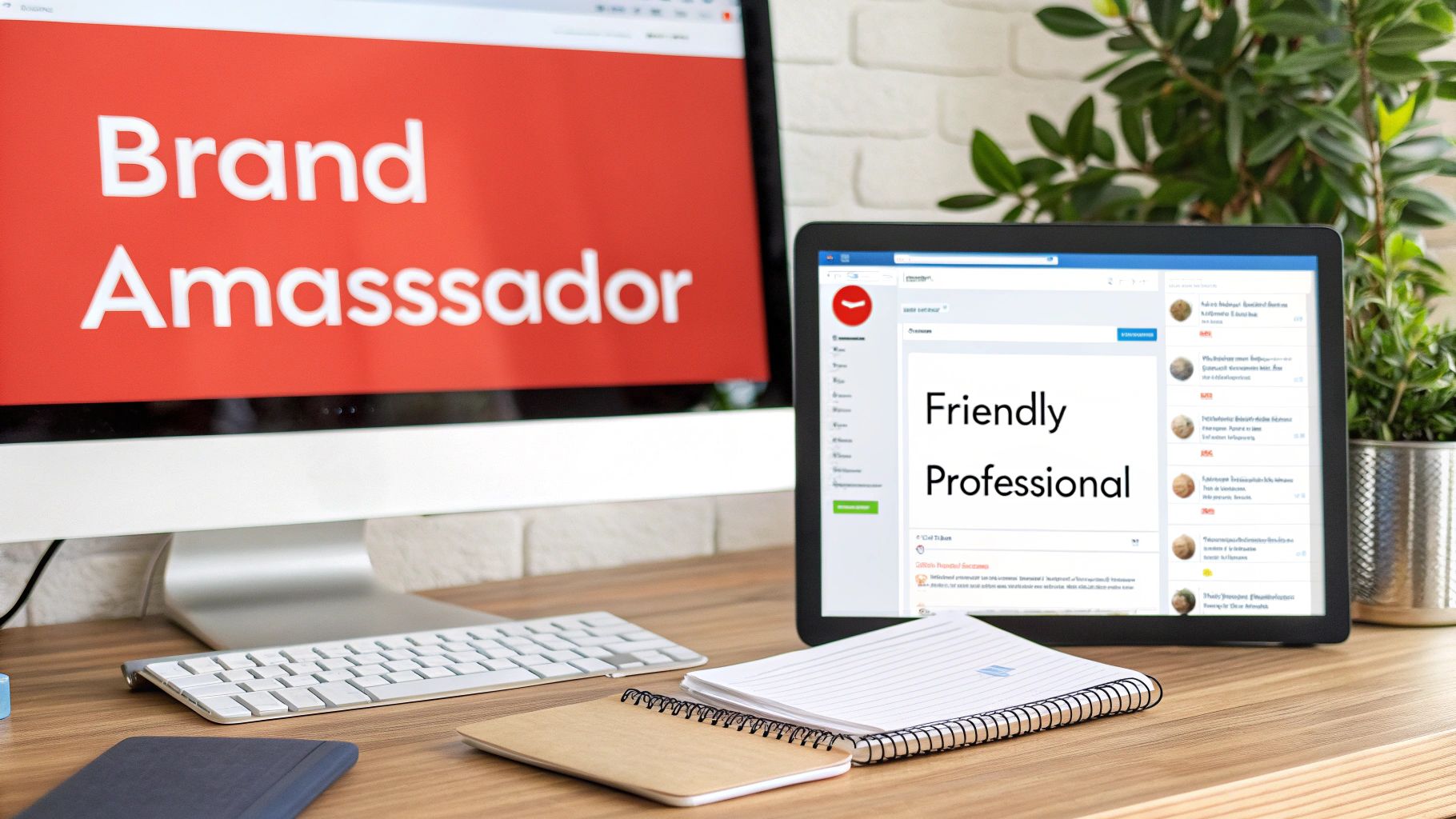
Getting started is actually easier than you might think. Most modern AI chatbots learn directly from your website. The AI crawls your pages—your services, about us, FAQs, everything—and builds its own knowledge base. This means it can start answering specific questions about your business right away, without you having to write a single line of script.
Defining Your Bot's Voice and Tone
Having the facts is one thing, but personality is what really builds a connection. You wouldn't want a witty, wisecracking bot on a serious law firm's website. Likewise, a stiff, overly formal bot would feel completely out of place for a creative agency. This is where you get to align the AI with your actual brand identity.
Any decent chatbot platform will give you simple settings to define its tone. Just think about how you want your brand to come across.
- Professional and Direct: Perfect for B2B services, financial advisors, or any business where clarity and authority are non-negotiable.
- Friendly and Casual: This works great for most e-commerce stores, local businesses, and blogs that want to feel approachable.
- Witty and Playful: A fantastic choice for creative agencies, entertainment brands, or anyone targeting a younger audience.
- Helpful and Empathetic: Ideal for healthcare, customer support, or any field where building trust and providing reassurance is critical.
Nailing this down ensures every automated conversation feels authentic and consistent with all your other marketing.
A well-defined brand voice makes your bot feel less like an automated script and more like a helpful team member. It's the difference between a visitor feeling processed and feeling understood.
Setting Custom Rules for Lead Qualification
Beyond just answering questions, your chatbot's real power lies in its ability to qualify leads. This is where it goes from a simple conversational tool to a strategic part of your sales process. By setting up custom qualification rules, you’re telling the bot exactly what information matters most to your team.
For example, a marketing agency could program its bot to always ask about a prospect's monthly marketing budget. Any lead with a budget over $5,000 could be instantly flagged as a high-priority contact.
Here are a few other real-world scenarios to get you thinking:
- A Local Contractor: The bot can ask about the project scope ("Are you looking for a kitchen remodel or a full home renovation?") and the person's desired start date. This quickly separates the serious inquiries from the tire-kickers.
- A Dental Clinic: It could ask if the visitor is a new patient and what service they need ("check-up," "cosmetic dentistry," "emergency appointment") to route them to the right person.
- A SaaS Company: The bot might ask about the visitor's company size or what software they're currently using to see if they're a good fit for the product.
These simple rules turn your chatbot from a passive Q&A tool into an intelligent lead-filtering machine. If you want to dig deeper into the nuts and bolts of this, our guide on how to make a chatbot breaks down how to structure these conversational flows. The whole point is to make sure that by the time a lead hits your inbox, it's already full of the context you need to close the deal.
Managing Leads Like a Pro from Your Dashboard
Okay, your WordPress chatbot is up and running, engaging visitors on your site. Now what? This is where the real magic happens: inside your dashboard. Think of it less as a simple log of conversations and more as your command center for converting those chats into genuine, qualified leads. Forget digging through endless transcripts—a well-designed dashboard takes care of the heavy lifting.

The first thing you'll probably fall in love with is the AI-generated summary. Instead of you having to read every single line of a chat, the AI analyzes the whole interaction and gives you the highlights. In just a few seconds, you can get the gist of a lead's needs, their budget, and timeline. This makes prioritizing who to follow up with first incredibly fast and efficient.
Turning Conversations into Intelligence
Your dashboard is where raw conversations get refined into actual revenue opportunities. The whole point is to quickly spot the high-value leads and connect them with the right person on your team without any delay. That's why you'll want to look for features that let you organize and filter conversations, especially using the custom qualification rules you've already set up.
This ability to organize and act is a massive driver of growth. There's a reason the global chatbot market is projected to skyrocket to $27.3 billion by 2030—businesses are getting tangible results. In fact, agencies that use these kinds of dashboard tools see AI-summarized insights that help them achieve 2.4x higher conversions compared to just using basic web forms. You can explore more of these game-changing AI chatbot statistics. This level of efficiency is what elevates a simple chat widget into a powerful lead management system.
Must-Have Dashboard Features for Teamwork
A great dashboard is built with teamwork in mind. It eliminates confusion and ensures no lead ever falls through the cracks.
Here are a few features I’ve found to be absolutely essential:
- Lead Tagging: The ability to create your own tags is a lifesaver. Think "Hot Lead," "Needs Follow-Up," or even a specific campaign name like "Spring Promo." It makes filtering your view to focus on what’s urgent a total breeze.
- Team Notes: You need a place to add internal notes to a conversation that only your team can see. This is perfect for jotting down some context or instructions before you hand a lead over to a sales rep.
- Contact Profiles: The dashboard should automatically build a profile for every lead. All their key info—name, email, and their entire conversation history—should be in one tidy spot.
When you use these features together, you create a single source of truth for every lead interaction. No more hunting through old emails or Slack threads to figure out a prospect's story. It’s all right there, in one place.
Ultimately, you'll spend a lot of time in the dashboard fine-tuning your lead flow. It's your window into understanding what your visitors are asking, spotting trends in their needs, and tweaking your bot's qualification rules. This continuous feedback loop is what makes any lead generation chatbot a truly smart tool that gets better and more effective with every conversation.
Fine-Tuning Your Bot for Maximum Conversions
Alright, your chatbot is installed and trained. That's a great start, but now the real work begins. Let's move beyond the basics and start thinking about how to turn this automated assistant into a legitimate conversion machine. This is all about fine-tuning its interactions to actively guide visitors toward your goals, not just wait for them to ask a question.
It all starts with that first "hello." A generic "How can I help?" is okay, but it's not going to move the needle. A compelling, page-specific opener, on the other hand, can make a huge difference in engagement.
Think about context. Someone on your pricing page is showing clear buying intent. Instead of a generic greeting, hit them with something proactive like, "Finding the right plan can be tricky. Have any questions I can answer right now?" It shows you understand exactly where they are in their journey.
If they're browsing a specific product or service page, you could have the bot offer a relevant case study or demo. This simple shift takes the conversation from passive support to strategic selling.
Nail Your Qualifying Questions with A/B Testing
Once you've got their attention, the questions you ask are everything. Don't just set them up and assume they're working. You need to be constantly testing different questions to figure out what uncovers the highest-quality leads.
For instance, you might start by asking about a prospect's budget. But what if asking about their timeline first identifies more motivated buyers? You won't know until you test it.
- Test A: "What's the monthly budget you have in mind for this service?"
- Test B: "Are you looking to get started this month, or are you still in the research phase?"
Let each variation run for a week or two, then dive into the data. Which one sent leads to your sales team that were easier to close? You’d be surprised how small changes in wording can massively improve lead quality. This data-driven approach takes all the guesswork out of the equation.
Your chatbot is a direct line to your audience. The insights you get from testing conversational paths are gold—they tell you exactly what your customers actually care about.
The results can be pretty eye-opening. And you wouldn't be alone in this approach; 80% of companies are already using or planning to use AI chatbots for exactly this reason. It's a proven strategy, with well-tuned bots boosting sales for 58% of users simply by creating these more relevant experiences.
Set Up Proactive Chat Triggers
Why should you always wait for the visitor to make the first move? Proactive triggers let your chatbot jump into the conversation based on specific behaviors, letting you engage people at the perfect moment.
Think about the most important conversion points on your website. Someone hanging out on your checkout page? A visitor who has been on the pricing page for a while? These are prime opportunities for a friendly nudge. You can set a rule to automatically start a chat if a user stays on a specific URL for more than 30 seconds.
It’s a simple but incredibly effective tactic. You can preemptively answer questions about shipping, implementation, or anything else that might be causing hesitation, stopping cart abandonment before it even happens.
Your chatbot is more than just an engagement tool; it's a core part of your conversion strategy. To really get the most out of it, you should be applying top conversion rate optimization best practices. When you combine a smart, proactive chatbot with proven CRO principles, you create a powerful system for turning more visitors into loyal customers.
Got Questions About WordPress Chatbots?
Even after seeing how much a chatbot can help, it’s smart to have a few questions before you add a new tool to your site. I get it. Whenever I consider a new plugin or script, I'm always thinking about performance, how complicated it will be, and what it's really going to cost.
Let's walk through the most common questions I hear from other WordPress site owners.
Will a Chatbot Slow Down My Website?
This is easily the biggest concern, and for a good reason—site speed is everything. The good news is, a well-built, modern chatbot won't drag your site down.
Modern chat widgets are built to load asynchronously. In plain English, that means the chatbot code loads separately from the rest of your website content. It doesn't get in the way of your text and images, so it won’t hurt your page load times or those all-important Core Web Vitals.
Your site stays zippy, and your visitors get a great experience. You're adding a powerful engagement tool without creating a performance headache.
How Much Technical Skill Do I Actually Need?
Honestly? Almost none. If you can install a basic plugin from the WordPress directory, you've got this. The whole process is designed to be incredibly straightforward.
- Using a Plugin: This is the one-click route. You just search for the plugin in your WordPress dashboard, click "Install," and then "Activate." No code, no fuss.
- Pasting a Snippet: If you go the manual route, it's still surprisingly simple. It just means copying a single line of code and pasting it into your theme's header section. Most modern themes have a dedicated spot for this, making it a copy-and-paste job that takes about 30 seconds.
Can the AI Handle Questions Specific to My Niche?
Absolutely. This is where modern AI really shines. It's not working off some generic, pre-canned script. Instead, the AI learns directly from the content you've already created on your website.
Think about it: if you're a roofer with pages explaining the difference between asphalt shingles and metal roofing, the bot learns that information. When a visitor asks about durability, it can give a genuinely helpful answer based on your content. It works the same way for a law firm detailing its practice areas or an e-commerce store describing product materials.
It starts with a solid foundation built from your own expertise, and you can always refine its knowledge base from there.
Is This Actually Affordable for a Small Business?
Yes, it’s built for it. Most chatbot providers have moved to simple, flat-rate pricing. You don't have to worry about confusing tiers or surprise fees based on usage.
When you think about the time you save by not having to manually answer the same questions over and over, plus the value of leads it captures for you 24/7, the return on investment becomes pretty clear. Many services, including ours, offer a free trial so you can see the results firsthand before you ever spend a dime.
Ready to turn your website visitors into qualified leads? LeadBlaze offers a 24/7 AI sales assistant that you can install in minutes. Start your free 7-day trial and see the difference for yourself.