WordPress lead generation plugins are the tools that transform your website from a passive, digital brochure into an active, round-the-clock salesperson. They are the engine that helps you create and deploy high-converting forms, popups, and other sign-up opportunities to capture visitor contact information and fuel your business growth.
What Are Lead Generation Plugins and Why Your Site Needs Them

Imagine your website traffic as people walking past your storefront. Most of them will just glance and keep walking unless someone is there to invite them in. A WordPress lead generation plugin is your friendly shopkeeper—it proactively engages visitors, offers them something of value, and opens the door for a real conversation.
Instead of just passively displaying information, these plugins turn your site into an interactive lead-capturing machine. They give you the framework to offer what I call a “digital free sample”—maybe an ebook, a webinar spot, or a special discount—in exchange for an email address.
From Static Brochure to Dynamic Sales Funnel
Without a solid lead generation strategy, your website is just a billboard on the digital highway. It might look great, but it puts all the responsibility on the visitor to take the next step. This hands-off approach leaves a ton of potential business on the table.
This is where plugins completely change the dynamic. They work tirelessly to convert anonymous visitors into real, tangible contacts. These tools are essential for a few key reasons:
- Capitalize on Existing Traffic: You’ve already done the hard part of getting people to your site. A plugin makes sure you get the most out of every single visit by giving them a clear and easy way to connect.
- Build a Sustainable Sales Pipeline: Every email you collect is a potential future customer. These plugins help you consistently build an email list and a database of prospects you can connect with over time.
- Automate the Initial Conversation: Forget manual outreach for every new contact. Plugins can automatically sort new leads, add them to your CRM, and even send out a welcome email, freeing you up to focus on bigger things.
To really get the most out of these tools, it helps to understand core concepts like the Marketing Qualified Lead (MQL) definition, which gives you clarity on the type of prospect you’re trying to attract.
A lead generation plugin is the bridge between a visitor’s fleeting interest and a lasting business relationship. It turns passive browsing into active engagement, forming the foundation of any successful digital marketing strategy.
The WordPress ecosystem is the perfect place for this. With WordPress now powering an incredible 43.4% of all websites, it’s the main stage for online growth. The platform’s massive library of over 59,000 free plugins provides limitless options, and tools like WPForms, with over 6 million active installations, prove just how crucial form-based lead capture has become.
At the end of the day, using a powerful lead generation plugin isn’t just a nice-to-have anymore—it’s a fundamental requirement for any business that wants to grow online.
What Makes a Great Lead Generation Plugin Tick?
Sifting through the thousands of WordPress lead generation plugins can feel like trying to find a needle in a digital haystack. To cut through the noise, you need to know what separates a basic contact form from a genuine growth engine. It’s a lot like buying a car—sure, most will get you from point A to B, but only the best have the performance, features, and reliability you need for the long haul.
A top-tier plugin is a complete system. It’s designed to grab a visitor’s attention, capture their details, and then slide that information right into your marketing workflow without a hitch. It’s a suite of tools working in harmony to turn every website visit into a potential conversion.
Without these core features, you’re pretty much flying blind, just collecting emails without knowing what’s actually working. Let’s break down the absolute must-haves you should be looking for.
H3: A Flexible and User-Friendly Form Builder
The form builder is the heart and soul of any lead generation plugin. It needs to be flexible enough to whip up anything from a simple “Contact Us” form to a sophisticated multi-step quiz that qualifies leads on the spot. A drag-and-drop interface is non-negotiable here; you should be able to add, reorder, and tweak fields without ever having to peek at the code.
A great builder will also include:
- Pre-built Templates: Why reinvent the wheel? Templates give you a head start with proven layouts for newsletter signups, quote requests, event registrations, and more.
- Conditional Logic: This is the secret sauce for a smarter user experience. It shows or hides fields based on a user’s answers, making the form feel personal and less intimidating, which in turn boosts completion rates.
- Spam Protection: Built-in tools like CAPTCHA or invisible honeypots are essential for keeping your email list clean and your inbox free of junk.
H3: A Variety of Opt-in Types and Triggers
Your website visitors aren’t all the same, so a one-size-fits-all approach to capturing their info just won’t cut it. A premium plugin needs to offer a whole arsenal of different opt-in form types so you can engage people at just the right moment.
The goal is simple: present the right offer, to the right person, at the right time. A plugin with diverse opt-in types is the toolkit that makes this possible.
Look for these key formats:
- Lightbox Popups: The classic, attention-grabbing popup. Perfect for your most valuable offers.
- Slide-ins: A gentler approach. These forms slide into the corner of the screen as a user scrolls, making them much less intrusive.
- Floating Bars: These sticky bars cling to the top or bottom of the page, staying visible without getting in the way.
- Inline Forms: These are forms you can embed right in the middle of a blog post or page, capturing leads when their interest is at its peak.
Just as important are the triggers that decide when these forms pop up. Exit-intent technology is a game-changer—it detects when a visitor is about to leave your site and presents a last-chance offer to win them over.
H3: Smart A/B Testing and Clear Analytics
Is your headline really working? Would a green button get more clicks than a blue one? You’ll never know unless you test it. A/B testing isn’t a “nice-to-have”; it’s an absolute must. It lets you create different versions of your forms and pit them against each other to see which one gets more signups. Even tiny tweaks can lead to huge wins.
Your plugin should also give you analytics that are easy to digest. You need to see:
- Views: How many people saw your form.
- Conversions: How many people actually filled it out.
- Conversion Rate: The percentage of viewers who became leads.
This data is your roadmap for improvement. It helps you make decisions based on what your audience is actually doing, not just on what you think will work.
To give you a clearer picture, here’s a quick breakdown of the essential features and why they matter so much.
Table: Essential Features in a Lead Generation Plugin
| Feature | Primary Function | Why It’s Critical for Lead Generation |
|---|---|---|
| Drag-and-Drop Form Builder | Allows easy creation and customization of forms without code. | Speeds up campaign launches and empowers non-technical users to build high-converting forms. |
| Diverse Opt-in Types | Provides multiple form formats (popups, slide-ins, bars). | Engages different user segments at the right moment, maximizing capture opportunities. |
| Intelligent Triggers | Controls when and how forms appear (e.g., exit-intent, scroll). | Presents offers when users are most receptive, dramatically increasing conversion rates. |
| A/B Split Testing | Lets you test different versions of your forms against each other. | Provides data-driven insights to optimize headlines, copy, and design for better performance. |
| Built-in Analytics | Tracks views, conversions, and conversion rates for each form. | Measures effectiveness and identifies which strategies are working and which need improvement. |
| Seamless Integrations | Connects to your CRM, email marketing, and other tools. | Automates lead management, saving time and ensuring no leads fall through the cracks. |
Having these tools at your disposal is what turns a simple website into a well-oiled machine for generating new business.
H3: Effortless CRM and Email Marketing Integrations
Capturing a lead is just the beginning. The real magic happens when that new contact is automatically zapped over to your other marketing tools. Any plugin worth its salt must connect seamlessly with popular Customer Relationship Management (CRM) platforms like HubSpot and your favorite email marketing services.
This kind of automation saves an incredible amount of time. In fact, the global lead generation market is projected to skyrocket to $9.6 billion by 2028, fueled by this demand for efficiency. A solid 34% of marketers say automation has directly increased their lead volume. Without this connectivity, you’re stuck manually exporting and importing contacts—a mind-numbing task that’s slow and full of opportunities for error.
How to Choose the Right Plugin for Your Business Goals
Picking a WordPress lead generation plugin can feel a lot like standing in a hardware store knowing you need a tool, but not which one. You could grab the shiniest power tool on the shelf, but if all you need to do is hang a picture, it’s just expensive overkill. The “best” plugin isn’t about having the most features; it’s about having the right features for what you’re trying to accomplish.
The very first step is to get laser-focused on your goal. A plugin is just a means to an end. Are you trying to get more people on your newsletter list? Or is the main priority to book more one-on-one sales calls? Maybe you just need a way to register attendees for your next webinar.
Each of those goals requires a totally different playbook, and that means a different set of tools. Defining your primary objective is the most important filter you can apply. It instantly cuts through the noise, narrowing the field from dozens of options down to a handful of real contenders.
Aligning Your Goals with Plugin Features
Once you know where you’re going, you can start looking at the map. Let’s connect some common business goals to the specific plugin features that actually help you get there. This is how you make sure you’re not paying for a bunch of bells and whistles you’ll never use, or worse, missing the one key feature that could make all the difference.
Think about these common scenarios:
- Goal: Grow an Email List: Your search should zero in on plugins with a great variety of opt-in forms. Look for tools that offer popups, slide-ins, and floating bars equipped with powerful triggers like exit-intent technology.
- Goal: Book More Sales Calls: For this, a simple contact form won’t cut it. You need a plugin with a solid form builder that plays nice with scheduling software like Calendly. Conditional logic is also huge here, as it lets you pre-qualify leads by asking the right questions upfront.
- Goal: Generate Qualified Leads: When quality is more important than quantity, look for plugins that offer multi-step forms or interactive quizzes. These tools pull visitors in, engage them on a deeper level, and help you gather valuable info to score leads before they even land in your CRM.
- Goal: Increase User Engagement: Sometimes, the goal is just to start a conversation. Plugins that bring live chat or AI assistants to your site can be incredibly effective. To go deeper on this, you can check out our guide on choosing the best live chat software.
This decision-making process is all about matching your core objective—whether it’s to capture, engage, or automate—with the features that directly serve that purpose.
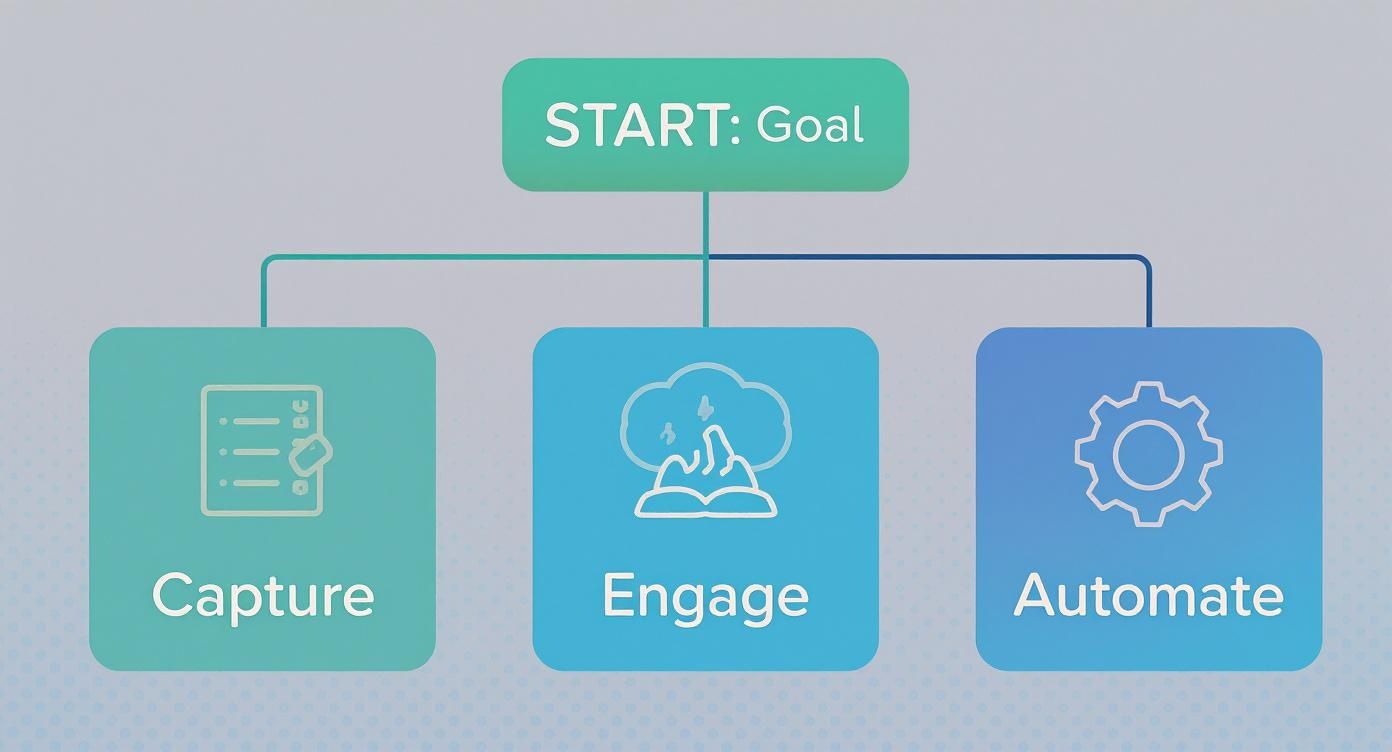
As you can see, a straightforward goal like capturing information points you toward simple form builders, while a need for more proactive engagement pushes you toward popups and other interactive tools.
Evaluating Usability and Technical Fit
Let’s be realistic: your own technical comfort level is a massive factor. A plugin loaded with features is completely useless if you can’t figure out how to work it. For most business owners who aren’t developers, a clean, intuitive interface with a drag-and-drop builder isn’t just nice to have—it’s a must.
Your time is best spent on marketing strategy, not wrestling with a complicated plugin. The right tool should feel like a partner that simplifies your workflow, not another complex system you have to master.
Look for plugins that have great documentation, video tutorials, and support staff that actually responds. Sift through reviews and pay close attention to comments about ease of use. This is especially true for solo entrepreneurs or small teams where time and tech resources are tight. A slightly less powerful plugin that’s incredibly easy to use will almost always beat a complex one that just sits there gathering digital dust.
Performance and Branding Considerations
Finally, don’t forget about the plugin’s impact on your site’s performance and your brand’s look and feel. A poorly coded plugin can drag your website’s speed down, which is bad for both user experience and your SEO rankings. Look for tools that are advertised as “lightweight” and have a good reputation for clean, efficient code.
Brand consistency is also key. The ability to customize your forms and popups to match your website’s colors, fonts, and overall vibe isn’t just about aesthetics. A seamless design builds trust and makes the entire experience feel like a natural part of your site, not some clunky, intrusive ad. The best plugins give you fine-grained control over the design, ensuring every lead capture point is a perfect extension of your brand.
Breaking Down the Different Types of Lead Generation Tools
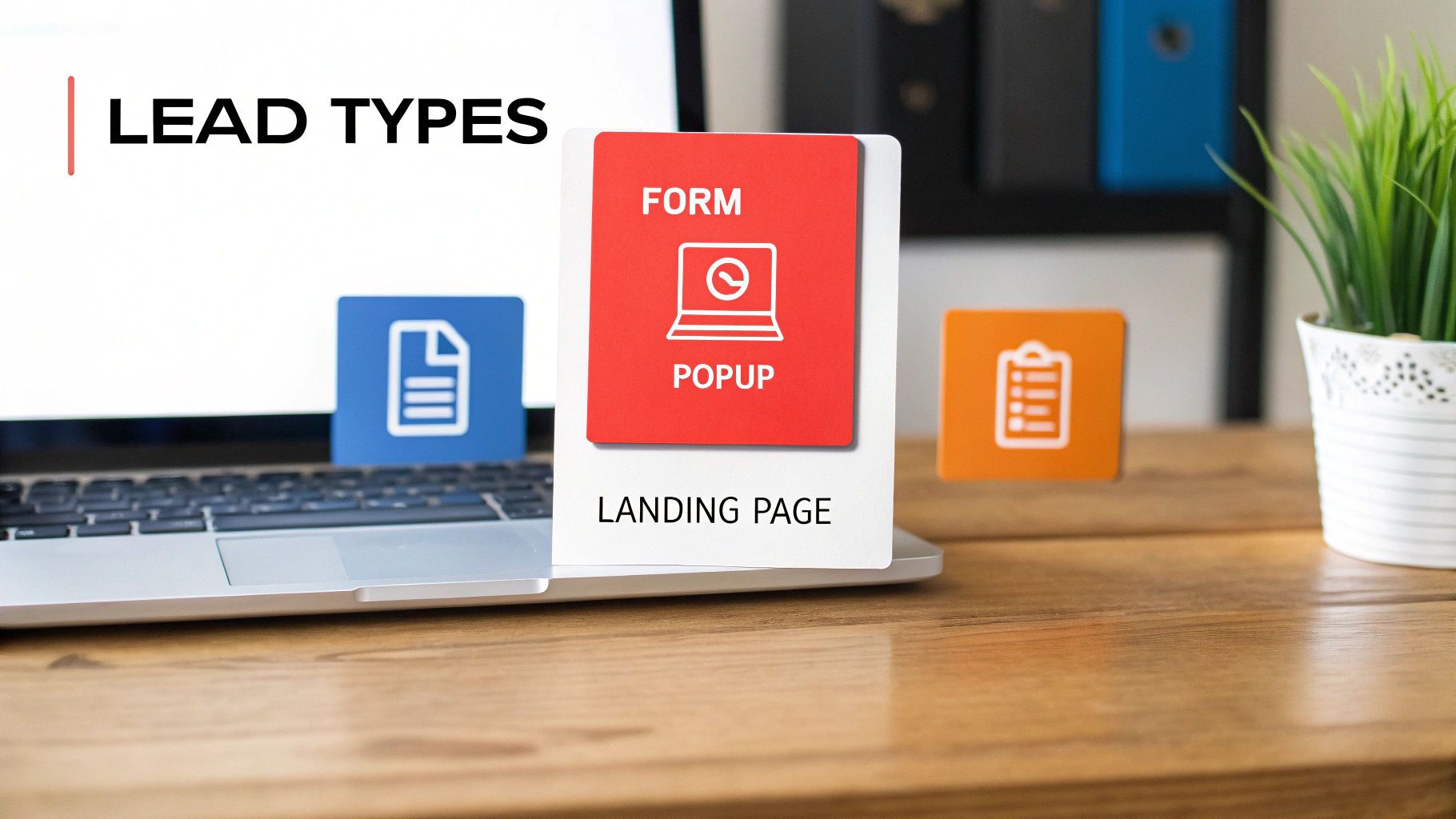
Diving into the world of WordPress lead generation plugins can feel a lot like trying to pick one specific tool from a giant, overflowing toolbox. There are thousands of them out there, and it’s easy to get overwhelmed. The trick is to stop thinking of them as one big, messy pile and start seeing them for what they are: specialized instruments, each built for a very specific job.
When you understand the different categories, you can build a much smarter, more effective strategy. After all, you wouldn’t use a hammer to turn a screw. In the same way, you shouldn’t use a simple contact form plugin when what you really need is a dynamic, attention-grabbing popup. By sorting these tools by their main purpose, you can put together a versatile kit that covers every angle of your visitor’s journey.
H3: Dedicated Form Builders
The form builder is the absolute foundation of any lead generation strategy. Think of it as the dependable workhorse of your website. Its job is simple: capture information. It’s what you use to create everything from a basic “Contact Us” page to more complex multi-step surveys and quote request forms.
These plugins are perfect for those moments when a visitor is already motivated to get in touch. They aren’t designed to be flashy or interruptive; they just provide a clear, easy path for someone to give you their details. Look for must-have features like drag-and-drop editors, conditional logic (where the form changes based on user answers), and solid spam protection.
H3: Popup and Opt-in Plugins
If form builders are the quiet workhorses, then popup and opt-in plugins are the charismatic attention-getters. Their entire purpose is to proactively engage visitors with compelling offers at just the right time. Instead of waiting for someone to find your contact page, these tools jump into action when their interest is piqued—or right as they’re about to leave.
These plugins are experts at creating different kinds of opt-in forms that show up based on specific triggers:
- Exit-Intent Popups: These appear the moment a user’s mouse moves toward the browser’s back or close button, giving you one last shot to capture their email with a juicy offer.
- Slide-Ins: A much less intrusive option that gracefully slides into view from the corner of the screen as a user scrolls down the page.
- Floating Bars: These are “sticky” bars that attach to the top or bottom of the screen, keeping your call-to-action visible without getting in the way.
Popup plugins are your digital equivalent of a helpful store clerk asking, “Can I help you find anything?” at just the right moment. They turn a passive browsing session into an active engagement opportunity.
By using these kinds of intelligent triggers, you can deliver highly relevant messages that dramatically boost your conversion rates compared to static forms alone.
H3: Landing Page Builders
A landing page builder is your secret weapon for creating focused, distraction-free conversion zones. Your main website is full of navigation menus, sidebars, and competing calls-to-action. A landing page strips all of that away. It has one job and one job only: convince a visitor to take a single, specific action, like downloading an ebook or signing up for a webinar.
The impact of these tools is huge. As of 2025, over 25% of all WordPress websites use a page builder plugin, a figure that’s expected to leap to 60% in the near future. Industry-leading tools like Elementor, which powers over 8 million websites, have been shown to increase average conversion rates by a whopping 23% simply by creating better, more focused user experiences.
H3: All-in-One CRM and Suite Plugins
Finally, we have the all-in-one suites, which aim to be the Swiss Army knife of lead generation. These powerful plugins often bundle a form builder, popups, and sometimes even a landing page creator with a built-in Customer Relationship Management (CRM) system. This tight integration means that as soon as a lead is captured, their info is automatically saved and organized in one central place.
These are fantastic for businesses that want to manage the entire lead lifecycle—from capture to nurturing—all within a single dashboard. Many also pack in extra features like live chat or email marketing automation. If you’re curious about conversational tools, check out our guide on how to add a https://leadblaze.ai/blog/wordpress-online-chat-plugin to your site.
While your main focus might be on direct lead capture, don’t forget about specialized options. For example, the best affiliate plugins for WordPress can open up entirely new channels for leads through partnerships. Each plugin type has its strengths, and the most powerful strategies almost always involve a smart combination of these tools working together.
To make it easier to see how these tools fit together, here’s a quick breakdown:
Comparison of Lead Generation Plugin Types
| Plugin Category | Primary Purpose | Best For |
|---|---|---|
| Dedicated Form Builders | To create structured forms for direct data collection (e.g., contact, quotes). | Websites needing a reliable way for already-motivated visitors to provide their information. |
| Popup & Opt-in Plugins | To proactively capture attention with targeted offers based on user behavior. | Growing an email list, promoting special offers, and reducing bounce rates with exit-intent popups. |
| Landing Page Builders | To create focused, standalone pages designed for a single conversion action. | PPC campaigns, webinar sign-ups, or promoting a specific product/service without distractions. |
| All-in-One CRM & Suites | To combine lead capture, management, and nurturing in a single, unified system. | Businesses that want a central hub to manage the entire customer journey from start to finish. |
As you can see, the right tool really depends on the job at hand. By understanding these core categories, you’re in a much better position to choose the perfect plugin—or combination of plugins—to hit your goals.
Setting Up Your First Lead Generation Campaign

Alright, enough with the theory—let’s get our hands dirty. Now that you know what to look for in a great lead generation plugin, it’s time to put one to work. This walkthrough will take you from concept to a live, lead-capturing campaign.
We’ll start with a tried-and-true strategy: offering a free ebook for an email address. This approach is a classic for a reason. You’re giving away something genuinely valuable, which makes people more than happy to give you their contact info in return.
Step 1: Install and Activate Your Chosen Plugin
First things first, let’s get the plugin onto your WordPress site. This part is pretty straightforward and follows the standard WordPress process.
Just head to your dashboard, click on Plugins > Add New, and type the name of your chosen tool into the search bar.
Once you spot it in the results, hit “Install Now,” and then “Activate.” After it’s active, you’ll usually see a new menu item pop up in your WordPress sidebar. That’s your new home base for building and managing all your campaigns.
Step 2: Design a High-Converting Form
With the plugin installed, your next job is to build the form itself. This is where art meets science. You’re not just creating a box with fields; you’re crafting an invitation that people want to accept.
To make your ebook offer irresistible, your form needs a few key ingredients:
- A Killer Headline: Don’t just say “Download Our Ebook.” Aim for a benefit-driven headline like, “Get Your Free Guide to Mastering Local SEO.” See the difference?
- Minimal Fields: For an ebook, a first name and email address are plenty. Every extra field you ask for is another hurdle that can kill your conversion rate. Keep it simple.
- A Powerful Call-to-Action (CTA): The button text is prime real estate. Ditch the boring “Submit” and go for something that sparks action, like “Get My Free Ebook Now!” or “Send Me the Guide.”
Most good plugins come with a drag-and-drop builder, so you can easily customize the look and feel to match your brand without touching any code.
Step 3: Configure Your Targeting and Display Rules
Where and when your form shows up is just as important as what it says. A poorly timed popup is annoying. But a perfectly timed one? That feels like you’re reading your visitor’s mind.
The art of lead generation isn’t just about what you offer, but when you offer it. A well-timed popup with a relevant offer can be the difference between a visitor who leaves and forgets you, and a new lead in your funnel.
For our ebook campaign, one of the smartest moves is to use exit-intent technology. This clever feature detects when a user is about to click away from your site and presents your offer at that exact moment. It’s a last-chance effort to provide value and snag a lead you were about to lose forever. You can set this to trigger on specific blog posts or service pages where the ebook would be most relevant.
Step 4: Connect to Your Email Service Provider
Getting the lead is only half the battle. What happens after they sign up is what turns a simple contact into a customer. Manually downloading and uploading emails is a recipe for disaster—it’s slow, and things get lost.
Instead, you need to sync your lead gen plugin directly with your email marketing platform, whether that’s Mailchimp, ConvertKit, or ActiveCampaign. This connection automates the entire process.
Here’s what that looks like in practice:
- Deliver the Lead Magnet Immediately: The second someone signs up, an automated welcome email fires off with the ebook download link.
- Start a Nurture Sequence: The new contact is automatically added to a series of follow-up emails that build a relationship and offer more value.
- Ensure No Lead Is Lost: Automation is your safety net. It guarantees every single person gets a prompt and professional follow-up.
For those looking to take engagement a step further, some tools offer more advanced options. You could, for instance, explore adding a chatbot for your website to greet new leads right after they sign up, answer their questions in real-time, and even qualify them on the spot.
By following these four steps, you can launch a seriously effective lead generation campaign and start turning your website traffic into a reliable stream of prospects.
Common Questions About Lead Generation Plugins
Diving into the world of WordPress lead generation plugins always brings up a few questions. It’s totally normal to wonder about things like site speed, plugin compatibility, and how to even tell if your hard work is paying off. Getting these answers sorted out from the start is the key to building a smart strategy and dodging common headaches later on.
Think of this as your practical FAQ for making confident, informed decisions as you build your lead-capturing machine. Let’s clear up some of the most common questions.
Will Lead Generation Plugins Slow Down My WordPress Site?
This is probably the number one concern I hear, and it’s a completely valid one. The short answer is: it all comes down to the plugin you choose. A well-built, lightweight plugin will have a minimal impact, so small you’d likely never notice. A bloated, poorly coded plugin, on the other hand, can absolutely drag your loading times down.
The secret is to be selective. Here’s how you can capture leads without sacrificing speed:
- Stick to Reputable Plugins: Go with well-known developers who have a track record of building clean, efficient code. A quick look at recent reviews and support forums will tell you if people are complaining about performance issues.
- Only Use What You Need: A plugin might come packed with 50 features, but if you only need five, turn the rest off. This stops your site from having to load a bunch of unnecessary code every time someone visits.
- Make Caching Your Best Friend: A good caching plugin creates static, ready-to-go versions of your pages. This makes them load way faster for visitors and helps offset any minor performance dip from other plugins.
A fast website is non-negotiable for both user experience and SEO. Before you install any new lead gen plugin, run a speed test. Then run another one right after you get it set up. The data will give you the real story on its impact.
Can I Use Multiple Lead Generation Plugins at Once?
Yes, you absolutely can—and it’s often a very smart move. It’s pretty rare for one single plugin to be the best at everything. You might find that one tool is a powerhouse for building complex contact forms, while another is incredible at creating beautiful, high-converting popups. Using them together lets you create a best-in-class toolkit.
The golden rule here is to avoid functional overlap. You never want two different plugins trying to do the exact same job. For instance, running two separate popup plugins at the same time is just asking for trouble. It can cause script conflicts, bog down your site, and create a really annoying experience for your visitors.
A sensible, effective combo might look something like this:
- A dedicated form builder for your “Contact Us” and quote request pages.
- A separate popup and opt-in plugin for handling special offers and exit-intent campaigns.
- A landing page builder to create focused, distraction-free pages for your ad campaigns.
Each plugin has a distinct job to do, and they all work together without getting in each other’s way.
What Is the Real Difference Between Free and Paid Plugins?
The line between free and paid plugins is all about the difference between getting started and truly scaling up. Free plugins are fantastic for dipping your toes in the water. They’re perfect for basic needs, like adding a simple newsletter signup form to your sidebar or creating a standard contact page.
But once you get serious about growth, you’ll quickly run up against the limits of what a free tool can do.
Think of it like this: a free plugin is like a hammer—a basic, essential tool. A premium plugin is the full power tool kit. Both can drive a nail, but that power tool kit lets you build the whole house, faster and with way more precision.
Premium plugins are an investment in advanced features that directly boost your bottom line. They unlock the capabilities that turn a good strategy into a great one, such as:
- Sophisticated Targeting: Show specific offers to visitors based on where they live, the page they’re on, or if they’re about to leave your site.
- A/B Testing: The power to test different headlines, images, and button colors to find out what actually gets people to convert.
- Detailed Analytics: Clear, actionable data that shows you exactly how your campaigns are performing, no guesswork required.
- Priority Support: Access to an expert when you get stuck and need a real solution, fast.
As your business grows, the ROI from these advanced features makes a premium plugin not just a nice-to-have, but a necessary and incredibly valuable investment.
How Do I Measure the Success of My Campaigns?
Success isn’t about how many popups you have running—it’s about your conversion rate. This is the one metric that matters most. It’s simply the percentage of people who saw your form and then actually took action, filling it out to become a lead. If 1,000 people see your popup and 50 sign up, your conversion rate is 5%.
Most good premium lead generation plugins come with built-in analytics dashboards that make tracking this incredibly easy. They’ll show you the views, conversions, and conversion rate for every single form you create.
To get even deeper insights, you should also set up goal tracking in a tool like Google Analytics. This lets you see what a lead does after they sign up. Do they go on to visit your pricing page? Do they stick around and read more articles? This kind of data helps you understand the quality of the leads you’re generating and proves the real value of your efforts.
Ready to stop letting website visitors slip away? LeadBlaze is the 24/7 AI sales assistant that greets every visitor, answers their questions, and turns traffic into qualified leads automatically. See how it works and start your free trial at LeadBlaze.ai.