
Think of a customer support chatbot as your website’s tireless digital receptionist. It’s an AI-powered program that mimics human conversation, offering round-the-clock help to your visitors. Instead of a human agent answering the same questions over and over, the chatbot steps in, freeing up your team for the tricky, high-stakes customer problems that really need a human touch.
Unpacking the Power of a Customer Support Chatbot

Let’s be honest: in a world of instant everything, making customers wait is a surefire way to lose them. This is the exact problem a chatbot solves. When someone lands on your site wondering about shipping times or product details, they aren’t looking to fill out a contact form and wait hours for a reply. They want an answer now.
A chatbot delivers that instant gratification. It serves as your support team’s first line of defense, fielding all the common, high-volume questions that can easily bog down your human agents. This means every visitor gets a fast, helpful response, no matter the time of day, which is a win for both customer experience and your team’s sanity.
Why Chatbots Are Becoming Indispensable
The shift toward chatbots isn’t just a trend; it’s a massive operational upgrade. Businesses everywhere are catching on. In fact, by 2025, it’s projected that over 80% of companies will have AI chatbots integrated into their customer service. Why the rush? Because they can successfully handle up to 80% of routine customer questions, letting your team focus on what they do best: solving complex problems.
But it’s not just about deflecting support tickets. A well-designed chatbot does so much more. It can:
- Qualify Leads: The bot can ask smart, targeted questions to figure out a visitor’s needs and budget. From there, it can book a demo or hand them off to the right sales rep.
- Improve Engagement: Instead of letting visitors silently browse and leave, a chatbot can proactively say hello, starting a conversation and keeping them on your site longer.
- Provide Personalization: By tapping into user data, a bot can offer up product recommendations or guide visitors based on what they’ve looked at before.
At its core, a chatbot transforms your website from a static brochure into a dynamic, interactive conversation partner. It ensures no visitor feels ignored and every opportunity for connection is seized.
The magic behind these smooth interactions is a technology known as conversational AI. This is the “brain” that lets the chatbot understand what users are actually asking, figure out their intent, and respond in a way that feels natural. It’s what separates today’s smart bots from the clunky, script-based ones of the past. By putting this intelligence to work, a customer support chatbot becomes a genuine asset for growth, not just another support tool.
What Makes a Great Chatbot? Key Features to Look For
Let’s be honest, not all chatbots are the same. We’ve all run into those frustrating bots that feel like a broken FAQ page, endlessly looping you through the same three options. But a truly effective support chatbot? That feels different—more like a capable assistant who actually gets what you need.
The magic behind a modern, helpful bot is Natural Language Processing (NLP). It’s a type of AI that lets the software figure out the intent behind what someone types, not just the specific keywords they use. So, whether a customer asks, “where’s my stuff?” or “my order hasn’t arrived,” the chatbot knows they’re both asking for a shipping update. That ability to understand human language, with all its quirks, is what makes or breaks the entire experience.
The Must-Have Foundational Features
Before you even think about fancy bells and whistles, a great support chatbot needs to nail the basics. These are the non-negotiable features that deliver real value right out of the box for you and your customers.
- 24/7 Availability: Your team clocks out, but your customers don’t. A chatbot is always on, ready to help at 3 AM on a Sunday, which is a game-changer for building trust and serving different time zones.
- Instant Response Times: Nobody likes waiting in a queue. Chatbots kill wait times, giving people answers the second they ask. That speed alone is a massive win for customer satisfaction.
- Seamless CRM and Helpdesk Integrations: A chatbot can’t be a silo. The best ones plug right into the tools you already use, like your CRM or helpdesk. This connection lets the bot pull up customer history to personalize the chat and automatically log new support tickets in the right place.
A truly effective chatbot acts as a digital bridge. It connects a customer’s immediate question to your internal systems, creating a conversation that feels cohesive and aware of their history. It’s not just answering questions; it’s actually solving problems.
Advanced Features That Create a “Wow” Experience
Once you have a solid foundation, you can add features that turn a good bot into an amazing one. This is where you move from just being efficient to creating genuinely smooth and personalized customer journeys.
Here’s a quick comparison of how these features look in a basic bot versus an advanced one.
Comparing Essential Chatbot Features
This table breaks down the difference between a simple, rule-based chatbot and a more sophisticated AI-powered one, showing you the real-world impact of more advanced features.
| Feature | Rule-Based Chatbot | AI-Powered Chatbot | Business Impact |
|---|---|---|---|
| Conversation History | Forgets the user as soon as the chat ends. | Remembers past interactions and customer data for context. | Reduces customer frustration by not asking for the same information repeatedly, leading to faster resolutions. |
| Automated Ticketing | Hits a dead end and tells the user to email support. | Automatically creates and routes a support ticket with the full chat transcript when a human is needed. | Ensures a seamless handoff to a human agent without losing any context, improving efficiency and satisfaction. |
| Proactive Messaging | Can only react to user input. | Can initiate conversations based on user behavior (e.g., on a checkout page or returning to the site). | Increases engagement, can prevent cart abandonment, and provides help before the customer even has to ask. |
| Language Ability | Relies on rigid keywords and pre-defined scripts. | Understands natural language, slang, and typos using NLP. | Creates a more natural, human-like conversation that is far less frustrating for the user. |
As you can see, the gap between a basic bot and an AI-powered one is huge. Features like conversation history mean your bot remembers past chats, so customers don’t have to repeat themselves every time they reach out. It’s a small thing that shows you respect their time.
Another game-changer is automated ticket creation. If a problem is too tricky for the bot, it shouldn’t just give up. A smart chatbot will automatically package up the conversation and create a support ticket for a human agent, ensuring a smooth handoff.
Finally, you have proactive messaging. Instead of just waiting for a question, the bot can jump in to offer help—greeting a returning visitor, offering a discount on the pricing page, or guiding someone who seems stuck. It turns your chatbot from a passive tool into an active part of your sales and support team. If you’re curious about building these capabilities from the ground up, our guide on how to make a chatbot is a great place to start.
How Chatbots Boost Efficiency and Cut Costs
Putting a customer support chatbot on your website is more than just a tech upgrade—it’s a smart business decision that directly impacts your bottom line. At the end of the day, a chatbot is an efficiency machine. Its whole purpose is to automate the repetitive, predictable questions that eat up your team’s time, and that automation sends positive ripples across your entire business.
Think about it. How many times a day does your team answer questions like, “What’s your return policy?” or “Where’s my order?” Each one of those takes a few minutes. A chatbot, on the other hand, can answer thousands of those questions at once, instantly. This frees up your human agents to tackle the tricky, high-stakes problems where their expertise truly shines. You get to scale up your support without having to scale up your payroll.
Driving Down Operational Expenses
The numbers here really speak for themselves. It’s estimated that by 2025, companies will save up to $11 billion and almost 2.5 billion hours by using chatbots. A big reason for this is that bots respond to questions three times faster than people, which slashes resolution times. Plus, when agents have AI helping them out, their productivity jumps—they resolve 15% more issues per hour. It’s no wonder that a whopping 90% of CX leaders say they see a positive ROI from their AI investments, as highlighted in this report on customer support trends.
This kind of efficiency translates directly into lower costs. When you can deflect a huge chunk of routine tickets, your cost-per-interaction plummets, and your existing team can handle a much larger volume of customer conversations.
This infographic breaks down the core chatbot features that make these savings possible.
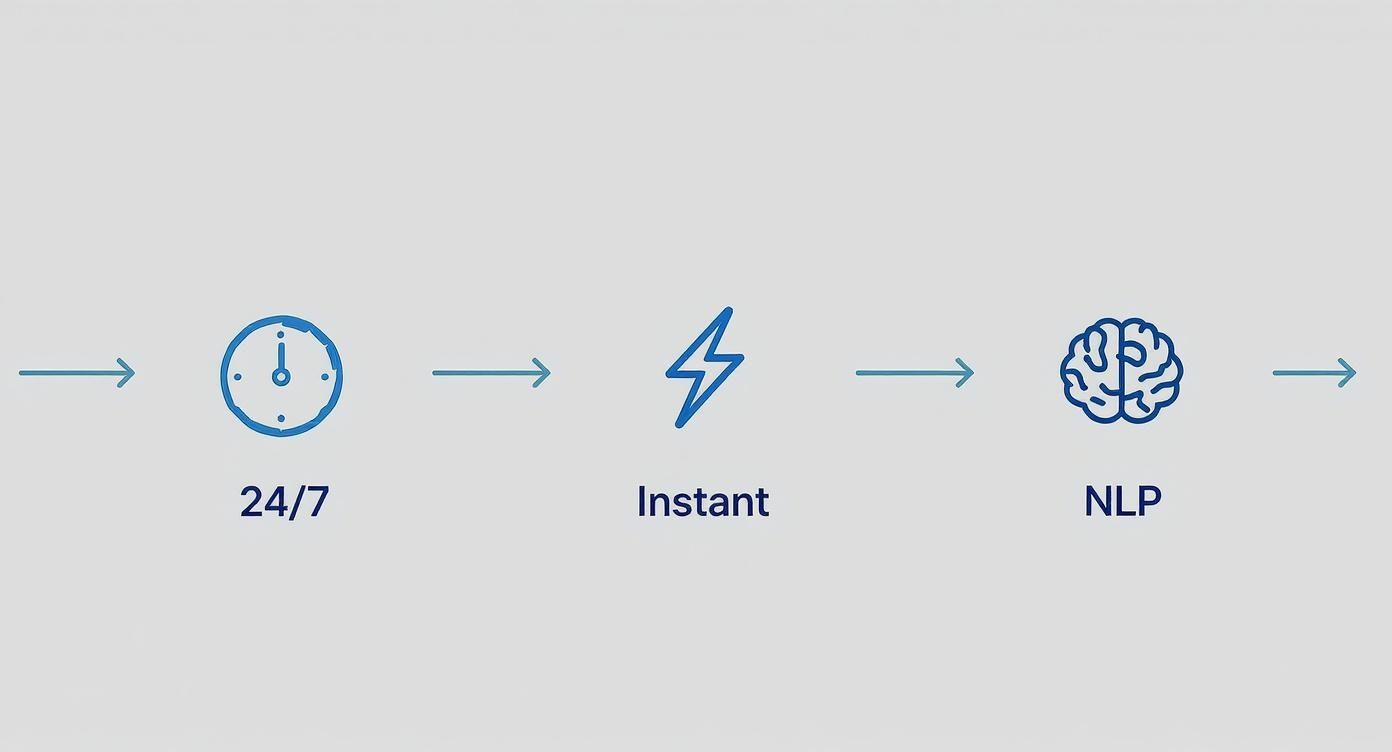
As you can see, the combination of 24/7 availability, instant replies, and smart language processing creates a powerful and highly efficient support system.
Boosting Agent Productivity and Satisfaction
There’s a common fear that chatbots are here to replace human agents. The reality is they’re here to supercharge them. A good chatbot acts like a frontline filter, handling all the noise so your team doesn’t have to.
When your agents aren’t buried under a mountain of repetitive questions, their jobs become far more interesting. They get to spend their time building real customer relationships, solving complex puzzles, and even spotting opportunities to upsell or cross-sell. This doesn’t just make them more productive; it makes them happier. People feel valued when they’re using their brains for meaningful work, which leads to better morale and a more experienced, effective support team.
A chatbot doesn’t just cut costs by doing more with less; it elevates the entire support function. It transforms your human agents from ticket-takers into expert problem-solvers, creating a more efficient and profitable operation.
Let’s look at a few other tangible benefits:
- Reduced Training Time: New hires can get up to speed much faster. The chatbot handles the FAQ-style questions, letting trainees focus on learning the more complex parts of the business.
- Lower Error Rates: Chatbots are consistent. They pull answers from a single source of truth every time, which means no more human error on routine questions.
- Increased Sales Opportunities: With more time on their hands, your agents are in a much better position to identify and act on sales opportunities that pop up during support conversations.
A customer support chatbot is a direct investment in a leaner, more effective, and more scalable business. It’s a true win-win: customers get instant answers, your team gets more fulfilling work, and the business sees a clear return on its investment.
Where Chatbots Make a Real Difference: Use Cases Across Industries

Sure, boosting efficiency and cutting costs sound great on paper, but the true magic of a chatbot happens when you see it tackle real problems in the wild. A chatbot isn’t some generic, plug-and-play solution; its value is unlocked when it’s tailored to solve the unique headaches of a specific industry.
Seeing how these AI helpers work in different settings can spark ideas for your own business. Let’s dig into a few practical examples that show what’s possible.
E-commerce: The 24/7 Personal Shopper
For any online store, a chatbot is basically the perfect digital sales associate—one that never sleeps. Picture this: a customer lands on your website, a little lost, looking for the right product. Instead of forcing them to click through endless menus, a chatbot can step in and act as their personal shopper.
It can ask about their style, recommend products based on what they’ve clicked on before, or even suggest accessories to complete a look. This kind of proactive help turns a passive browser into an engaged buyer, giving your conversion rates a serious lift.
But the real grunt work happens after the sale. An e-commerce chatbot is a master at handling post-purchase questions.
- Order Tracking: It can instantly answer the “Where’s my stuff?” question by pulling data directly from your shipping provider. This one task alone can free up a massive amount of your support team’s time.
- Returns and Exchanges: The bot can walk a customer through the entire return process, from generating a shipping label to providing instructions, all without a human needing to lift a finger.
- Inventory Questions: It can check stock levels in a flash, letting customers know if an item is available or when they can expect it back.
By automating these common, high-volume queries, you not only make customers happier but also let your support team focus on the tricky stuff, like dealing with damaged shipments or complex payment issues.
SaaS: Smarter Onboarding and First-Line Tech Support
In the Software-as-a-Service (SaaS) world, getting users up to speed quickly and providing fast technical help is everything. A chatbot is a secret weapon on both fronts, acting as an automated guide for newbies and a triage nurse for tech problems.
As soon as a new user signs up, the bot can kick off a welcome tour, guiding them through the first few critical setup steps and highlighting must-know features. It’s a much more engaging way to learn than reading a dense help doc, which can make a huge difference in keeping new users from dropping off.
Think of a SaaS chatbot as an intelligent filter. It empowers users to solve simple problems themselves while making sure the truly tough issues get to the right human expert, complete with all the background info they need.
The bot also serves as a round-the-clock troubleshooter. It can field common “how-to” questions, ask a few diagnostic questions to pinpoint a problem, and point users to the right knowledge base article. If the issue is more stubborn, the bot can gather key details—like what browser they’re using or the exact error message—before creating a support ticket. This way, when an agent finally sees the ticket, they have everything they need to solve it fast.
Real Estate and Healthcare: Qualifying Leads Around the Clock
In fields like real estate and healthcare, every potential lead is gold. A chatbot can work 24/7 to make sure you don’t miss a single one. For a real estate agency, a bot can engage website visitors by asking key questions: What’s your budget? What neighborhood are you looking in? This simple conversation pre-qualifies leads so agents can spend their time on serious buyers, not just curious browsers.
It’s a similar story in healthcare, where a chatbot can handle the initial intake for new patients. It can help with scheduling appointments, answer common questions about insurance, and collect basic information. This frees up administrative staff to focus on in-person patient care. The potential here is massive, and you can learn more about how a chatbot for healthcare streamlines everything from booking to billing.
By acting as a digital front desk, a chatbot ensures every single person who reaches out gets an immediate, helpful response, dramatically improving the quality of your leads and the efficiency of your team.
How to Choose and Implement Your First Chatbot
Getting your first customer support chatbot off the ground is much easier than you might think. The trick is to start with a laser-focused strategy. Before you even begin browsing different platforms, you have to answer one simple question: What, exactly, do you want this chatbot to do?
Are you getting swamped with the same repetitive questions about order tracking? Maybe you’re losing potential customers because your team can’t respond to website inquiries fast enough. Or perhaps you just want to give new users a smoother onboarding experience.
Pinpointing that primary goal is the most important first step. It takes your chatbot project from a fuzzy concept to a sharp business tool with a clear purpose. This clarity will be your North Star for every decision that follows, from the features you need to the conversation flows you design. After all, a bot built to qualify sales leads will look and act completely different from one designed for technical troubleshooting.
Defining Your Goals and Success Metrics
Once you know your “why,” it’s time to figure out how you’ll measure success. How will you know if the chatbot is actually pulling its weight? Setting a few Key Performance Indicators (KPIs) right from the get-go isn’t just a good idea—it’s essential.
Here’s how you can connect goals to real numbers:
- Goal: Cut down on support ticket volume. The metric to watch here is the containment rate. This is simply the percentage of chats the bot handles from start to finish without needing a human. A solid initial target is 30-40%.
- Goal: Capture more qualified leads. Track the number of qualified leads your bot identifies and successfully books for a demo or passes to your sales team.
- Goal: Make onboarding smoother. Success could be a drop in basic “how-to” tickets from new users or a jump in the adoption of key features within your product.
A well-defined goal paired with a clear metric is like a compass for your implementation. It ensures your chatbot is built with a purpose and allows you to prove its value to your business with hard data.
Evaluating Chatbot Providers
With your goals and metrics clearly defined, you’re ready to start looking at solutions. To hit the ground running, researching the best AI-powered help center software is a great place to start. As you compare your options, keep an eye on a few key criteria.
Ease of Use
You shouldn’t need a computer science degree to get your bot up and running. Look for platforms with a no-code or low-code builder, which lets you create and edit conversations visually. Tools like LeadBlaze are built for business users, not developers, which makes the setup process much more straightforward.
Integration Capabilities
A chatbot that doesn’t talk to your other systems is basically a glorified FAQ page. Make sure the platform you choose can connect to the tools you already use, like your CRM, help desk, or messaging apps. For instance, if your team relies heavily on WhatsApp, the ability to integrate WhatsApp with your CRM is a must-have for a connected workflow.
Pricing Model
Get a clear picture of the costs. Most providers charge a monthly fee, but check for limits on the number of conversations or users. A simple, flat-rate pricing model like the one offered by LeadBlaze can give you peace of mind and predictability as your business grows.
A quick look at the LeadBlaze homepage shows its direct, powerful approach to converting website visitors into leads.
This is a great example of how a chatbot platform should communicate its value—automating a critical business process without a ton of technical overhead.
Deployment and Optimization
After you’ve picked your provider, it’s time to build. The key here is to start small. Don’t try to create a bot that knows everything on day one. Instead, focus on building out conversation flows for the top 3-5 most common questions your team gets. Master the basics first.
You can train the bot by simply feeding it your existing help docs, website pages, and FAQs. A good AI chatbot will absorb this information and use it to start providing accurate answers almost immediately.
Finally, remember that launching your bot is just the beginning. The real value comes from ongoing monitoring and tweaking. Check in on your conversation logs every week. See what’s working well and where people are getting stuck. Use those insights to refine the bot’s answers, add new skills, and improve its performance. Think of your chatbot as a new employee—it gets smarter and more helpful with every conversation it has.
Debunking Common Chatbot Myths
Despite how popular chatbots have become, a few old myths still make some business owners hesitate. These ideas are usually based on the clunky, first-generation bots that were little more than glorified FAQ pages, not the smart, AI-powered assistants we have today. Let’s clear the air and look at the modern reality.
One of the biggest hang-ups is the idea that chatbots are cold, robotic, and will strip the personality from your customer service. And sure, early bots were stuck on rigid scripts. But today’s versions use sophisticated AI to understand and respond to the way people actually talk. They can grasp context, recognize a customer’s mood, and even adopt a tone that perfectly matches your brand voice.
This ability to hold a natural conversation has completely changed how people feel about them. In fact, customer satisfaction has shot up, with 80% of people who’ve used a chatbot reporting a positive experience. On top of that, 51% of consumers actually prefer bots for quick help, which tells you just how much they value speed and convenience. You can discover more chatbot insights that highlight these trends.
They Are Too Complicated to Set Up
Another common fear is that you need a team of developers and months of coding to get a chatbot off the ground. While that might have been the case a few years back, things have changed dramatically. Modern platforms are built to be user-friendly.
For example, solutions like LeadBlaze have no-code builders that let you create, customize, and launch a chatbot in minutes, not months. You can “train” the AI simply by pointing it to your website content or help articles. The process is now less about technical know-how and more about strategy—thinking through what you actually want the bot to accomplish for your business.
The modern customer support chatbot is a tool designed to augment your team, not replace it. It acts as a tireless assistant, freeing up human agents to focus on the high-value interactions that require empathy, creativity, and complex problem-solving.
Chatbots Will Replace Human Agents
This is probably the most persistent myth out there: that chatbots are coming for your team’s jobs. Nothing could be further from the truth. The goal of a chatbot isn’t to get rid of the human touch in customer service, but to make it more impactful.
Think of it this way: a chatbot is your team’s first line of defense. It’s brilliant at handling all the repetitive, high-volume questions like “Where is my order?” or “What are your business hours?”. This kind of automation is a massive boost for your team’s productivity.
By filtering out all those routine queries, the chatbot ensures that when a customer does need to talk to a person, it’s for a complex issue where a human’s expertise is truly needed. This elevates the role of your support agents, turning them from people who just answer tickets into genuine problem-solvers. The result? A more efficient, effective, and happier support team.
A Few Common Questions About Chatbots
If you’re thinking about adding a chatbot to your website, you probably have a few practical questions. It’s smart to think about the cost, how long it’ll take to get running, and how it might affect your brand. Let’s tackle some of the most common things people ask.
How Much Does a Chatbot Cost, Really?
The price tag on a chatbot can be all over the map, but it’s a lot more affordable than you might think. You could be looking at a simple monthly subscription or a custom-built system that costs thousands.
For most small and mid-sized businesses, a subscription is the way to go. You get powerful features without a massive upfront cost. For example, a platform like LeadBlaze can run less than $100 per month. The real story here is the return on investment. That small monthly fee can save you a ton in agent hours and genuinely boost your lead conversions.
How Long Does It Take to Get One Set Up?
Forget about long, drawn-out development projects. With today’s no-code tools, you can have a working chatbot up and running in a few hours. Seriously. The whole process is built to be fast and straightforward.
It’s surprisingly quick to get the basics in place. You’ll spend a little time customizing how it looks, setting up a few automated conversations for your most common questions, and then just copy a snippet of code onto your site. More complex integrations can take longer, but you can have a helpful bot live and engaging visitors the very same day.
Will a Chatbot Mess Up My Website’s SEO?
This question comes up a lot, but the short answer is no. In fact, a good chatbot can actually give your SEO a little boost. Google and other search engines love websites that give people a great experience, and that’s exactly what a chatbot helps you do.
By jumping in to help visitors right away, a chatbot can:
- Keep people on your site longer: When users stick around, it tells search engines your site is valuable.
- Lower your bounce rate: Instant answers mean fewer people get frustrated and leave immediately.
Both of these are positive signals that help your search rankings. The only catch is making sure the chatbot’s code is lightweight so it doesn’t slow your site down.
Can a Chatbot Speak More Than One Language?
Absolutely. This is a pretty standard feature for most modern AI chatbots. They can often detect a visitor’s browser language and start the chat in their native tongue automatically.
This is a game-changer if you have an international audience. You can offer instant, consistent support to customers anywhere in the world, making everyone feel a lot more at home on your site.
Ready to turn your website traffic into qualified leads 24/7? With LeadBlaze, you can launch a powerful AI sales assistant in minutes. Engage every visitor, answer their questions instantly, and start converting more leads today. Get started with your free trial at leadblaze.ai.