
When you start looking for the best live chat software for a small business, a few names always pop up: LiveChat, Tidio, and LeadBlaze. There’s a good reason for that. They’ve nailed the balance of being affordable, feature-rich, and surprisingly easy to get started with. For small teams, these platforms are a game-changer, letting you offer instant support, grab leads, and boost customer happiness without needing a huge budget or a tech team.
Why Your Small Business Needs Live Chat
Let’s be real: customers today expect answers now. Live chat isn’t just a nice-to-have feature anymore; it’s a core tool for growing your business. It gives you a direct, real-time connection to people on your website right when they’re most interested in what you have to offer. This kind of immediate interaction is something a simple contact form can never match, turning curious visitors into actual leads.
Putting live chat on your site is a powerful way to engage customers, a strategy that’s a key part of any solid growth plan, as highlighted in this essential marketing guide for small businesses. It’s all about being there for your customers in the moment and giving them the instant answers they’ve grown accustomed to.

Driving Sales and Building Trust
The effect of live chat on a small business’s revenue isn’t just talk. When you can instantly answer a question about a product or clarify a service detail, you knock down the barriers that stop people from buying. You can catch them right before they abandon their cart. This hands-on support builds serious trust and shows you care about your customers, something bigger, faceless competitors often struggle with.
The numbers back this up, big time. Studies show 79% of companies say that adding live chat led to better customer loyalty, more revenue, and increased sales. Even more impressively, a huge 87% of live chat conversations end with a positive customer satisfaction rating, making it a channel people genuinely prefer.
For a small business, every single website visitor is a golden opportunity. Live chat makes sure you don’t miss the chance to connect, solve a problem, or gently guide someone toward making a purchase.
Boosting Team Efficiency
Live chat isn’t just great for customers; it’s a lifesaver for your team’s productivity. A single agent can handle several chats at once—something that’s physically impossible on the phone. This is perfect for small teams where everyone is already wearing multiple hats. A few key features really make this possible:
- Canned Responses: Having pre-written answers for common questions saves a ton of time and keeps your messaging consistent across the board.
- Chatbots: Simple AI bots can take care of the basic stuff 24/7, like answering simple questions, qualifying leads, and sending the trickier issues over to a real person. Our guide on live chat support best practices has more tips on getting this right.
- Integrations: When your live chat talks to your CRM or email platform, everything just works better. Customer info gets updated automatically, and your marketing gets smarter without any extra effort.
What to Look For in a Live Chat Tool
Picking the right live chat software for your small business means looking beyond the bells and whistles. You need to focus on what actually moves the needle. Before you even start comparing platforms, you have to know what you’re looking for. The best tool should feel like a natural part of your team, not just another piece of software you have to wrestle with.
Think about the core functions that genuinely save time and make for a better customer experience. Start with the basics, like canned responses. This simple feature lets your team answer common questions instantly with pre-written replies, which is a huge time-saver and keeps your brand voice consistent.
Then there’s automation. Can the software spot a visitor who’s been lingering on your pricing page and proactively start a conversation? A well-timed chat invitation can turn a hesitant browser into a warm lead by offering help at just the right moment.
Core Features and Automation
For a small team, your software has to be smart. Intelligent chat routing is non-negotiable; it automatically directs conversations to the right person or department. This simple step stops customers from getting the runaround and makes sure sales inquiries land with your sales team, not customer support.
And what about after hours? That’s where chatbot integrations come in. A good chatbot can handle basic questions, qualify leads, and log support tickets while your team is offline. When you’re evaluating tools, take a hard look at their AI capabilities. The ones with solid AI features can make a massive difference in efficiency and customer happiness. It’s even worth looking into the best ChatGPT alternatives to get a sense of what’s possible with modern AI.
The goal isn’t just to be available; it’s to be effectively available. A tool with smart automation empowers a small team to provide high-quality, 24/7 support without burning out.
Integrations and Performance Analytics
A live chat tool can’t live on an island. It has to connect smoothly with the other software you already use—that’s a deal-breaker. Look for platforms that integrate easily with:
- Your CRM: This keeps customer data in sync and gives your agents the context they need to have meaningful conversations.
- E-commerce Platforms: Imagine pulling up order details or product specs right inside the chat window. That’s the kind of integration you want.
- Email Marketing Services: You should be able to add new leads from chat directly into your marketing campaigns without any manual work.
Finally, you can’t fix what you don’t measure. Solid analytics are critical for tracking key performance indicators (KPIs). You need to be able to monitor metrics like agent response times, customer satisfaction scores, and chat volume to see what’s working and what isn’t.
The scale here is bigger than you might think. Data from just one popular tool showed its customers held over 104 million chat sessions in a single year, with agents handling over 24 chats every day. That tells you just how central these tools become to a business’s daily rhythm.
Comparing The Best Live Chat Software
Picking the right live chat software for your small business isn’t about finding the one with the most bells and whistles. It’s about finding the tool that clicks with your specific needs, team size, and where you’re headed. Let’s dig into how the top contenders really stack up when you put them to work.
We’ll compare four of the leading platforms—LiveChat, Tidio, Olark, and our own LeadBlaze—across the criteria that actually matter to small businesses. We’re talking ease of setup, automation muscle, integration power, and pricing that grows with you, not ahead of you. The idea is to get past the marketing fluff and see which one genuinely fits your workflow.
This infographic nails the core features that are non-negotiable for any live chat tool worth its salt.
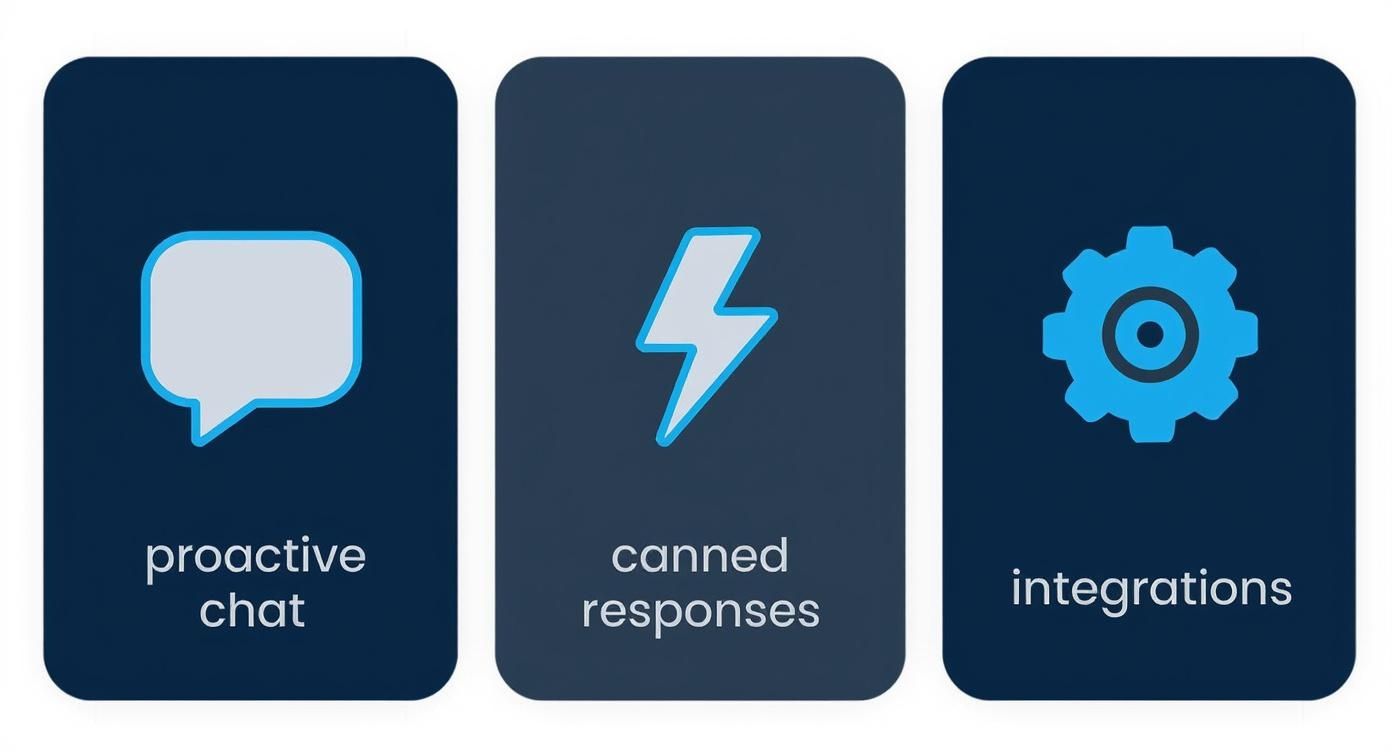
Think of these three pillars—proactive engagement, response efficiency, and system connectivity—as the foundation for a live chat strategy that actually saves you time and makes you money.
LiveChat: The All-In-One Powerhouse
LiveChat has earned its reputation as the industry standard. It’s a seriously robust, all-around platform perfect for businesses ready to get serious about customer support. Its real strength is its comprehensive feature set, which includes ticketing systems, deep-dive analytics, and extensive customization.
If you have a dedicated support agent or two, LiveChat gives you an enterprise-level experience. The chat routing is top-notch, making sure every question lands with the right person. This is a game-changer for a growing team that’s starting to specialize, like separating sales inquiries from technical support tickets.
LiveChat really shines in structured support environments where tracking tickets and agent performance is a top priority. It’s built for teams that need deep analytics and a system that can handle a high volume of chats without breaking a sweat.
The one thing to watch is the pricing model. It’s based on a per-agent, per-month fee, which can get pricey as you grow. The entry-level plan starts around $20 per agent, which is fine for one or two people, but it adds up fast.
Tidio: The Automation-First Contender
Tidio carves out its space by putting AI and chatbots front and center. This makes it a fantastic choice for any business looking to automate conversations. Its visual chatbot builder is one of the most intuitive out there, letting you map out automated flows without touching a line of code.
Picture this: a visitor asks about your return policy at 10 PM. Tidio’s chatbot can serve up the answer instantly, freeing up your team for the complex stuff during business hours. It’s easily one of the best live chat software options for small business owners who can’t be chained to their desks 24/7.
Tidio also hooks you in with a generous free plan that includes basic live chat and a limited number of chatbot conversations—perfect for startups just testing the waters. The trade-off, of course, is that more advanced features and getting rid of the Tidio branding will require an upgrade.
Olark: The Simple and Effective Choice
Olark stands out by keeping things simple. It doesn’t try to be your CRM or your all-in-one marketing suite. Instead, it focuses on doing one thing exceptionally well: helping you have real-time conversations with website visitors.
Its best features are the simple things, like searchable transcripts and powerful automation rules that are a breeze to set up. For instance, you can automatically pop up a greeting for any visitor who spends more than 30 seconds on your pricing page. This straightforward approach makes Olark a great fit for businesses that just want to get live chat running fast, without a steep learning curve. The setup is often as simple as dropping a code snippet on your site; for WordPress users, a good WordPress online chat plugin is all it takes for a seamless integration.
While Olark does offer integrations with big players like Salesforce and HubSpot, its native feature set is more streamlined than what you’d find in LiveChat. Its pricing is just as straightforward, starting at $29 per agent per month.
LeadBlaze: The Lead Generation Specialist
LeadBlaze was built from the ground up with one goal in mind: turning website visitors into qualified leads. While other platforms mix support and sales, LeadBlaze is engineered to be an AI sales assistant. It engages every single visitor, answers their questions by pulling from your website’s content, and qualifies them based on rules you set.
This is the perfect setup for a small business where live chat is all about lead gen, not just support. Instead of your team having to monitor a chat box all day, LeadBlaze’s AI handles the initial back-and-forth, gathers the important info, and then hands you a clean summary. Your sales team only steps in when a lead is genuinely warm and ready to talk.
With its one-click WordPress plugin and simple pricing ($49 per month for unlimited seats and conversations), it’s an incredibly accessible and scalable choice. LeadBlaze is for businesses that want to maximize their lead flow without dedicating staff to a traditional chat inbox. It’s all about working smarter.
Live Chat Software Feature Comparison for Small Businesses
To help you see the differences at a glance, here’s a side-by-side look at how these tools stack up on the features that matter most for small business growth.
| Feature | LiveChat | Tidio | Olark | LeadBlaze |
|---|---|---|---|---|
| Primary Use Case | Customer Support & Service | Automated Support & Sales | Simple Live Engagement | AI-Powered Lead Generation |
| AI & Automation | Canned responses, basic bots | Advanced visual chatbot builder | Simple behavior-based rules | Fully conversational AI assistant |
| Free Plan | 14-day trial only | Yes, with limitations | 14-day trial only | 14-day trial |
| Pricing Model | Per agent/month | Freemium, tiered features | Per agent/month | Flat monthly fee |
| Best For | Teams needing robust support tools | Businesses wanting 24/7 automation | Solopreneurs/small teams needing simplicity | Sales-focused teams prioritizing leads |
| WordPress Integration | Yes, dedicated plugin | Yes, dedicated plugin | Yes, dedicated plugin | Yes, one-click plugin |
Ultimately, the “best” tool is the one that aligns with your primary business goal—whether that’s providing stellar support, automating responses, or converting more website traffic into tangible sales leads.
What Makes LeadBlaze Different for Small Businesses?
So many live chat tools try to be everything to everyone, mixing customer support and sales into one big, complicated package. LeadBlaze cuts through the noise. It was built with one very specific goal in mind: to act as an around-the-clock AI sales assistant that turns casual website visitors into qualified leads. This sharp focus is what really makes it stand out.
Unlike traditional live chat that tethers a human to a desk, LeadBlaze’s AI greets every visitor the second they land on your site. It automatically learns from your website’s content—your services, pricing, FAQs—and uses that knowledge to give people instant, helpful answers. This means no more missed opportunities just because someone visited after hours.
No Tech Skills? No Problem.
If you’re running a small business, the last thing you need is another piece of complicated software to figure out. LeadBlaze gets this. The setup is refreshingly straightforward, and you definitely don’t need to be a developer to get it running.
You can have it live on your site in just a few minutes, either with a simple one-click WordPress plugin or by pasting a single line of code. As soon as it’s installed, the AI starts training itself on your website content, so it’s ready to field questions almost right away. For a team without a dedicated IT person, this is a massive win.
LeadBlaze isn’t just another support tool that needs constant babysitting. It’s a proactive sales machine that works for you, automating the tedious parts of lead qualification so you can focus on closing.
The dashboard is just as user-friendly. It won’t drown you in confusing charts or a maze of settings. Instead, you get clean, AI-powered summaries of each chat, pulling out the exact information you need to follow up with a potential customer.
It’s a Sales Tool, Not Just a Chat Box
Think of LeadBlaze less as a chat widget and more as a key player in your sales process. Its real magic is how it intelligently qualifies visitors based on the rules you set, not just having mindless conversations.
You can actually program the AI to:
- Spot Hot Leads: Tell it to flag visitors who ask specific buying questions (like “how much does it cost?”) or spend time on your pricing page.
- Get the Right Info: Have the AI collect the details that matter to you, whether that’s a name, email, company size, or their specific pain point.
- Sound Like You: You can easily tweak the chatbot’s personality to make sure every conversation reflects your unique brand voice.
By the time a conversation lands in your inbox, the lead is already warmed up and qualified. You get a neat summary of what they need, letting you skip the small talk and get right to the heart of the matter. For a small team, that kind of efficiency is priceless.
And the pricing is built for small businesses, too. It’s a flat $49 per month for unlimited seats and chats. You don’t have to worry about costs spiraling out of control as you bring on more team members, making it a predictable and powerful way to get more value out of the website traffic you already have.
Getting the Most Bang for Your Buck: A Guide to Implementing Live Chat
Picking the right live chat tool is half the battle. The other half—and where you’ll really see the payoff—is in how you roll it out. Just slapping a chat widget on your website and hoping for the best won’t cut it. You need a solid plan to turn those real-time chats into a real return on your investment.
It all starts with your team.

Before you go live, get everyone properly trained on the new software. Make sure they know the ins and outs, and set some clear ground rules for your brand’s tone and how fast you expect them to respond. When your team feels confident and prepared, they can turn a simple question into a great experience that builds loyalty.
Laying the Groundwork for Success
Once your team is up to speed, it’s time to dig into the technical and strategic side of things. This is where you set yourself up for efficient, proactive conversations. A little prep here goes a long way.
For starters, set up automated greetings on your most important pages. Think pricing pages, product pages, or the checkout. A simple, well-timed message like, “Hey there! Have any questions about our plans?” can be incredibly effective at starting a conversation.
You’ll also want to build out a library of canned responses. These are pre-written answers to common questions that help your team reply instantly and consistently. It’s a simple trick that dramatically cuts down your response time.
A successful live chat implementation is not just about being available—it’s about being prepared. Smart automation and a well-defined process ensure your team can handle inquiries effectively without feeling overwhelmed, directly impacting your ROI.
Thinking about how this fits into the bigger picture? Live chat is a powerful piece of a much larger puzzle. See how it connects to your overall growth by exploring our guide on marketing automation for small business.
Measuring What Matters
If you want to maximize your ROI, you have to track your performance. The right key performance indicators (KPIs) tell you exactly what’s working and what isn’t. Otherwise, you’re just flying blind.
Here are the core metrics you should be watching from day one:
- First Response Time: How long does it take for a real person to jump into the chat?
- Customer Satisfaction (CSAT) Score: Are people happy with the help they’re getting?
- Conversion Rate: How many chats are leading to a sale, a demo booking, or a sign-up?
- Chat Volume by Time of Day: This data is gold for staffing. It helps you schedule agents so you’re never caught flat-footed during a rush.
There’s a reason over 5.3 million websites have already adopted online chat. It works. But its success hinges on a smart setup and tracking the right data from the get-go. To dive deeper into the data behind this trend, you can discover more insights about live chat adoption trends from Tidio.
Live Chat FAQ: Your Questions Answered
Diving into live chat can feel like a big step, and you probably have a few questions swirling around. That’s completely normal. Getting straight answers is the best way to figure out what you really need and how to get started without any headaches. Let’s tackle some of the most common things small business owners ask.
We’ll cut through the jargon and get right to the practical stuff, from how many people you actually need to run it, to whether it will genuinely affect your bottom line.
How Many Live Chat Agents Does a Small Business Need?
This is the big one, but the answer usually surprises people: you can probably start with just one. Seriously. For most small businesses, a single person can handle the chat volume just fine, especially if you have the right software backing you up.
Think of the platform as your force multiplier. The best tools are built to make one person operate like a full-blown team. You can use features like:
- Chatbots: Let a bot handle the “hello” and answer the easy, repetitive questions 24/7.
- Canned Responses: Create pre-written answers for things you get asked all the time, like your hours or return policy. A single click sends a perfect reply.
- Smart Routing: Make sure the really important sales questions don’t get lost in the shuffle and are flagged for immediate attention.
My advice? Don’t guess. Use a free trial to see what your real chat volume looks like. The data will tell you everything you need to know about your busy times and when (or if) you need to bring on a second person.
Can Live Chat Actually Help Increase My Sales?
Without a doubt. The effect isn’t just theoretical—it’s direct, measurable, and often happens faster than you’d expect. Live chat boosts sales by giving you a direct line to a customer right when they’re on the fence about buying something. It’s your chance to step in and prevent a lost sale.
Think about it: when you can instantly answer a question about a product or clarify a shipping cost, you’re knocking down the barriers that make people abandon their carts. That quick, personal interaction builds a ton of trust. And according to a study from eConsultancy, 73% of customers who use live chat walk away satisfied, which blows email and phone support out of the water.
By answering a last-minute question, you’re not just being helpful—you’re removing friction. That’s often the final nudge someone needs to confidently hit the “buy” button.
Is Live Chat Software Hard to Install and Manage?
Not anymore. Gone are the days of needing an IT wizard to get things working. Most live chat platforms today are built with small business owners in mind—people who wear a lot of hats and don’t have time for a technical nightmare.
Usually, setup is as simple as copying and pasting a small piece of code onto your website. It’s a one-and-done task. Many tools, including LeadBlaze, even have plugins for platforms like WordPress or Shopify, which makes installation literally a one-click affair. From there, the dashboards are clean and easy to navigate, so you can tweak your chat widget’s look, set up automated messages, and check your reports without needing a manual.
Ready to turn more website visitors into qualified leads? LeadBlaze acts as your 24/7 AI sales assistant, engaging every prospect and delivering actionable insights so you can focus on closing deals. Start your free trial of LeadBlaze today and see the difference.