Picture this: you have a perfect marketing assistant who works around the clock, 24/7, never gets tired, and flawlessly handles all those repetitive tasks for you. That leaves you free to focus on the big picture—the strategy. That’s the real magic behind marketing automation for small business. It’s all about using smart software to take routine marketing jobs off your plate, so you can do more with less.
What Is Marketing Automation, Really?

At its heart, marketing automation is like setting up a “digital assistant” to run the marketing tasks you find yourself doing over and over again. Think of it as creating a set of instructions—or workflows—that tell your software exactly what to do when a customer takes a certain action. This isn’t about spamming people with robotic messages; it’s about delivering the right message to the right person at the right time, automatically.
This kind of power used to be locked away for big corporations with massive budgets. Not anymore. Modern tools have opened the door for everyone, letting small businesses compete on a much more even playing field by building customer relationships on autopilot.
The Digital Assistant Analogy
Let’s stick with that digital assistant idea for a moment, as it really clicks. You’ve programmed your assistant with a list of “if this, then that” rules. For instance:
- When a new visitor subscribes to your newsletter, your assistant immediately sends them a personalized welcome email. No delay.
- If a shopper puts an item in their cart but leaves, the assistant can follow up with a gentle reminder a few hours later.
- When a potential customer keeps visiting your pricing page, your assistant flags them as a hot lead and pings you or your sales team to reach out.
Each of these actions is triggered by simple logic. If a customer does X, then the software does Y. This system ensures every interaction is timely and relevant, and you don’t have to manually track every single click. If you want to dive deeper into how this applies day-to-day, you can find great info on marketing automation specifically for small businesses.
The goal isn’t to replace the human touch—it’s to supercharge it. Automation handles the tedious follow-ups so you can spend your time on what matters: high-value conversations, creative thinking, and building real relationships.
Busting the Common Myths
A lot of small business owners get hung up on a few common myths: that marketing automation is too complicated, too expensive, or just too impersonal. That might have been true years ago, but it’s a different world now. The market is full of affordable, user-friendly platforms built just for smaller teams.
You definitely don’t need a background in coding or a team of engineers to get going. Most modern tools use simple drag-and-drop editors to build these automated workflows, making the whole process visual and intuitive. The key is to start small. Just set up a simple welcome email series, see how it goes, and build from there as your business—and your confidence—grows.
What Automation Actually Does for Your Business

The idea of a “digital assistant” sounds nice, but what does it really mean for your bottom line? Marketing automation isn’t just about saving a few minutes here and there. It’s a powerful engine for driving efficiency, improving the quality of your leads, and ultimately, growing your revenue.
Think of it this way: automation gives you a system to scale your business without having to scale your team at the same rate. Let’s look at three core goals every small business owner has and see how automation delivers real, measurable results.
Reclaim Your Most Valuable Asset: Time
If you’re a small business owner, your time is gold. Every hour you spend on mind-numbing, repetitive tasks is an hour you can’t spend on big-picture strategy, talking to your best customers, or developing new ideas. This is where you’ll see the first and most immediate win from automation.
Let’s say you currently burn five hours a week manually scheduling social media posts and sending individual follow-up emails to new leads. With an automation tool, you build these workflows just once. From then on, your social posts go out on schedule like clockwork, and every new subscriber gets a welcome email the moment they sign up.
Suddenly, your marketing is working for you around the clock, even when you aren’t. You’ve just freed up 20 hours per month to focus on work that actually grows your business, all while keeping up a polished, professional online presence.
Automatically Surface Higher Quality Leads
Let’s be honest: not all leads are created equal. Some people are just window shopping on your website, while others are pulling out their wallets. Trying to manually figure out who’s who is a huge time-sink and, frankly, a bit of a guessing game.
This is where lead scoring becomes your secret weapon.
Lead scoring is like an engagement meter for every contact in your database. You decide what actions are valuable and assign points to them. It might look something like this:
- Opens an email? +5 points
- Clicks a link to your pricing page? +10 points
- Downloads a detailed guide or case study? +20 points
Once a contact hits a certain score—say, 50 points—the system automatically tags them as a “marketing qualified lead” (MQL) and can even ping your sales team. This means you stop wasting time on lukewarm leads and focus your energy on people who have already shown they’re interested.
This shift is huge. Instead of chasing down cold contacts, you’re starting conversations with your most engaged prospects, which leads directly to better conversion rates and a shorter sales cycle.
Boost Customer Loyalty and Drive More Revenue
It costs way more to attract a new customer than to keep an existing one happy. Automation is brilliant for building that loyalty by sending personalized, timely messages that make your customers feel valued, not just like another number in a spreadsheet.
Think about these common scenarios, which can all run on autopilot:
- Abandoned Cart Nudges: Someone adds items to their cart but gets distracted. A few hours later, an automated email can pop into their inbox with a friendly reminder, maybe even a small discount to seal the deal.
- Smart Product Recommendations: Based on what a customer has bought before, your system can automatically suggest other things they might love. It’s the perfect, low-effort way to cross-sell and upsell.
- Re-engagement Campaigns: Have a customer who hasn’t bought anything in six months? An automated “we miss you” email with a special offer can be just the thing to bring them back into the fold.
These small, consistent touchpoints create a fantastic customer experience that feels personal and attentive. And the numbers don’t lie; small businesses that get this right see incredible results. Recent studies found that companies using marketing automation saw an average 34% increase in total revenues. You can dig into the data yourself in this report on marketing automation’s impact on small business growth.
Your Toolkit of Essential Automation Features
When you first dive into marketing automation, it can feel like you’ve been handed the keys to a spaceship with a million buttons. The sheer number of features, add-ons, and “enterprise-level” tools can be completely overwhelming. But here’s the good news: you don’t need most of them, especially when you’re just getting your feet wet.
This section is all about cutting through that noise. We’re going to focus on the core features that give you the biggest bang for your buck as a small business. These are the tools you’ll actually use day-in and day-out to get time back, connect with customers, and grow your bottom line.
Think of these as the foundational pillars of your automation engine. Mastering just these areas will put you lightyears ahead of competitors who are still doing everything by hand.
When evaluating a platform, it helps to understand what the core functions do and why they’re so important for a growing business.
Core Automation Features and Their Small Business Impact
| Feature | What It Does | Why It Matters for Your Business |
|---|---|---|
| Email Automation | Sends a pre-built series of emails based on customer actions (e.g., signing up, buying a product). | Builds relationships on autopilot, ensures every new lead gets a consistent welcome, and keeps your brand top-of-mind. |
| Lead Management | Captures new leads from forms, organizes them with tags, and scores them based on engagement. | Turns a messy inbox into a clean, organized system where no lead falls through the cracks. It also highlights your hottest prospects. |
| Social Media Scheduling | Lets you plan and schedule posts for multiple social platforms in advance. | Saves you hours every week, maintains a consistent brand presence, and keeps your audience engaged even when you’re busy. |
| Analytics & Reporting | Provides clear, simple dashboards showing how your campaigns are performing (e.g., email open rates). | Gives you the hard data you need to make smart decisions, proving what’s working and what’s not so you can improve your ROI. |
Let’s dig a little deeper into what each of these really means for your daily operations.
Automated Email Marketing
This is the heart and soul of any good automation strategy. It’s so much more than just sending a monthly newsletter; it’s about creating entire conversations that run on their own. With automated email marketing, you can build sequences—often called drip campaigns—that guide new leads from curious prospects to loyal customers.
For example, when someone new joins your mailing list, a workflow can kick off a welcome series:
- Email 1 (Immediately): A warm welcome and a thank you for subscribing.
- Email 2 (2 Days Later): An introduction to your brand’s story or a spotlight on your most popular service.
- Email 3 (5 Days Later): A special offer or a link to your most helpful blog post.
You build this sequence one time, and it works tirelessly for every single person who signs up. According to a recent report on current automation trends, 58% of marketing decision-makers have already automated their email campaigns for this very reason.
Lead Management and Nurturing
New leads are the lifeblood of your business, but manually tracking them in a spreadsheet is a recipe for disaster. This is where automation really shines. It instantly captures, organizes, and prepares your prospects for a conversation.
The moment someone fills out a form, the system creates a contact profile for them. From there, it can automatically add tags based on their interests (like “downloaded_ebook”) or segment them into a list like “New Leads.”
This simple act of organization is a game-changer. It turns a chaotic list of names into a structured database where you know exactly where each person came from and what they care about.
Some platforms even include automated lead scoring, which assigns points to contacts based on their actions, like visiting your pricing page. This helps you instantly spot your most engaged prospects so you know who to call first.
Social Media Scheduling
Keeping up a consistent presence on social media is non-negotiable for brand visibility, but it can also be a massive time sink. Social media automation lets you plan, schedule, and publish all your content across multiple platforms well in advance.
You can sit down for just an hour and map out an entire week’s worth of posts for Facebook, LinkedIn, and Instagram. The tool then publishes them at the best times, making sure your brand stays active and in front of your audience while you’re busy running your business.
Simple Analytics and Reporting
How do you know if any of this is actually working? That’s where analytics comes in. A good automation platform won’t overwhelm you with data. Instead, it will give you a simple, easy-to-read dashboard showing you the metrics that truly matter.
You’ll want to look for reports on:
- Email Performance: Open rates, click-through rates, and unsubscribes.
- Workflow Analytics: How many people entered a sequence versus how many took the desired action.
- Lead Sources: Which channels (organic search, social media, etc.) are bringing in your best leads.
These insights are pure gold. They show you what resonates with your audience so you can double down on what works and fix what doesn’t. And for other ways to automatically engage visitors, see how a chatbot for your website can help answer questions 24/7.
Putting Marketing Automation into Action
Alright, enough with the theory. Let’s get our hands dirty and turn these ideas into real results. This is your no-fluff playbook for getting started with marketing automation as a small business—without the headaches.
The secret? Don’t try to automate everything at once. The goal is to score one small, quick win. Find one task you can take off your plate that will immediately save you time or bring in new business. That first success builds the momentum you need to tackle the next thing, and the next.
We’ll walk through a simple, five-step roadmap that gets you from zero to your first automated campaign, fast.
Step 1: Define One Clear Goal
Before you even glance at a software website, ask yourself this question: “What’s one repetitive task that, if I could automate it, would make a real difference?” Forget about automating your entire marketing plan. Just pick one specific pain point.
A good starting goal is always something you can actually measure. Here are a few ideas to get the wheels turning:
- Goal: Follow up with every single new lead—no more letting them slip through the cracks.
- Goal: Automatically email people who abandon their shopping carts.
- Goal: Send a personal welcome message to every new subscriber.
- Goal: Make sure every new customer gets the same great onboarding experience.
By picking just one target, you bring incredible focus to your efforts. It makes every other decision, from the tools you pick to the emails you write, a whole lot simpler.
Step 2: Choose the Right Tool for the Job
Now that you know exactly what you want to accomplish, you can find a tool that does that one thing really well. As a small business, you don’t need an expensive, all-in-one behemoth. You need something that’s affordable, easy to learn, and solves your specific problem.
Look for platforms with a simple, intuitive interface—a drag-and-drop builder is a huge plus. Many of the best tools offer free or low-cost plans that are perfect for getting your feet wet. Don’t get mesmerized by shiny objects like advanced AI or dozens of integrations you won’t use. Stick to the essentials.
Your first tool doesn’t have to be your forever tool. The most important thing is to choose one that lets you get started quickly and prove the concept. You can always upgrade or switch later as your business grows.
Step 3: Launch One Simple Campaign
Time for the fun part: getting your first automated campaign out the door. The key here is to keep it simple. Your first campaign should be straightforward and laser-focused on the single goal you set in step one.
A perfect first project? A three-part welcome email series for new subscribers. It’s a classic for a reason: it’s high-impact, easy to set up, and it makes an amazing first impression on every single person who joins your list.
Here’s what that could look like:
- Email 1 (Sent Immediately): A warm “hello,” a quick thank-you for signing up, and a reminder of the cool stuff they can expect from you.
- Email 2 (Sent 2 Days Later): Share something valuable. It could be your most popular blog post, a useful tip, or the story of why you started your business.
- Email 3 (Sent 4 Days Later): Make a small, friendly offer. Think a 10% discount, a free downloadable template, or a link to a helpful guide.
This simple sequence works around the clock to build trust and connection with your new audience. Another great option is to set up automated direct messages on social media, which is another powerful way to engage new followers instantly.
Step 4: Build Your First Workflow
“Building a workflow” might sound intimidating, but modern tools make it feel more like drawing a flowchart. You’re just telling the software what to do and when to do it by connecting a few dots.
Let’s stick with our welcome email example. Here’s how you’d build it:
- Trigger: A new person subscribes to your newsletter. This is what kicks off the whole process.
- Action 1: The system immediately sends “Welcome Email #1.”
- Delay: Wait for two days.
- Action 2: The system sends “Welcome Email #2.”
- Delay: Wait for another two days.
- Action 3: The system sends “Welcome Email #3.”
That’s it. You’ve just created a little marketing machine that works for you 24/7. This same basic logic applies to almost any automation you can dream up. Of course, getting those leads in the first place is crucial. If you want to dive deeper, there are some great resources out there on mastering outbound lead generation that pair perfectly with these automation strategies.
Step 5: Measure Your Results and Iterate
Congratulations, your first campaign is live! But don’t set it and forget it just yet. The final step is to peek under the hood and see what’s working so you can make it even better. Automation gives you hard data, which means no more guessing.
For your welcome series, you’ll want to watch two key metrics:
- Open Rate: What percentage of people are actually opening each email? This tells you if your subject lines are grabbing their attention.
- Click-Through Rate (CTR): Of those who opened it, what percentage clicked a link? This shows you how compelling your content is.
After a week or two, check the numbers. If the open rate on Email #2 is low, try a punchier subject line. If nobody is clicking the link in Email #3, maybe you need to tweak your offer. This simple cycle of launching, measuring, and tweaking is how you turn a small win into a powerful engine for your business.
How to Choose the Right Automation Platform
Diving into the world of automation software can feel a bit like walking into a massive, noisy party. Dozens of companies are vying for your attention, all claiming they have the perfect solution. So, how do you cut through the noise and find the right fit for your small business?
The secret is to stop looking for the “best” platform and start searching for the right one for you, right now. Forget the flashy feature lists for a moment. Instead, focus on a few key factors that will actually make a difference to your daily operations and long-term growth.
Start With Your Budget
As a small business, you know that every penny counts. The great news is you don’t need a huge budget to tap into powerful marketing automation for small business. The market is full of fantastic options built specifically for lean teams, and many offer free or very affordable starter plans to get you going.
When you’re looking at pricing, don’t just stop at the monthly fee. Dig a little deeper and ask yourself:
- Is there a free trial or a free-forever plan? This is your golden ticket to test-drive the software without any financial risk.
- How does the pricing scale? Most platforms charge based on your number of contacts. Make sure the price doesn’t suddenly jump into the stratosphere once your list starts growing.
- Are there hidden costs? Keep an eye out for sneaky extras like mandatory setup fees or extra charges for integrations you thought were included.
Your goal is to find a tool that gives you a clear return on your investment. If an affordable platform saves you five hours a week and helps you land a couple of extra clients each month, it’s already paid for itself.
Prioritize Ease of Use
What good is a high-powered tool if it’s too complicated to use? As a small business owner, you wear enough hats already. You don’t have time to get bogged down in a complex system or hire a specialist just to run your email campaigns. An intuitive, user-friendly interface isn’t a luxury—it’s essential.
Look for platforms with clean dashboards and visual, drag-and-drop editors. Building your first automation should feel like sketching out a flowchart, not writing a line of code. If you can’t set up a simple welcome email series during your free trial without wanting to pull your hair out, it’s a major red flag.
A platform that feels simple and accessible is one you’ll actually use. Prioritize a smooth user experience over a long list of advanced features you may never need.
Check for Critical Integrations
Your automation tool isn’t an island; it needs to connect with the other software you rely on every day. Whether it’s your website, your online store, or your CRM, seamless integrations are what transform a good tool into the central nervous system of your marketing.
Before you commit, jot down a list of your must-have connections. For most small businesses, these are the big ones:
- Website and Forms: Can it easily connect to your WordPress site or landing page builder to capture new leads?
- eCommerce Platform: Does it play well with Shopify, WooCommerce, or whatever you use to sell your products?
- Other Tools: Can it sync with your calendar for booking appointments or your customer support software? Strong integrations can significantly improve other channels, a concept we explore in our guide on implementing live chat support.
Good integrations save you from the mind-numbing task of manually moving data between systems, which frees up your time and cuts down on costly errors.
Plan for Scalability
You might be a small business today, but your ambitions are big. The platform you choose now should be able to grow with you. The marketing automation industry is exploding, and it’s projected to reach $15.62 billion by 2030—with small businesses like yours driving a lot of that growth. You can learn more about these marketing automation statistics and see just how fast things are moving.
This infographic breaks down a simple decision-making process for getting started, emphasizing the need to match your goals with the right tool.
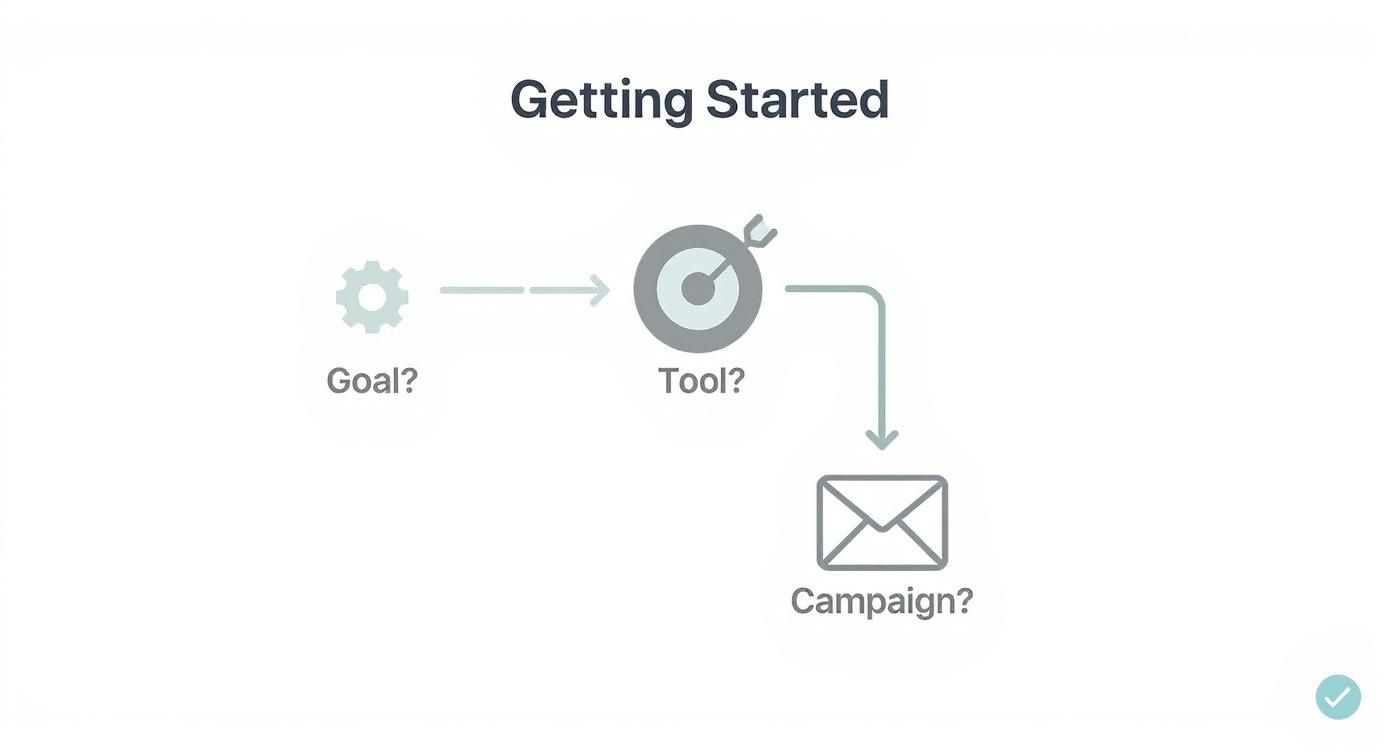
As the graphic shows, a successful strategy always starts with a clear objective. A scalable platform lets you begin with a simple goal—like a welcome email series—and then add more sophisticated workflows as your business evolves, all without having to migrate to a new system and start from scratch.
Common Questions About Marketing Automation
Diving into marketing automation can feel like a big leap, and it’s totally normal to have a few questions swirling around. Will it break the bank? Will it suck up all my time? Will it make my brand feel… robotic? Let’s tackle these common worries head-on.
Think of this as the myth-busting section. We’ll clear up the confusion so you can feel confident about taking the next step.
Is Marketing Automation Too Expensive for My Business?
This is probably the number one question I hear, and it’s based on an outdated idea. Years ago, yes, these systems were massive, complex, and came with enterprise-level price tags. But that’s just not the world we live in anymore.
Today, there’s an entire ecosystem of powerful, affordable tools built specifically for small businesses. Many of the best platforms, like MailerLite or ActiveCampaign, offer free or very low-cost starting plans. These aren’t stripped-down demos; they give you all the core features you need to get started, like email sequences and lead capture forms, without a scary financial commitment.
Ultimately, this isn’t a conversation about cost—it’s about return on investment (ROI). If a simple tool saves you five hours of manual work a week and helps you turn just a couple more leads into customers each month, it’s not an expense. It’s a profit generator. The smart move is to start small, prove the value, and scale your plan as your business grows.
How Much Time Does This Actually Take to Manage?
Okay, the second big worry: trading one time-sucking task for another. I get it. The good news is that the time commitment is almost entirely on the front end, and it’s probably less than you think.
Plan for a few hours, maybe a day at most, for the initial setup. This is where you’ll:
- Pick your platform: Find a tool that feels right for you.
- Import your contacts: Get your existing list into the system.
- Build one or two core automations: Start with something simple, like a welcome email series for new subscribers.
Modern tools have made this part incredibly easy. With intuitive, drag-and-drop editors, you don’t need a computer science degree to build a workflow. It’s more like connecting dots on a whiteboard.
Once those foundational automations are live, the ongoing management is surprisingly minimal. For most small business owners, we’re talking just a few hours a month to check on performance, make small tweaks, and maybe build out a new campaign. That initial setup pays you back over and over again in saved time.
Will This Make My Marketing Feel Robotic?
This concern is completely valid. For a small business, that personal touch is everything. But here’s the interesting part: good automation actually does the opposite. It creates more opportunities for real human connection.
Marketing automation for small business isn’t about blasting generic messages. It’s about using what you know about your customers to send the right message at the right time. The whole point is to make people feel seen and understood, not spammed.
Think about it this way:
- A new customer buys a plant from your online shop. A week later, they automatically get an email with tips on watering it. That’s not robotic; it’s helpful.
- A longtime customer hasn’t purchased in a few months. They receive a personal-looking “we miss you” note with a special discount. That feels thoughtful.
- Someone visits your services page three times in a day. The system flags this for you, so you can reach out personally to see if they have questions.
Automation handles the predictable, routine communication. This frees you up to focus your energy on the pivotal moments—the high-value conversations that really matter.
Ready to stop missing leads and start engaging every website visitor 24/7? LeadBlaze is the AI sales assistant that turns your traffic into qualified leads automatically. Get started with a free 7-day trial and see how easy it is to capture more business. Learn more and sign up at https://leadblaze.ai.