
Running a small business means wearing multiple hats, and ‘marketer’ is often one of the most demanding. Between finding new customers, nurturing leads, and keeping existing clients happy, the manual work can quickly become overwhelming, directly impacting your ability to grow. This is where marketing automation steps in, not as a complex, enterprise-level luxury, but as a powerful and accessible ally for small teams.
The right tools can handle repetitive tasks, deliver personalized customer experiences at scale, and free you up to focus on high-level strategy. But with hundreds of options available, which ones are genuinely built for the needs and budgets of a small business? This guide cuts through the noise to provide a clear path forward. For a deeper understanding of how these systems unlock potential, refer to a complete guide on marketing automation for small business before diving into specific platforms.
We will provide an in-depth, side-by-side comparison of the 12 best marketing automation tools for small business, focusing on practical value. You won’t find generic feature lists here. Instead, you’ll get:
- Honest Pros and Cons: A clear look at where each tool shines and where it falls short for a small team.
- Ideal Use Cases: We pinpoint exactly which type of business benefits most from each platform.
- Pricing Breakdowns: Straightforward analysis of costs to help you find a solution that fits your budget.
- Direct Links and Screenshots: See the platforms in action and access them easily.
Our goal is to help you choose the perfect platform to scale your operations efficiently, save time, and ultimately drive more revenue. Let’s find the right tool for your business.
1. LeadBlaze
LeadBlaze stands out as a premier choice among marketing automation tools for small business, transforming how companies engage with their website visitors. Instead of passive contact forms, it deploys a 24/7 AI sales assistant that proactively interacts with every visitor. This AI is not a generic chatbot; it instantly learns the content of your site to ask intelligent, qualifying questions, turning anonymous traffic into actionable, pre-vetted leads.
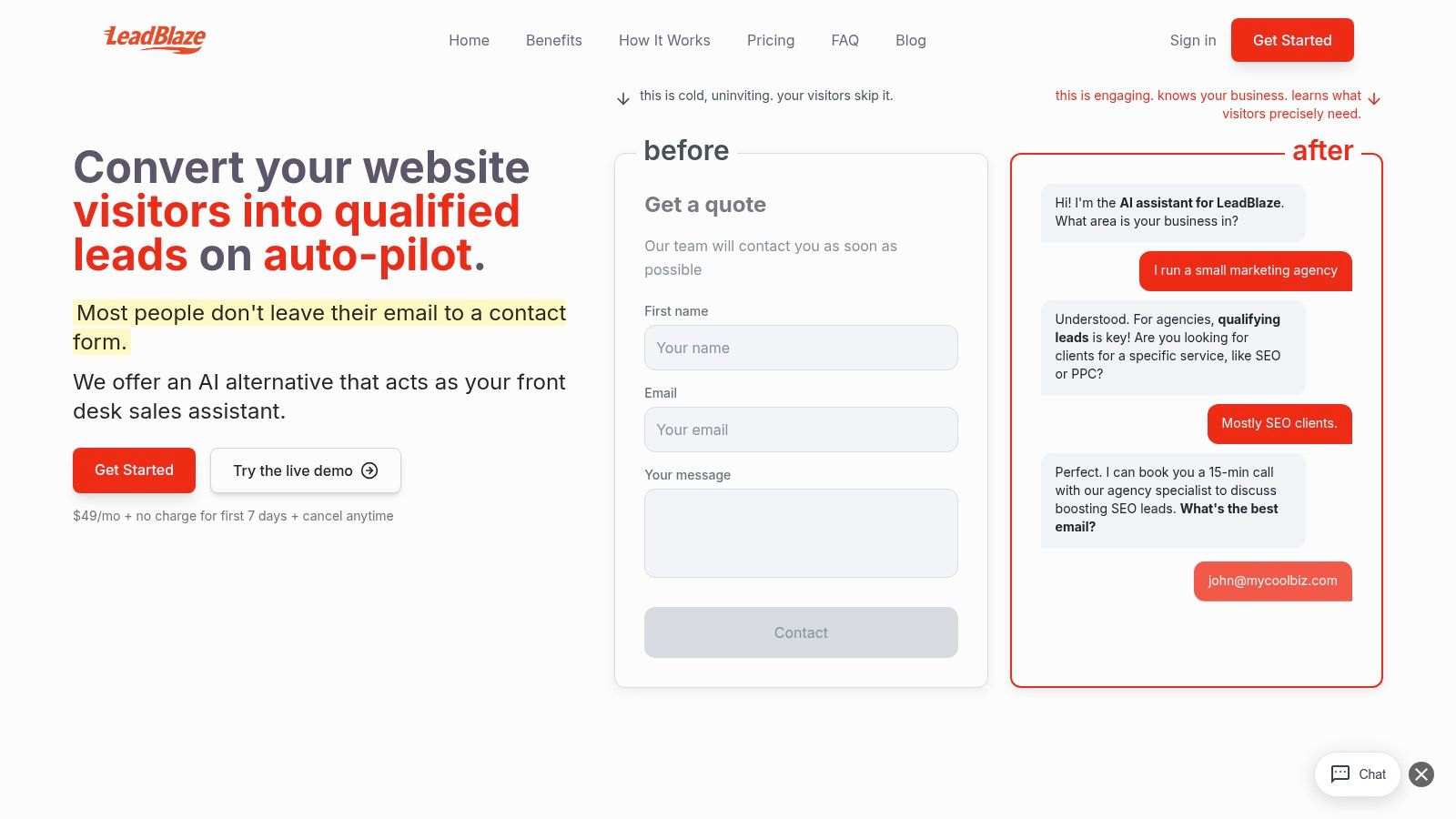
The platform’s core strength lies in its ability to deliver concise, AI-generated lead summaries directly to a clean dashboard. This eliminates the need for teams to sift through lengthy chat transcripts, allowing them to grasp key insights and act quickly. For service-based businesses like marketing agencies, dental clinics, or contractors, this means you can focus your time on high-intent prospects who are ready to talk, rather than manually qualifying every inquiry.
Key Features & Use Cases
- No-Code Implementation: Get started in minutes with a one-click WordPress plugin or a simple copy-paste script. This makes it accessible even for non-technical founders.
- Custom Qualification & Branding: Set custom rules to define what a “qualified lead” is for your business. You can also enforce a specific brand tone, ensuring the AI’s conversations align with your company’s voice.
- Team-Centric Dashboard: The platform includes unlimited seats at no extra cost, making it ideal for collaboration between sales and marketing. Everyone gets access to the centralized lead data without per-user fees.
- Hands-On Support: LeadBlaze includes direct onboarding assistance from its founders, a unique benefit that ensures users maximize the tool’s potential from day one.
Pricing and Getting Started
LeadBlaze keeps its pricing refreshingly simple and transparent. There is a single plan available for a flat rate of $1 per month.
This plan includes all features, unlimited team seats, and a fair-use policy on conversations, making it a predictable and affordable investment. You can test the platform’s capabilities with a 7-day free trial and cancel anytime.
Pros & Cons
| Strengths | Considerations |
|---|---|
| Simple, All-Inclusive Pricing: One flat monthly fee with no hidden per-seat or per-lead charges. | Single Plan Structure: May not be optimized for very high-volume enterprises that require tiered pricing or SLAs. |
| Rapid Setup: Live on your site within minutes, requiring no technical expertise. | AI Review Needed: As with any AI, occasional inaccuracies are possible, so leads should be reviewed initially. |
| Actionable AI Summaries: Saves significant time by delivering concise lead insights over raw data. | Integration Specifics: Businesses with complex CRM or privacy needs should confirm integration details. |
Website: https://leadblaze.ai
2. HubSpot Marketing Hub
HubSpot Marketing Hub stands out as an all-in-one platform built around a powerful, free CRM. This integration is its core strength, allowing small businesses to manage marketing, sales, and customer service data in a single, unified system. Unlike standalone tools, HubSpot connects every customer interaction, providing a complete view of the buyer’s journey from their first website visit to becoming a loyal customer. It’s one of the best marketing automation tools for small business owners who plan to scale and want a system that grows with them.
Key Features & Use Cases
The platform’s visual workflow builder simplifies creating complex automation sequences. A local service provider, for example, can automatically send appointment reminders via email and SMS after a form submission. The built-in lead scoring also helps prioritize follow-ups, ensuring sales teams focus on the most engaged prospects.
Practical Tip: Start with HubSpot’s free tools to capture leads with forms and live chat. As you grow, you can upgrade to a paid plan to unlock more advanced automation features without losing any of your existing contact data or setup.
Pricing and Onboarding
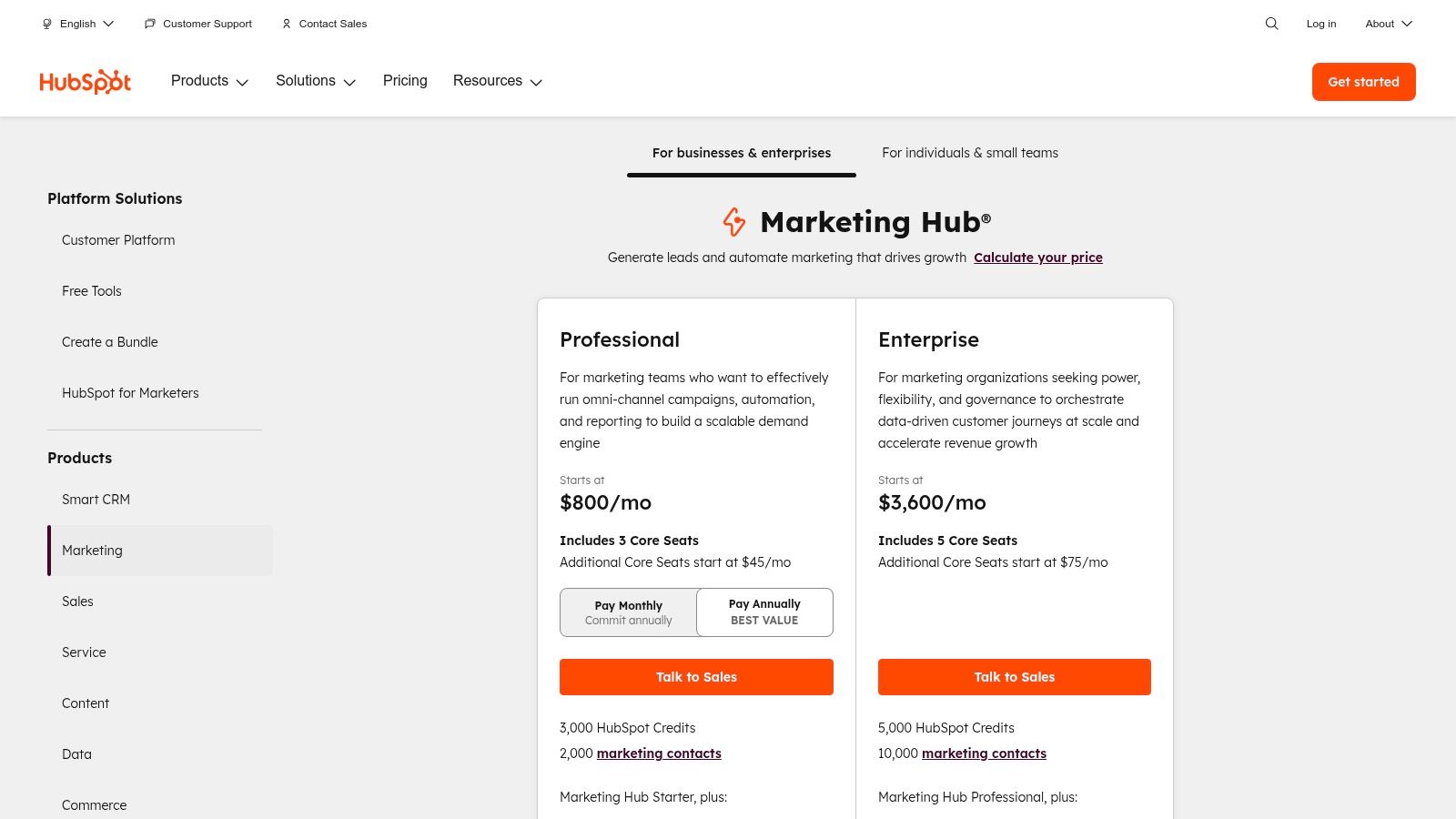
HubSpot offers a robust free tier with basic tools. Paid plans start with the Starter tier (from $18/month), scaling to Professional and Enterprise levels. Be aware that the higher tiers often include a mandatory, one-time onboarding fee, which can be a significant upfront cost. Pricing also increases based on the number of marketing contacts in your database.
| Pros | Cons |
|---|---|
| Generous free plan for starting out. | Mandatory onboarding fees for higher-tier plans. |
| Extensive educational resources and support. | Costs scale quickly with contact list growth. |
| Integrates seamlessly with sales and service. | The all-in-one approach can feel complex initially. |
Website: https://www.hubspot.com/pricing/marketing
3. Mailchimp
Mailchimp is widely recognized for its user-friendly email marketing, but it has evolved into a comprehensive platform offering accessible automation. Its core appeal lies in its simplicity and familiar interface, making it an excellent starting point for small businesses venturing into automation for the first time. The platform excels at guiding users through creating their first campaigns, from welcome emails to abandoned cart sequences, making it one of the most approachable marketing automation tools for small business owners.
Key Features & Use Cases
Mailchimp’s pre-built Customer Journey templates allow for quick setup of common automation workflows. An e-commerce store, for instance, can easily implement a post-purchase follow-up series to request reviews or suggest related products. The platform also offers segmentation and basic A/B testing, helping businesses send more targeted messages and improve engagement over time.
Practical Tip: Use the Creative Assistant feature to automatically generate on-brand designs for your emails and social posts. This saves significant time for teams without a dedicated designer, ensuring a professional look across all your marketing channels.
Pricing and Onboarding
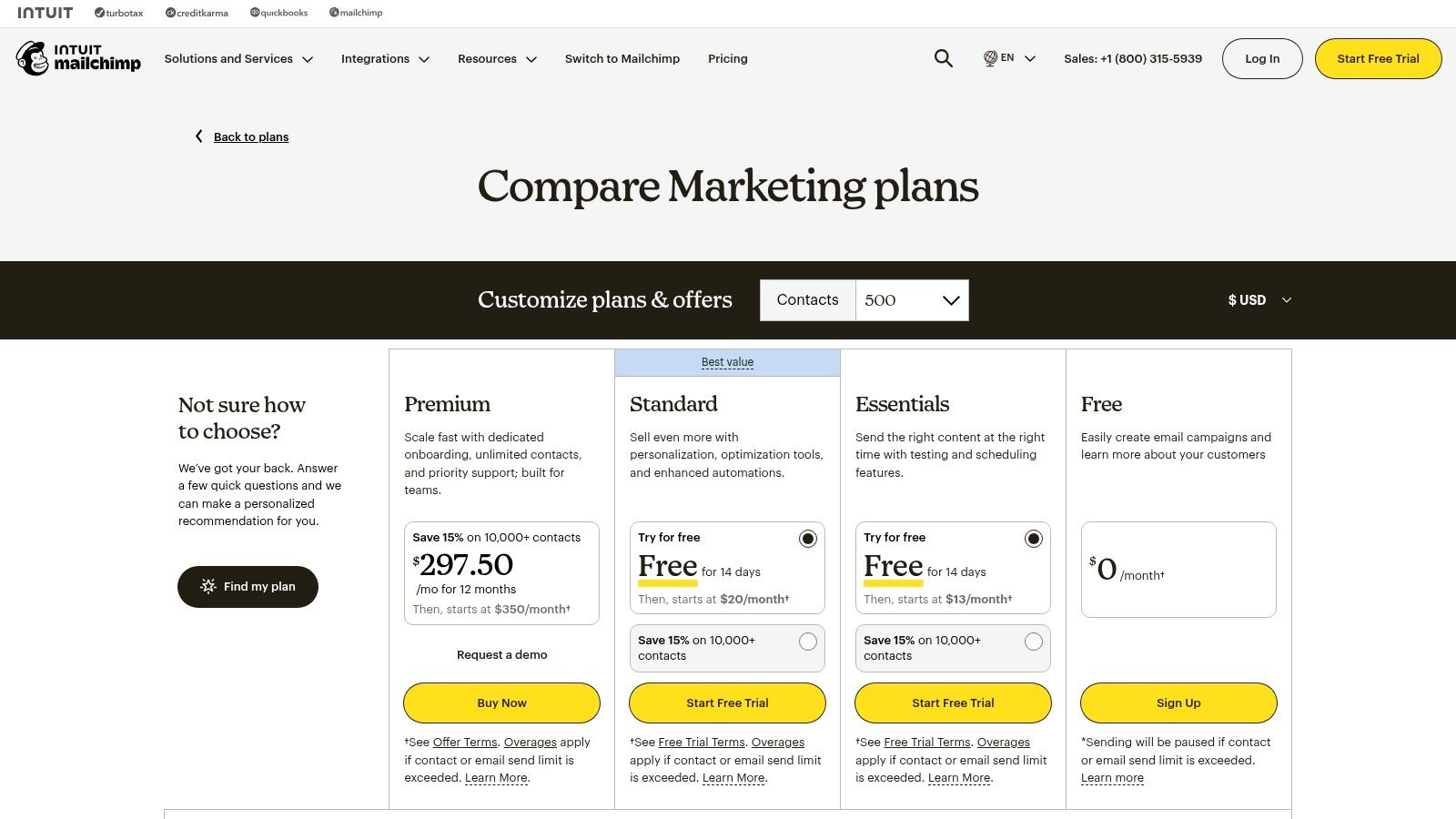
Mailchimp provides a free plan for up to 500 contacts and 1,000 monthly sends, which includes basic automation features. Paid plans begin with the Essentials tier (from $13/month) and scale to Standard and Premium levels. Be mindful that costs are based on both contact count and email send volume, and overage charges can apply if you exceed your plan’s limits.
| Pros | Cons |
|---|---|
| Familiar UI and huge template library. | Add-on/overage charges can surprise if contact/sends grow. |
| Large integration catalog. | Advanced automation features are locked to higher-tier plans. |
| Free and low-cost tiers to start. | The per-contact pricing model can become expensive quickly. |
Website: https://mailchimp.com/pricing/marketing/compare-plans/
4. ActiveCampaign
ActiveCampaign excels with its highly sophisticated yet accessible automation builder, making it a top choice for small businesses that need granular control over their marketing sequences. It blends email marketing, marketing automation, and CRM into a single platform renowned for its flexibility. Unlike some competitors that simplify features, ActiveCampaign provides powerful logic-based automations, such as conditional splits and goal tracking, allowing businesses to create truly personalized customer journeys from day one. It is one of the most powerful marketing automation tools for small business owners who want deep segmentation and trigger-based messaging.
Key Features & Use Cases
The visual workflow builder is the platform’s crown jewel. An e-commerce store, for instance, can build an automation that tags customers based on purchase history, then sends them targeted follow-up campaigns for related products. It also supports multichannel messaging, including SMS and WhatsApp, enabling businesses to reach customers on their preferred platforms. With over 900 integrations, it connects seamlessly with tools like Shopify, WordPress, and Salesforce.
Practical Tip: Leverage ActiveCampaign’s “Goals” feature within your automations. By setting a goal (like a customer making a purchase), you can automatically pull contacts out of a nurture sequence once they’ve converted, preventing them from receiving irrelevant messages.
Pricing and Onboarding
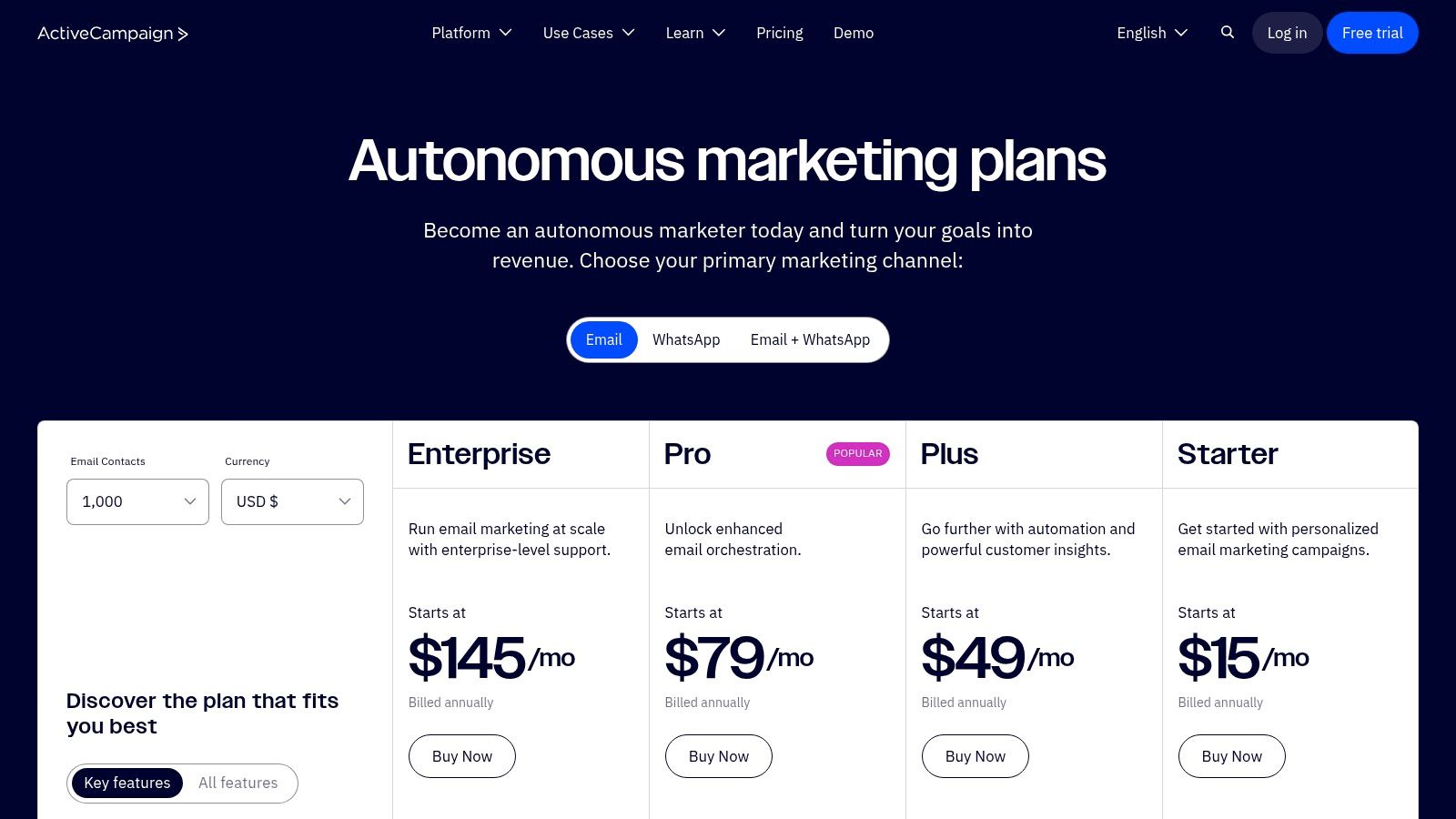
ActiveCampaign offers a 14-day free trial to test its features. Pricing is tiered and primarily based on the number of contacts in your list, starting with the Plus plan. The costs increase as your contact list grows and you move to higher tiers like Professional and Enterprise for more advanced features. They also offer free migration assistance to help you switch from another provider.
| Pros | Cons |
|---|---|
| Highly flexible and powerful workflow builder. | The interface’s depth can have a learning curve for beginners. |
| Strong integration breadth with 900+ apps. | Pricing can climb quickly as your contact list grows. |
| Excellent training resources and support. | Some advanced features are locked behind higher-priced plans. |
Website: https://www.activecampaign.com/pricing
5. Klaviyo
Klaviyo is a powerhouse for e-commerce, designed specifically for online stores that want to drive revenue through highly personalized email and SMS marketing. Its core strength lies in its deep integration with platforms like Shopify, WooCommerce, and BigCommerce, allowing it to pull in rich customer data. This enables businesses to move beyond generic campaigns and automate communications based on actual shopping behavior, like what a customer has viewed, added to their cart, or previously purchased. For a small but growing online brand, Klaviyo is one of the best marketing automation tools for small business success.
Key Features & Use Cases
The platform excels at event-driven automation. For instance, an online retailer can set up a “browse abandonment” flow that automatically emails a user with the specific products they viewed but didn’t add to their cart. Its unified segmentation for both email and SMS means you can create a single audience segment, like “high-value customers who haven’t purchased in 90 days,” and target them across both channels seamlessly.
Practical Tip: Leverage Klaviyo’s pre-built templates for abandoned cart and welcome series flows. These are optimized for e-commerce and can start generating revenue almost immediately with minimal setup.
Pricing and Onboarding
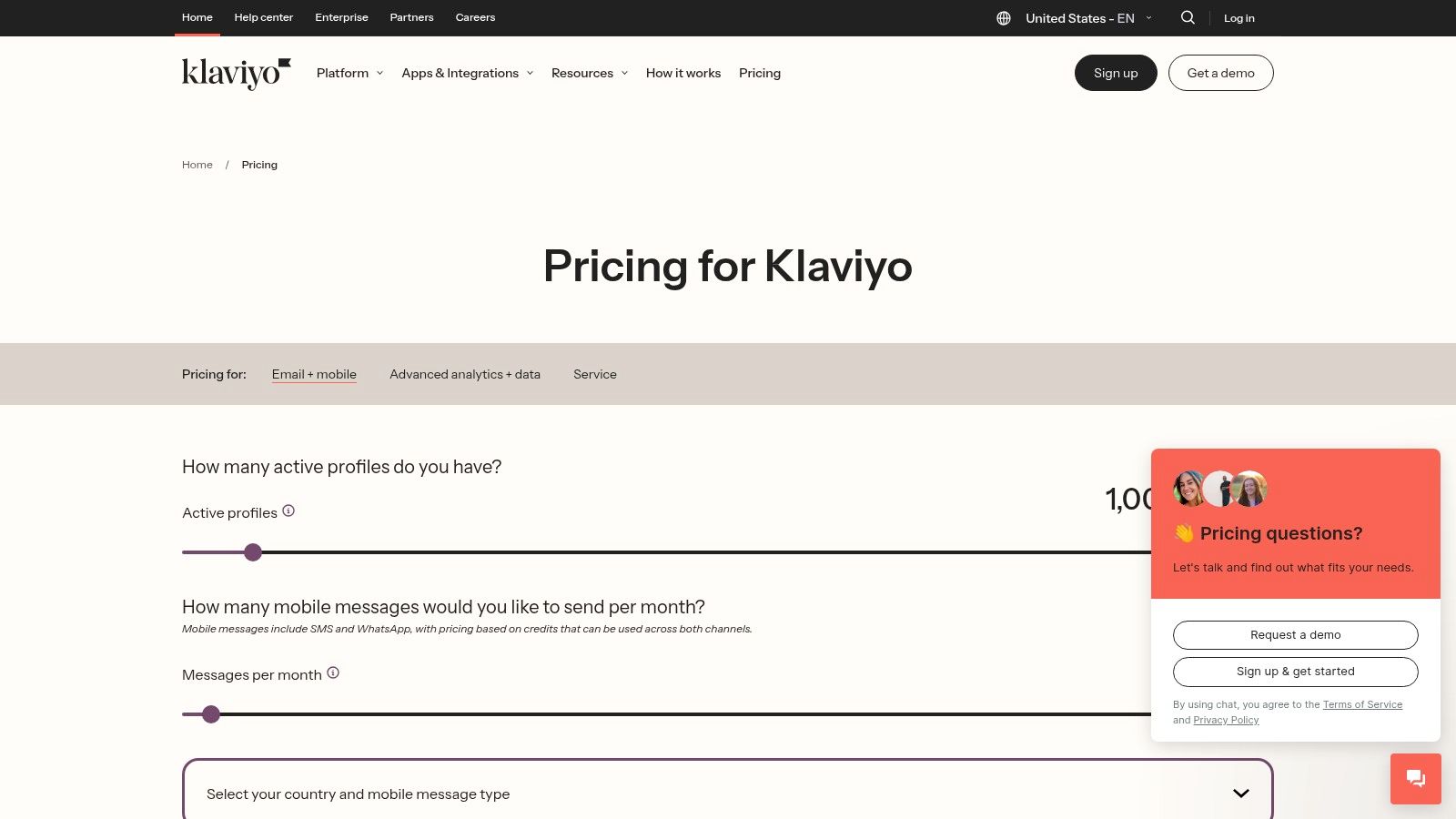
Klaviyo offers a free tier for businesses with up to 250 contacts and 500 email sends. Paid plans scale based on the number of contacts and SMS credits needed. The pricing is transparent and you can use their on-site calculator to estimate costs as you grow. While it offers immense value for online stores, its features may be overly specialized for service-based or non-e-commerce businesses.
| Pros | Cons |
|---|---|
| Deep retail and e-commerce data integration. | Pricing can become significant as your lists grow. |
| Strong SMS and email features in one platform. | Less suited for B2B or non-e-commerce businesses. |
| Generous free plan to get started. | Advanced features have a notable learning curve. |
Website: https://www.klaviyo.com/pricing
6. Brevo (formerly Sendinblue)
Brevo positions itself as an affordable all-in-one marketing platform, making it a powerful contender for businesses watching their budget. Originally known as Sendinblue, its strength lies in offering a diverse set of communication channels, including email, SMS, WhatsApp, and live chat, all managed from one dashboard. This multichannel approach allows small businesses to create cohesive, automated customer journeys without juggling multiple subscriptions, making it one of the most cost-effective marketing automation tools for small business owners.
Key Features & Use Cases
Brevo’s automation workflow builder is intuitive, enabling users to set up triggers and actions for various scenarios. A small e-commerce store, for example, can use it to create an abandoned cart sequence that starts with an email reminder and follows up with an SMS message offering a discount code. The platform also excels at transactional emails, such as order confirmations and shipping notifications, which can be sent reliably via its API.
Practical Tip: Use Brevo’s free plan to handle your transactional emails and build a small marketing list. The daily sending cap is manageable for low-volume needs, and it’s a great way to test the platform’s core automation features before committing to a paid plan.
Pricing and Onboarding
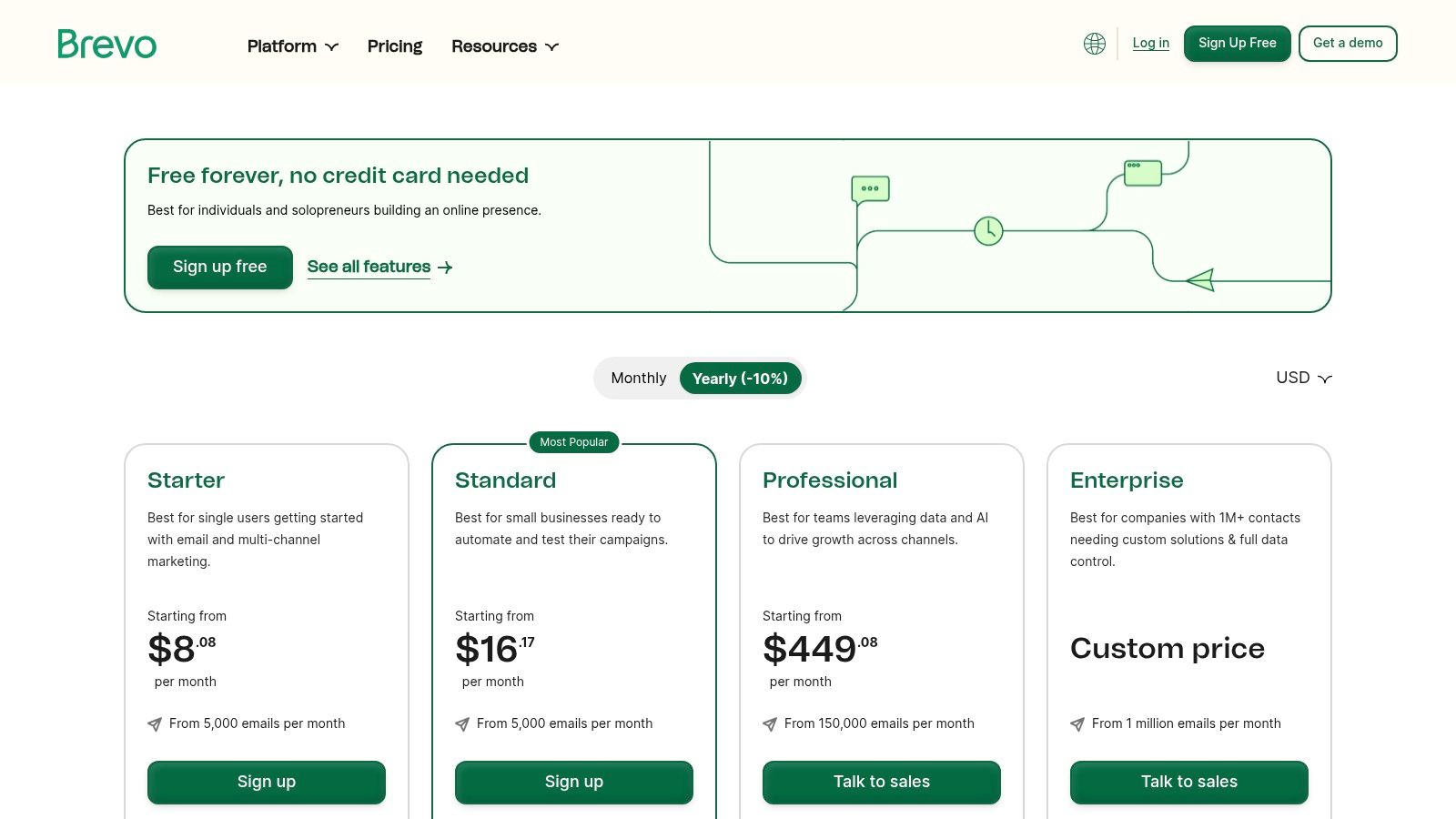
Brevo’s pricing is highly accessible, starting with a generous free plan that allows up to 300 emails per day. Paid plans begin with the Starter tier (from $25/month) and move up to Business and Enterprise levels. Unlike contact-based pricing, Brevo’s lower-tier plans are often based on email volume, which can be more predictable for businesses with large but less frequently contacted lists.
| Pros | Cons |
|---|---|
| Generous free plan with a daily send allowance. | Advanced features are reserved for higher tiers. |
| Competitive entry-level pricing. | The daily sending limit on the free plan is strict. |
| Add-ons allow for customized, pay-as-you-go. | The user interface can feel less modern than some. |
Website: https://www.brevo.com/pricing/
7. Constant Contact
Constant Contact has long been a go-to for small businesses, building its reputation on straightforward email marketing. It has since evolved into one of the more accessible marketing automation tools for small business, focusing on core functionalities that deliver results without a steep learning curve. Its strength lies in simplicity, making it ideal for business owners who need reliable automation for welcoming new subscribers, sending birthday offers, or re-engaging inactive contacts without getting bogged down in overly complex workflows.
Key Features & Use Cases
The platform excels at creating automated email journeys and segmenting contacts based on their engagement. For instance, a retail shop can automatically tag customers who click on a specific product category and send them a targeted follow-up campaign. Beyond email, Constant Contact integrates event management and social media posting, allowing users to promote a webinar and automate follow-up communications all from one place. This consolidated approach helps streamline marketing efforts.
Practical Tip: To maximize deliverability and campaign effectiveness, it’s crucial to maintain a high-quality contact list. For users leveraging this platform, you can learn more about optimizing email lists for Constant Contact to ensure your messages reach the inbox.
Pricing and Onboarding
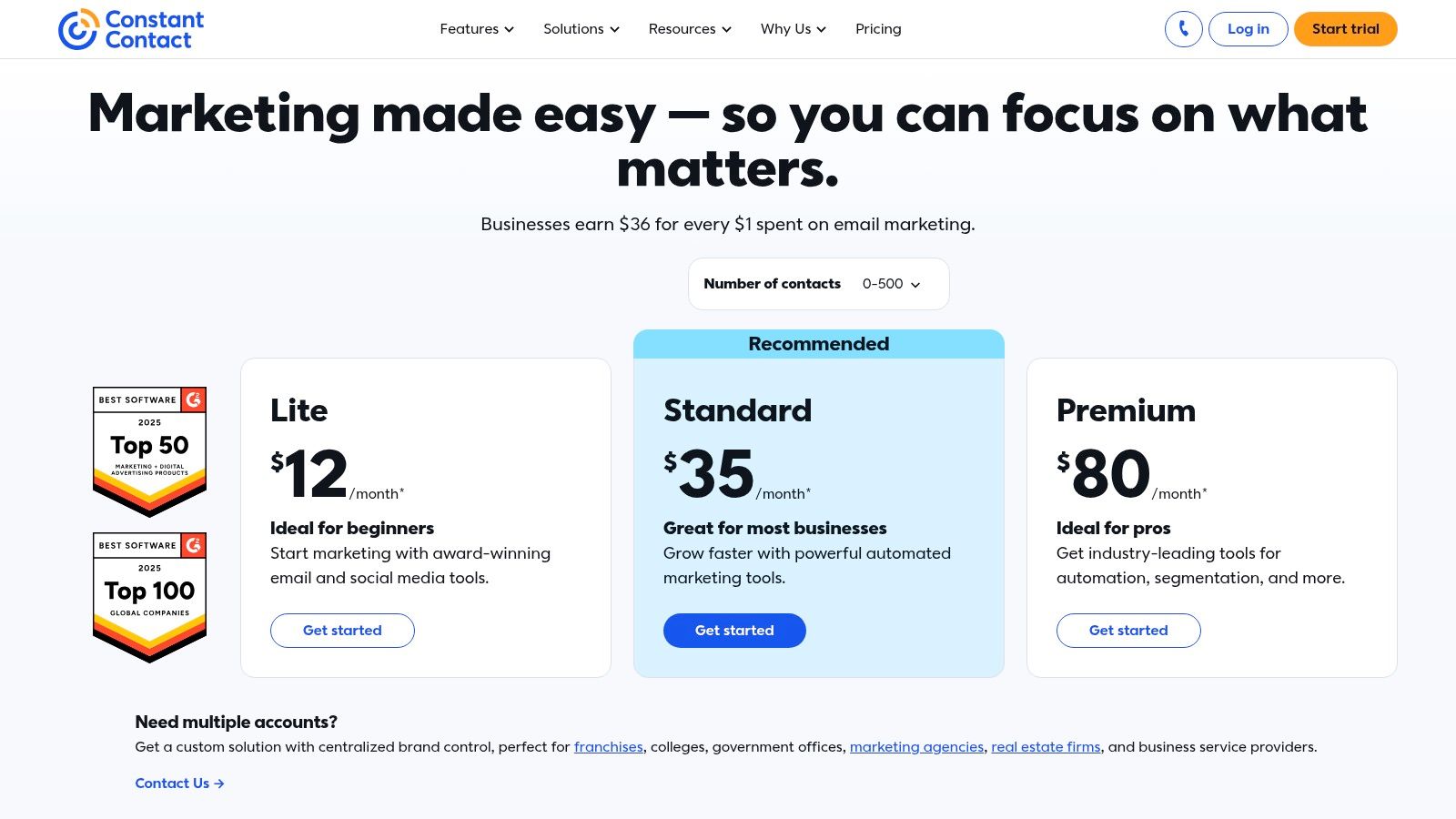
Constant Contact offers tiered pricing starting with the Core plan (from $9.99/month), which includes key automation features. The Plus tier adds more advanced capabilities and integrations. A key benefit for new users is the live 1-on-1 onboarding support available on eligible plans, which helps businesses get set up and running quickly. Pricing is primarily based on the number of contacts in your list.
| Pros | Cons |
|---|---|
| Easy to get started with a user-friendly interface. | Some advanced automation requires higher-tier plans. |
| Strong onboarding and customer support options. | Costs increase directly with contact list growth. |
| Useful non-email extras like event and social tools. | Reporting features can be less in-depth than competitors. |
Website: https://www.constantcontact.com/pricing
8. Keap (formerly Infusionsoft)
Keap, widely known by its former name Infusionsoft, is a true all-in-one CRM, sales, and marketing automation platform built specifically for established small businesses. Its core strength lies in unifying sales and marketing activities into a single system, allowing for powerful automations that span the entire customer lifecycle. Unlike email-centric tools, Keap manages everything from lead capture and nurturing to invoicing and payment processing, making it one of the most comprehensive marketing automation tools for small business service providers.
Key Features & Use Cases
Keap’s visual “Easy Automations” and “Advanced Automations” builder is its centerpiece. A home contractor could use it to create a workflow where a new lead from a website form automatically receives an SMS, is added to a sales pipeline, and is sent a follow-up email sequence. The platform also includes native appointment scheduling and invoicing, so a consultant can automate booking, reminders, and payment collection without juggling separate tools. This tight integration of communication channels is a key differentiator; for instance, you can integrate WhatsApp with a CRM like Keap to centralize even more customer conversations.
Practical Tip: Use Keap’s sales pipeline feature from day one. By visually tracking where every lead is in your sales process, you can build automations that trigger based on deal stage changes, like sending a proposal automatically when a lead is moved to “Ready to Buy.”
Pricing and Onboarding
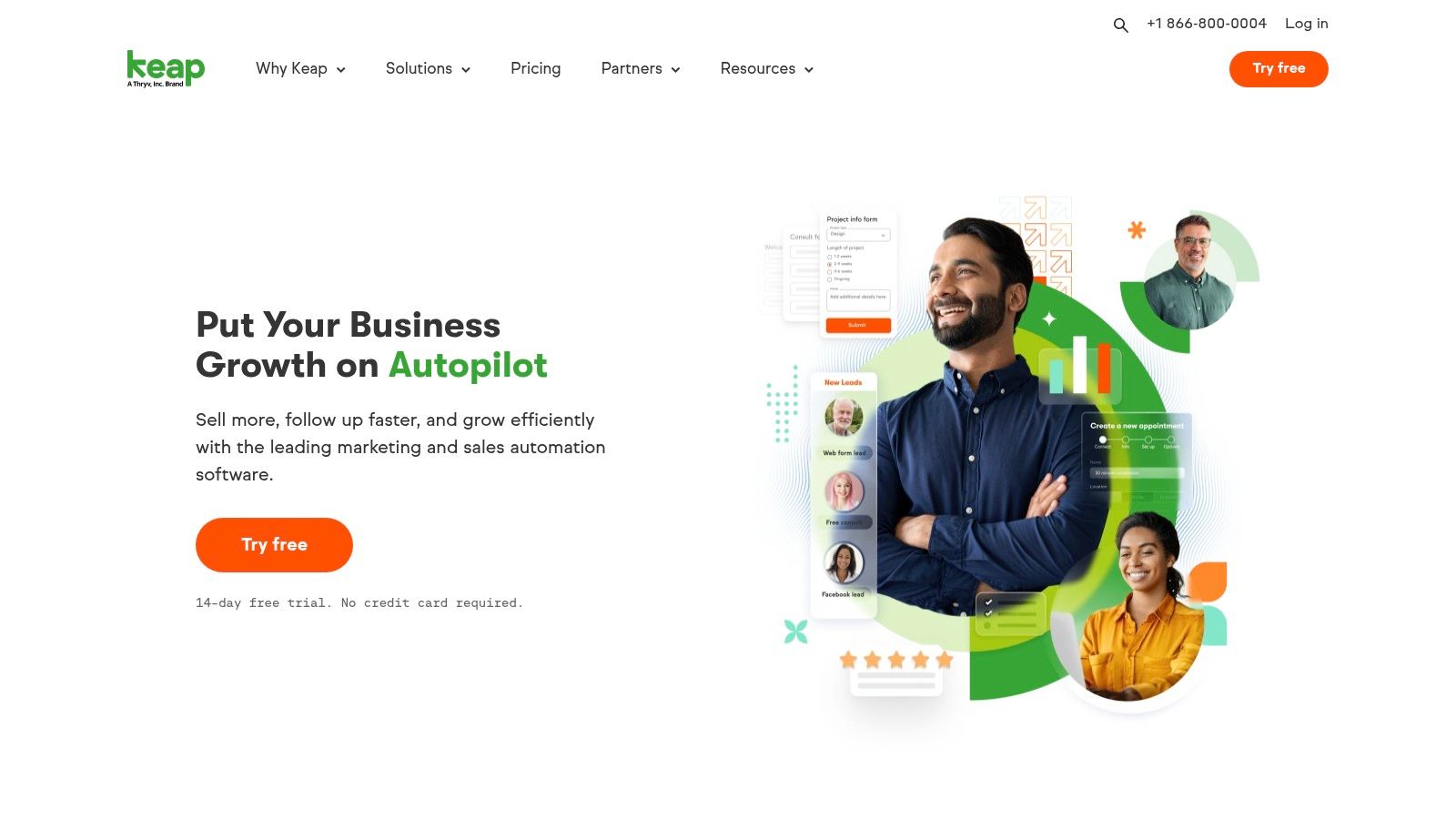
Keap does not offer a permanent free plan, but it provides a 14-day free trial. Paid plans begin with the Pro tier (from $159/month), which includes a generous number of contacts and users. The Max and Max Classic tiers offer more advanced features. While the entry price is higher than many competitors, it reflects its nature as a combined CRM and automation system, potentially replacing multiple other subscriptions.
| Pros | Cons |
|---|---|
| True CRM and automation in a single platform. | Higher starting price than email-focused tools. |
| Built-in invoicing and payment processing. | No permanent free plan available. |
| Includes SMS marketing and appointment tools. | Can have a steeper learning curve for beginners. |
Website: https://keap.com
9. Zoho Marketing Automation
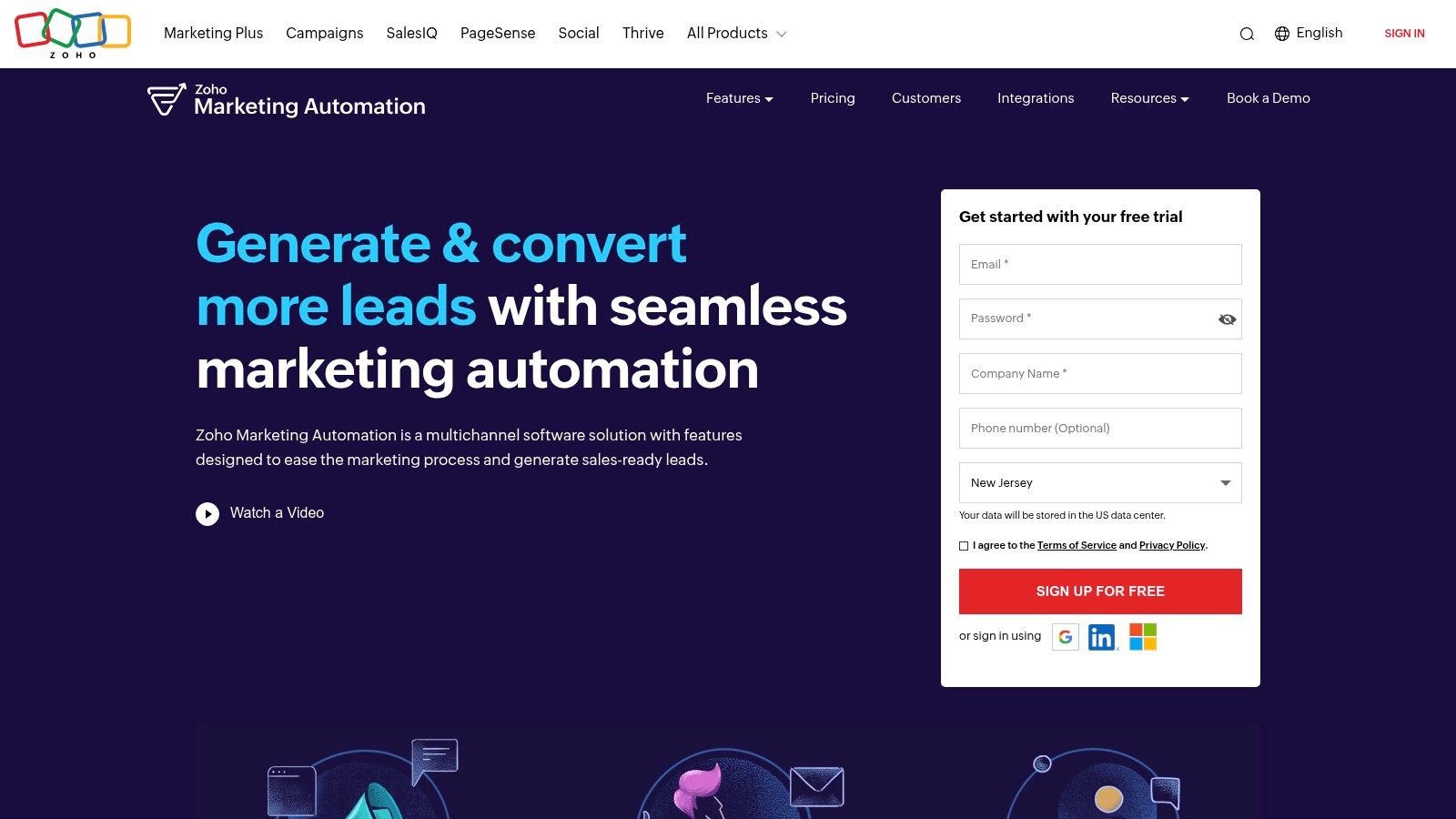
Zoho Marketing Automation offers a powerful suite of tools at an aggressive price point, making it a compelling choice for budget-conscious small businesses. Its greatest strength lies within its native integration with the broader Zoho ecosystem, including Zoho CRM, Books, and Desk. This creates a unified data environment where marketing activities directly inform sales and support, providing a seamless customer lifecycle view without complex third-party connectors. For businesses already invested in Zoho’s products, it is one of the most cost-effective and integrated marketing automation tools for small business.
Key Features & Use Cases
The platform’s journey builder comes with pre-built templates, allowing businesses to quickly launch common automations like lead nurturing or customer onboarding. A small e-commerce store could use the website behavior tracking to trigger an automated email sequence for abandoned carts, personalizing the follow-up based on the specific products viewed. The ability to send campaigns via email, SMS, and WhatsApp from one platform streamlines multi-channel communication.
Practical Tip: Leverage the generous non-marketing contacts allowance. You can store contacts for operational or transactional purposes without them counting against your paid marketing contact limit, which is a significant cost-saver.
Pricing and Onboarding
Zoho offers a 14-day free trial to test the platform. Paid plans are value-focused, starting with the Standard plan (from $15/month for 500 contacts), which includes unlimited emails. Pricing is based on the number of marketing contacts, making it predictable as you grow. The user interface is straightforward, and onboarding is generally self-service, avoiding the hefty setup fees common with other enterprise-grade tools.
| Pros | Cons |
|---|---|
| Value-focused pricing and a 14-day free trial. | Best experience is for those already in the Zoho ecosystem. |
| Seamless fit with Zoho CRM, Books, and Desk. | Fewer third-party tutorials compared to bigger brands. |
| Generous allowance for non-marketing contacts. | Can feel less intuitive if used as a standalone product. |
Website: https://www.zoho.com/marketingautomation/
10. Omnisend
Omnisend is purpose-built for e-commerce, offering a powerful email and SMS automation suite that integrates deeply with platforms like Shopify, WooCommerce, and BigCommerce. Its primary strength lies in its library of pre-built, retail-focused automation workflows. Unlike general-purpose tools, Omnisend is finely tuned for online stores, allowing business owners to quickly deploy high-converting sequences like cart abandonment, browse abandonment, and welcome series. It is one of the most effective marketing automation tools for small business owners in the e-commerce space.
Key Features & Use Cases
The platform excels at creating multi-channel campaigns that combine email, SMS, and web push notifications within a single workflow. For example, a Shopify store owner can set up a cart recovery sequence that sends an email after one hour, an SMS with a discount code after 24 hours, and a final push notification reminder. This layered approach helps maximize conversions from otherwise lost sales.
Practical Tip: Use the built-in split automation feature to A/B test different channels or messages within your welcome series. You can test sending an SMS versus an email as the first touchpoint to see which drives more initial purchases for your audience.
Pricing and Onboarding
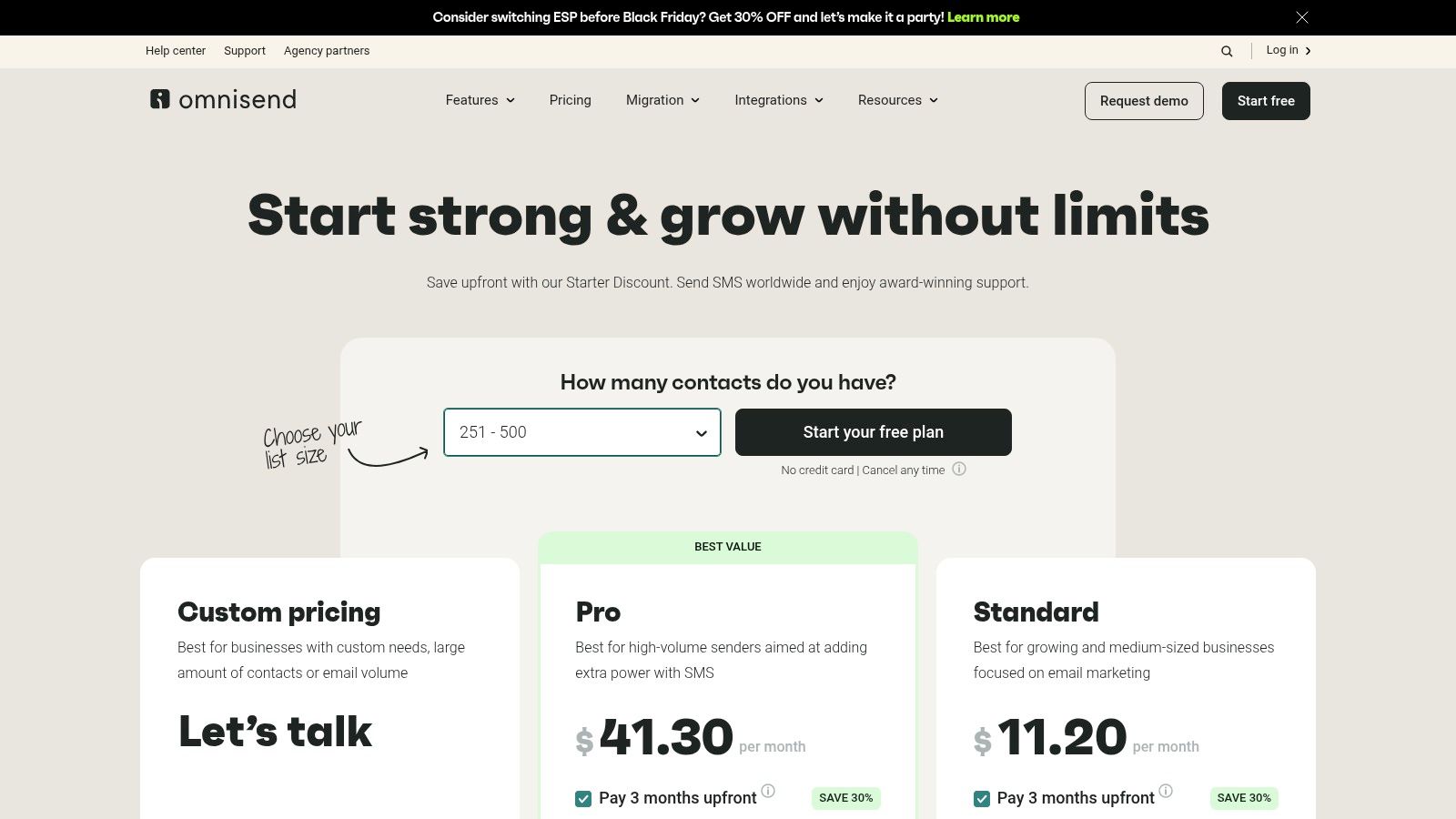
Omnisend offers a generous free plan that includes most automation features for up to 250 contacts and 500 emails per month. Paid plans, Standard (from $16/month) and Pro (from $59/month), scale based on contact list size and offer higher sending limits, more SMS credits, and advanced reporting. The 24/7 chat and email support is a notable benefit, even for free plan users.
| Pros | Cons |
|---|---|
| Strong focus on e-commerce with pre-built flows. | Less suited for non-commerce or B2B businesses. |
| Free plan is robust enough for testing store automations. | SMS costs can be unpredictable, varying by country. |
| Excellent 24/7 support, including on the free tier. | Advanced features are locked behind higher-priced plans. |
Website: https://www.omnisend.com/pricing/
11. G2 — Marketing Automation Category
G2 isn’t a tool itself but a vital research platform that aggregates verified user reviews for thousands of software products. For small businesses, its Marketing Automation category page is an indispensable starting point for vendor shortlisting and comparison. Unlike a single vendor’s website, G2 provides a neutral ground where you can see how different marketing automation tools for small business stack up against each other based on feedback from real-world users. This peer-driven insight helps cut through marketing jargon to understand how a platform truly performs.
Key Features & Use Cases
The platform’s strength lies in its powerful filtering and comparison grids. A business owner can filter tools by company size, user satisfaction scores, or specific features like lead nurturing or analytics. This allows you to quickly narrow down dozens of options to the few that best fit your specific needs and budget, saving hours of research time. The detailed reviews often highlight specific use cases and implementation challenges.
Practical Tip: Use the G2 Grid® to visually compare top-rated tools side-by-side. Pay close attention to reviews from companies of a similar size to yours, as their experiences will be the most relevant to your own.
Pricing and Onboarding
G2 provides pricing information but it’s often a starting point or estimate. Since many vendors offer custom quotes, the listed prices may not reflect current promotions or the final cost for your specific needs. The platform excels at providing transparency into what you can expect, but you should always verify pricing directly with the vendor before making a final decision. There is no cost to use G2 for research.
| Pros | Cons |
|---|---|
| Credible peer feedback at scale. | Pricing shown may differ from current or custom quotes. |
| Helpful comparisons across many vendors. | Overlap between software categories can sometimes be confusing. |
| Updated category content and definitions. | Reviews may sometimes be incentivized by vendors. |
Website: https://www.g2.com/categories/marketing-automation
12. Shopify Automations (and App Store ecosystem)
For e-commerce entrepreneurs already on Shopify, the most powerful automation tools are often built right into the platform. Shopify Automations leverages your store’s data-rich environment, allowing you to trigger marketing actions based on real-time customer behavior like purchases, abandoned carts, and first-time visits. This native integration eliminates the friction of connecting third-party tools and ensures your marketing is directly tied to commerce events, making it one of the most practical marketing automation tools for small business owners in the retail space.
Key Features & Use Cases
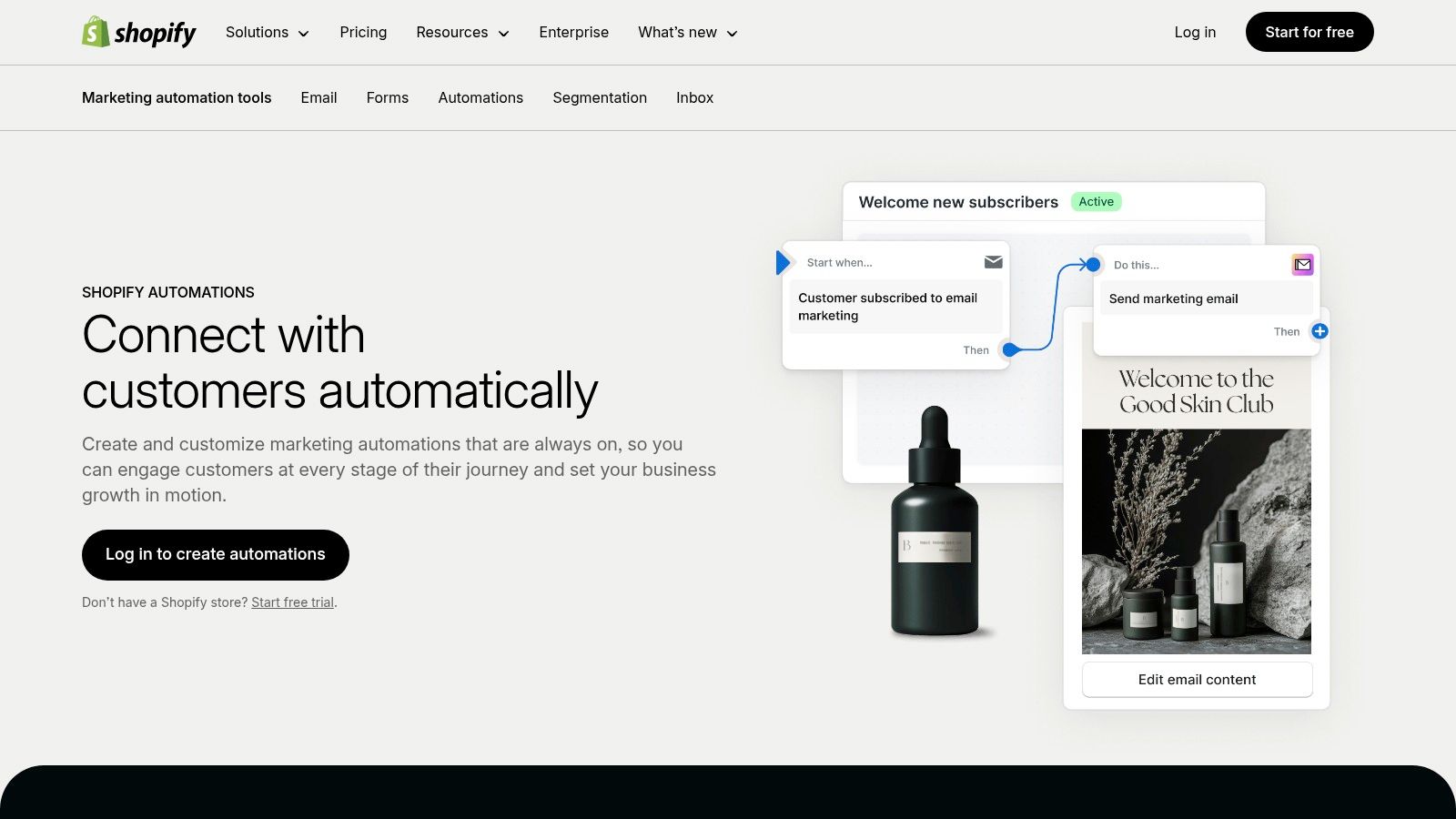
The system uses a simple trigger-condition-action workflow builder, complete with ready-made templates for common scenarios like welcome series, win-back campaigns, and post-purchase follow-ups. A small apparel brand, for instance, can automatically send a “thank you” email with a discount on a future purchase immediately after an order is fulfilled. The true power lies in the App Store, which extends capabilities to SMS, push notifications, and even sophisticated chatbots in marketing.
Practical Tip: Use Shopify Automations for core email funnels like cart abandonment and welcome sequences first. Then, explore the App Store to add specialized apps for SMS or loyalty programs as your needs become more advanced. This layered approach keeps costs low initially.
Pricing and Onboarding
Shopify Automations is included with most paid Shopify plans (starting from the Basic tier). The built-in email marketing tool, Shopify Email, offers 10,000 free email sends per month, with additional sends costing $1 per 1,000. While the core automation is free, remember that expanding functionality with third-party apps from the App Store will introduce additional monthly subscription costs.
| Pros | Cons |
|---|---|
| Zero-friction setup for existing Shopify users. | Requires at least a Shopify Basic plan for full access. |
| Automations tied to real order/customer events. | Advanced needs for other channels often require paid apps. |
| Highly extensible with a vast App Store. | Email sends count toward Shopify Email limits, which can add up. |
Website: https://www.shopify.com/marketing-automation
Top 12 Marketing Automation Tools for Small Business — Quick Comparison
| Product | Core features ✨ | UX & Quality ★ | Target 👥 | Price/value 💰 |
|---|---|---|---|---|
| LeadBlaze 🏆 | ✨ 24/7 AI sales assistant; one‑click WP plugin/script; auto‑site learning; concise AI lead summaries | ★★★★☆ instant responses; centralized dashboard; unlimited seats | 👥 SMBs, agencies, local services, solo founders | 💰 $19/mo; free trial; onboarding + founder support |
| HubSpot Marketing Hub | ✨ CRM‑connected automation, visual workflows, multi‑channel, large app marketplace | ★★★★☆ enterprise analytics; polished UX but complex at scale | 👥 Mid‑market → enterprise, agencies | 💰 Free tier → high cost at scale; contact/seat pricing |
| Mailchimp | ✨ Email + templates, prebuilt journeys, segmentation, landing pages | ★★★☆☆ familiar UI; huge template library; limited advanced tools | 👥 Very small teams, beginners | 💰 Free/low‑cost tiers; add-ons/overages possible |
| ActiveCampaign | ✨ Visual automations with goals/splits, multichannel, 900+ integrations | ★★★★☆ very flexible automations; steeper learning curve | 👥 SMBs, service businesses, e‑commerce | 💰 Contact‑based pricing; scales with growth |
| Klaviyo | ✨ Event‑driven email + SMS, unified segmentation, deep e‑comm data model | ★★★★☆ excellent e‑comm attribution; strong deliverability | 👥 E‑commerce stores (Shopify/WooCommerce) | 💰 Free small lists; pricing climbs with profiles/SMS |
| Brevo (Sendinblue) | ✨ Email/SMS/WhatsApp/chat; drag‑drop editor; transactional API | ★★★★ budget‑friendly UX; generous free tier (daily send limits) | 👥 Budget‑conscious SMBs | 💰 Competitive starter pricing; free plan with daily send cap |
| Constant Contact | ✨ Automated journeys, templates, events & social tools, live onboarding | ★★★★ easy to start; strong deliverability & onboarding | 👥 SMBs, events, nonprofits | 💰 Simple plans; cost rises with list size |
| Keap (Infusionsoft) | ✨ CRM + marketing automations, invoicing/payments, appointment scheduling | ★★★☆☆ powerful all‑in‑one; higher entry complexity/price | 👥 SMBs needing CRM + payments | 💰 Higher entry pricing; no permanent free plan |
| Zoho Marketing Automation | ✨ Journey builder, website behavior tracking, Zoho ecosystem integrations | ★★★★ value‑focused; best experience inside Zoho suite | 👥 Zoho users, budget SMBs | 💰 Aggressive pricing; 14‑day free trial |
| Omnisend | ✨ Retail‑focused flows (cart/browse), SMS, web push, templates | ★★★★ ecommerce‑first UX; good support (24/7) | 👥 E‑commerce merchants | 💰 Starter free plan; SMS credits and country pricing vary |
| G2 — Marketing Automation Category | ✨ Category grids, verified user reviews, product comparisons & trends | ★★★★ credible peer feedback; helpful shortlisting tool | 👥 Buyers researching vendors | 💰 Free to browse; vendor pricing varies |
| Shopify Automations (App Store) | ✨ Native Shopify triggers/templates, app ecosystem for email/SMS | ★★★★ seamless for Shopify merchants; tied to plan limits | 👥 Shopify store owners | 💰 Included with Shopify plan (apps may add cost) |
Choosing Your First Automation Tool: A Final Checklist
We’ve journeyed through a comprehensive landscape of the top marketing automation tools for small business, from all-in-one powerhouses like HubSpot to e-commerce specialists like Klaviyo and focused lead qualifiers like LeadBlaze. The sheer number of options can feel overwhelming, but the goal isn’t to find a tool that does everything; it’s to find the tool that does what you need most, right now.
Choosing your first platform is a pivotal step. It’s less about adopting the “best” tool on the market and more about integrating the right system into your daily operations. The most feature-rich platform is useless if it gathers digital dust because it’s too complex or misaligned with your primary business goals. Your selection should be a strategic decision that empowers your team, saves precious time, and directly contributes to your bottom line.
Recapping the Core Takeaways
The key insight from our deep dive is that there is no universal “best” marketing automation tool. The ideal choice is entirely dependent on your specific business model, technical comfort level, and growth stage.
- For E-commerce: Platforms like Klaviyo and Omnisend offer deep integrations with Shopify, providing unparalleled access to customer data for abandoned cart, browse abandonment, and post-purchase follow-up sequences.
- For All-in-One Growth: HubSpot and Keap provide a centralized CRM with powerful marketing, sales, and service automation, making them ideal for businesses looking to scale with a single source of truth.
- For Budget-Conscious Startups: Brevo and Mailchimp offer generous free or low-cost plans that cover essential email marketing and basic automation, allowing you to get started without a significant financial commitment.
- For Advanced Segmentation: ActiveCampaign shines with its sophisticated, visual workflow builder and deep segmentation capabilities, perfect for businesses that rely on highly personalized customer journeys.
- For Focused Lead Qualification: A specialized tool like LeadBlaze excels at the crucial first step: engaging website visitors 24/7 to qualify and book high-intent leads, freeing up your team to focus on closing deals rather than chasing down prospects.
Your Actionable Selection Checklist
Before you sign up for a dozen free trials, pause and work through this checklist. This will narrow your focus and prevent you from getting distracted by features you don’t need.
- Define Your Primary Problem: What is the single biggest bottleneck you want to solve today? Is it manually following up with new leads? Recovering lost sales from abandoned carts? Nurturing cold leads over several months? Write it down. Your primary problem should be the guiding star for your decision.
- Audit Your Existing Tech Stack: What tools do you already use and love? Your new platform must integrate seamlessly with your website builder (e.g., Shopify, WordPress), your calendar, and any other critical software. Check the integration library of any tool you’re considering.
- Assess Your Team’s Capacity: Be realistic about the time and skill your team can dedicate to learning and managing a new platform. Do you need a simple, intuitive interface like Constant Contact, or do you have the resources to master a more complex system like Zoho Marketing Automation for greater control?
- Forecast Your Growth and Budget: Look beyond the introductory pricing. How will the cost change as your contact list grows from 1,000 to 5,000 to 10,000? A cheap starting plan can become prohibitively expensive as you scale. Map out the potential costs for the next 12-24 months.
Ultimately, the best marketing automation tools for small business are the ones that become an invisible, indispensable part of your workflow. They handle the repetitive, time-consuming tasks, allowing you to focus on strategy, creativity, and building genuine relationships with your customers. Start small, master one core workflow, and expand from there. Your future, more efficient self will thank you.
Tired of manually sifting through website inquiries to find qualified leads? LeadBlaze automates that crucial first step by engaging visitors with an AI-powered chat assistant, qualifying them based on your criteria, and booking meetings directly on your calendar. Stop wasting time on unqualified prospects and start your automation journey by focusing on the most important part of your funnel with LeadBlaze.