A lot of SMB websites look polished and still underperform. They explain the business, show the services, maybe even rank in search. Then a real buyer lands at 8:40 PM, has one important question, gets no answer, and leaves.
That’s the gap most owners feel but can’t always name. The site gets traffic, but too much of that traffic dies in silence. A contact form asks for patience. Buyers usually don’t have much of it.
That’s where chatbots in business start to matter. Not as a novelty widget, and not as a support gimmick. Used well, a chatbot acts like a front-desk rep, sales qualifier, and after-hours assistant rolled into one. Used badly, it creates more noise than value. The difference comes down to lead quality, routing, and what happens after the conversation.
Your Website Can Do More Than Just Sit There
Most business websites are still digital brochures. They talk, but they don’t interact. They list services, show testimonials, and wait for someone to click “Contact Us.”
That setup creates waste. A visitor may be ready to buy, but they’re still left doing all the work. They have to decide where to click, what to ask, and whether it’s worth waiting for a reply tomorrow. Many won’t bother.
Passive traffic is expensive traffic
If you’re paying for SEO, ads, referrals, or social traffic, every bounced visitor has a cost attached to it. A static form doesn’t qualify intent. It doesn’t answer objections. It doesn’t capture context. It just hopes the visitor volunteers enough information for your team to follow up later.
A business chatbot changes that dynamic. Instead of asking every visitor to fill out the same cold form, it starts a conversation. It can greet visitors, answer common questions, collect contact details, and guide people toward the next step while your team sleeps.
Your website shouldn’t just attract attention. It should start sales conversations.
That’s no longer an edge-case tactic. Chatbot adoption has become mainstream. The global chatbot market was valued at USD 9,560.7 million in 2025 and is projected to reach USD 41,244.2 million by 2033, while 88% of organizations say they already use AI in at least one business function, according to Grand View Research’s chatbot market analysis.
What this means for an SMB owner
For a small team, the appeal isn’t hype. It’s coverage.
- After-hours response: Prospects can get help when your office is closed.
- Immediate engagement: Visitors don’t have to wait for a callback to ask a basic question.
- Better intake: Sales teams get context, not just a name and email.
- Less wasted time: Repetitive questions stop eating into your team’s day.
If you want a practical look at how this works on a live site, this guide to a chatbot for website lead capture is a useful starting point.
Understanding the Two Main Types of Chatbots
The word “chatbot” gets used too loosely. Some bots are basically interactive forms. Others can hold a more natural conversation and adapt to what the visitor means.
That distinction matters because the wrong type of bot creates friction. The right type removes it.
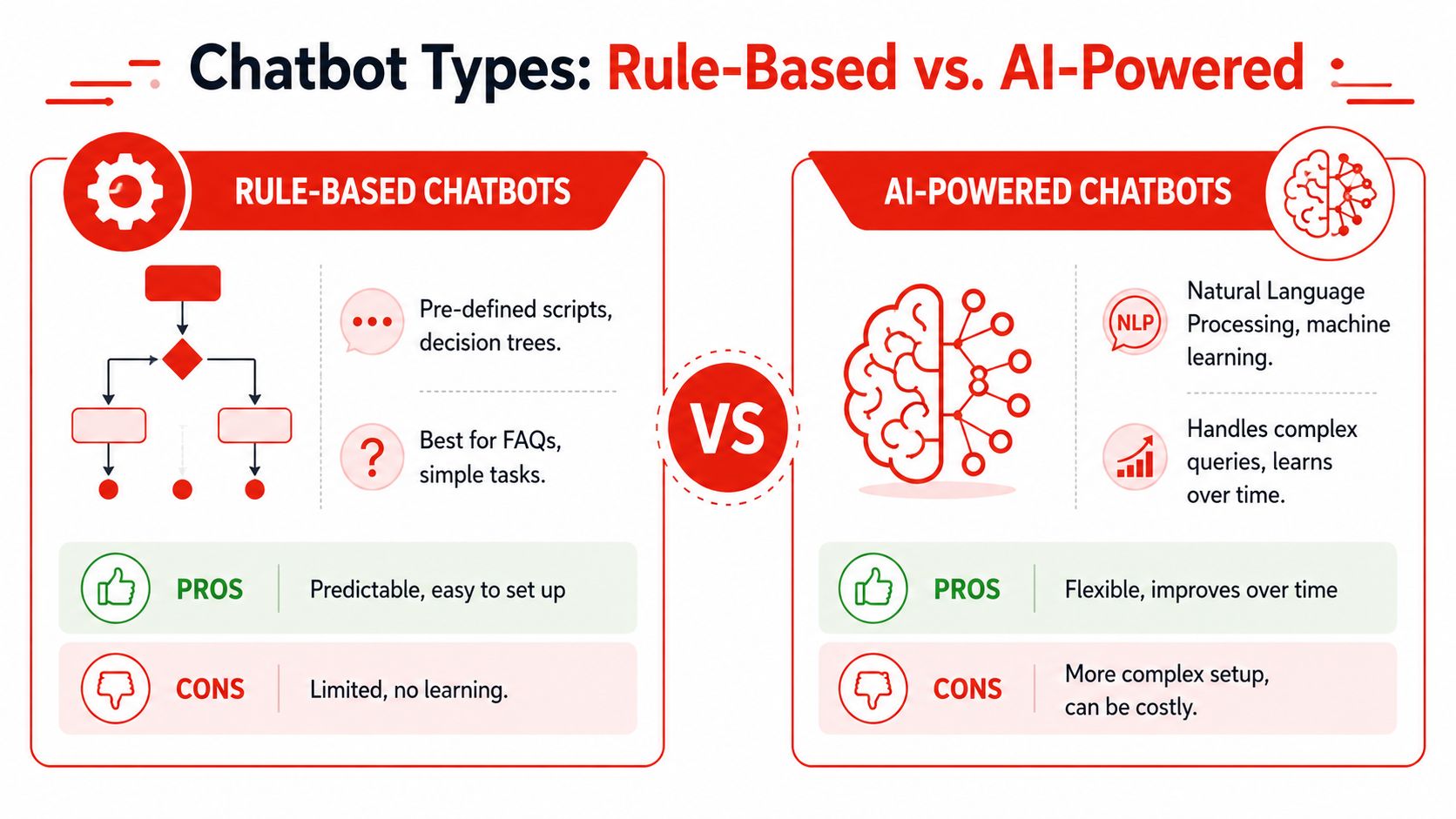
Rule-based chatbots
A rule-based chatbot is like a phone tree on your website. It gives people a menu and moves them through fixed paths.
If the visitor clicks “Pricing,” it shows the pricing answer. If they click “Book appointment,” it pushes them to scheduling. If they type something outside the script, it usually struggles.
This kind of bot works well when your use case is narrow and predictable.
| Type | Best for | Strength | Limitation |
|---|---|---|---|
| Rule-based chatbot | FAQs, office hours, routing | Predictable behavior | Weak with unexpected questions |
AI-powered chatbots
An AI-powered chatbot is closer to a trained receptionist. It can interpret what a visitor is trying to do, even if they don't phrase it neatly. It's better suited for lead capture, qualification, and multi-step sales conversations.
That doesn't mean it should be left totally unconstrained. Good AI chatbots still need rules, approved knowledge, and escalation logic. But they're far more flexible when someone asks, “Do you work with multi-location clinics?” instead of clicking a prewritten button.
| Type | Best for | Strength | Limitation |
|---|---|---|---|
| AI-powered chatbot | Lead qualification, nuanced questions, guided sales | Handles natural language more smoothly | Needs stronger setup and governance |
Which one fits your business
Use a rule-based bot if your main problem is repetitive support questions.
Use an AI-powered bot if your main problem is lost sales conversations, weak qualification, or slow response to inbound leads.
For many SMBs, the opportunity sits in the second category. That's why more businesses looking at AI chatbot options for small business websites are choosing setups that can both answer questions and qualify intent.
If your customer journey also includes calls, not just chat, it's worth studying how teams are modernizing voice experience so the handoff between web, chat, and phone doesn't feel disconnected.
Common Chatbot Use Cases That Drive Growth
The best chatbot deployments don't start with “we need AI.” They start with one practical question: where are we losing buyers?
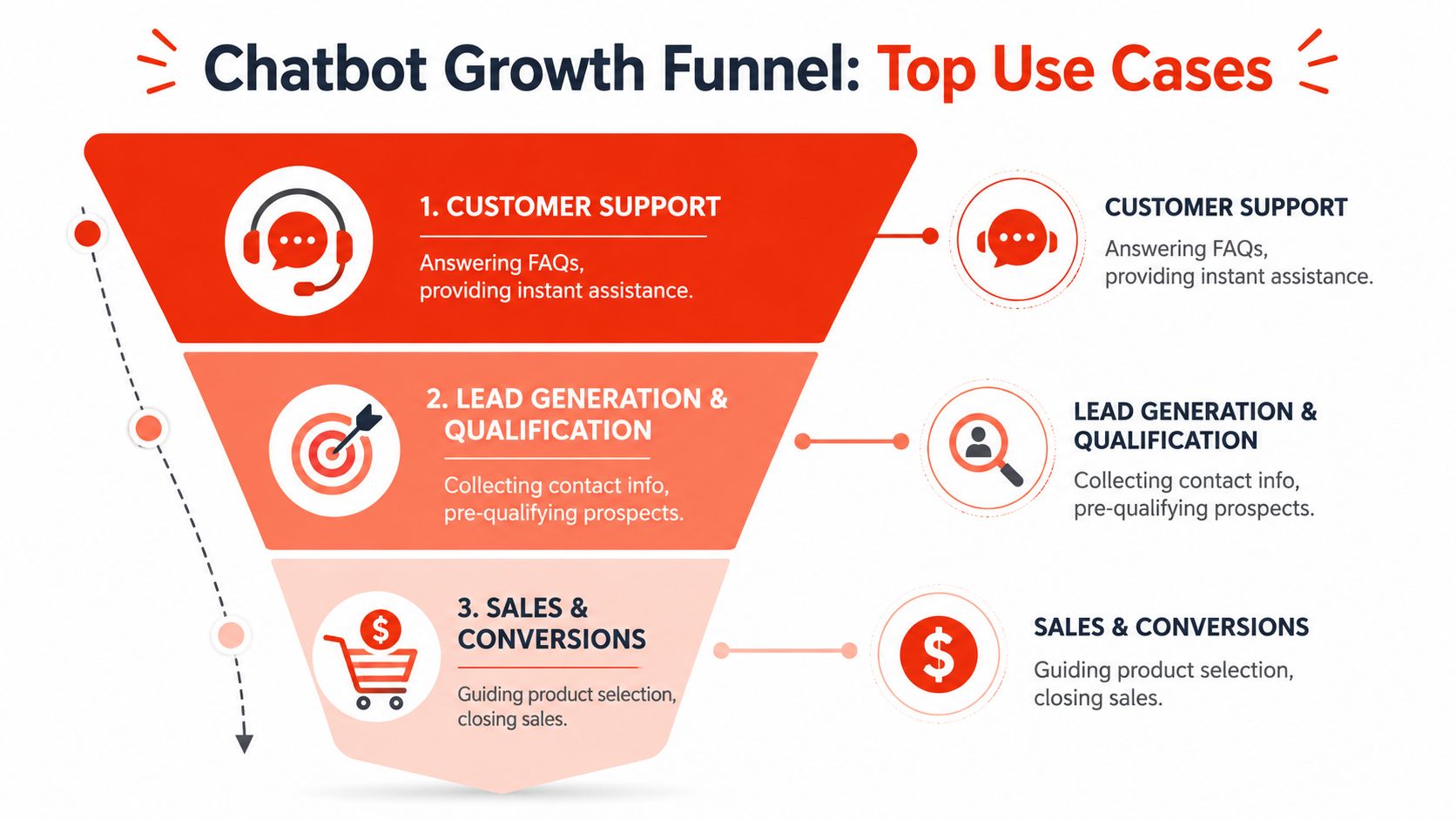
For most SMBs, the answer falls into three buckets. Visitors leave before asking. Leads come in unqualified. Staff spends too much time answering the same things.
Instant sales engagement
A visitor lands on your pricing page. They're interested, but not ready to fill out a generic form. They want a fast answer first.
A chatbot can meet them right there. It can ask what they need, answer common pre-sales questions, and move the conversation toward a demo, quote request, or consultation. That's much closer to how a good salesperson works in person.
A lot of teams miss this point. Speed matters, but qualified speed matters more. If the bot can ask the right first questions, your sales team starts with context instead of guessing.
Around-the-clock customer support
Support use cases sound less glamorous, but they often protect revenue. If a prospect can't get a simple answer about service areas, hours, onboarding, or order status, they may never become a customer at all.
Chatbots in business earn their keep. They handle basic requests instantly, reduce friction, and keep simple issues from clogging your inbox.
According to Master of Code's chatbot statistics roundup, chatbots can automate up to 80% of routine tasks, deliver answers 3x faster on average, and 58% of B2B companies use them on their websites. The same source reports that 55% of companies using digital assistants see more high-quality leads and that business leaders have reported a 67% increase in sales through chatbots.
Here's a short walkthrough if you want to see examples of conversational flows in action:
Automated lead qualification
This is the growth use case owners care about most.
A chatbot can ask the questions your sales team already asks manually:
- Need and fit: What are you looking for help with?
- Timeline: Are you trying to solve this now or later?
- Scope: How large is the project, team, or location footprint?
- Next step: Do you want pricing, a demo, or a callback?
That turns a vague inquiry into a structured lead.
More conversations aren't the goal. More sales-ready conversations are.
If you're thinking specifically about lead capture flow design, this guide on how to build high-converting chatbots is useful because it focuses on qualification logic rather than just chat volume.
The Real ROI of a Business Chatbot
The obvious pitch is 24/7 availability. That's true, but it's not the deepest value.
ROI comes from how a chatbot changes the economics of attention on your website. A human rep can handle one conversation at a time, maybe a few if they're stretched. A chatbot can handle many in parallel without your staffing model rising in a straight line with demand.
Concurrency changes the math
That technical advantage has a direct business effect. IBM notes that chatbots can support users around the clock, provide instant responses, reduce after-hours staffing costs, and preserve context when a conversation moves to a human. That's why concurrency is the key operational benefit in IBM's explanation of chatbot business benefits.
For an SMB, that means no visitor has to wait just because your team is busy. The bot can greet, qualify, and route every inbound conversation while your staff focuses on the opportunities that need judgment.
Better inputs create a better pipeline
A standard website form gives your sales team very little to work with. Name, email, maybe a message. That's not qualification. That's guessing.
A good chatbot improves pipeline quality by collecting:
- Intent: Why the person came to the site
- Context: What service, product, or issue they care about
- Urgency: Whether they're browsing or actively buying
- Routing clues: Whether sales, support, or a specialist should take over
That shortens the path to a useful follow-up. It also reduces the hidden cost of chasing weak inquiries that were never a fit.
The payoff isn't just efficiency
Owners often ask whether a chatbot is a cost-saving tool or a revenue tool. The answer depends on how it's configured.
If it only answers FAQs, it saves time. If it qualifies leads, summarizes conversations, and routes the right prospects to the right person, it affects revenue.
That's the same reason conversion work on websites matters beyond design polish. Resources on boosting online store conversions often make the same core point: the site has to reduce friction at the moment of intent, not just look credible.
For businesses evaluating pipeline-focused automation, conversational AI for sales is the category to pay attention to, because it sits closer to qualification and handoff than to basic support chat.
Your 5-Step Chatbot Implementation Checklist
Most SMBs don't need a giant rollout plan. They need a clean launch with the right boundaries.
A chatbot should start simple, prove it can capture useful conversations, and improve from there.
Step 1 Define one business goal
Don't launch a chatbot with five jobs on day one. Pick one.
Good examples include booking consultations, qualifying service inquiries, answering pre-sales questions, or reducing low-value support interruptions. A single goal makes setup easier and measurement cleaner.
Practical rule: If you can't say what a successful chatbot interaction looks like, the bot will drift into random conversation.
Step 2 Match the bot type to that goal
If you only need office hours, service area answers, and basic routing, use a rule-based setup.
If you need the bot to understand open-ended questions, qualify visitors, and collect useful context for sales, choose an AI-powered setup. This is the point where platform choice matters more than flashy demos.
Some tools are built for enterprise support teams. Others fit SMB websites better. One option in that second category is LeadBlaze, which adds an AI sales assistant to a site through a WordPress plugin or code snippet, learns from site content, and lets teams set qualification rules and captured fields.
Step 3 Write the first conversation like a receptionist script
A good opening isn't clever. It's clear.
Use short prompts, offer obvious paths, and ask one useful question at a time. This approach resembles front-desk triage.
Welcome message template
- “Hi, how can I help today? I can answer questions, help you find the right service, or connect you with the team.”
Qualification question template
- “What are you looking for help with?”
- “Is this for your business, a client, or a personal project?”
- “Would you like pricing information, a callback, or to book a demo?”
Call-to-action template
- “I can pass this to the right person. What's the best email or phone number to reach you?”
Step 4 Deploy it where intent already exists
Don't hide the chatbot on a low-traffic page and expect results.
Put it where buyers hesitate or ask questions. That usually means:
- Pricing pages: Visitors often need reassurance before converting.
- Service pages: People want to know if they're a fit.
- Contact pages: Replace passive forms with guided intake.
- High-intent blog posts: Catch readers who are researching solutions.
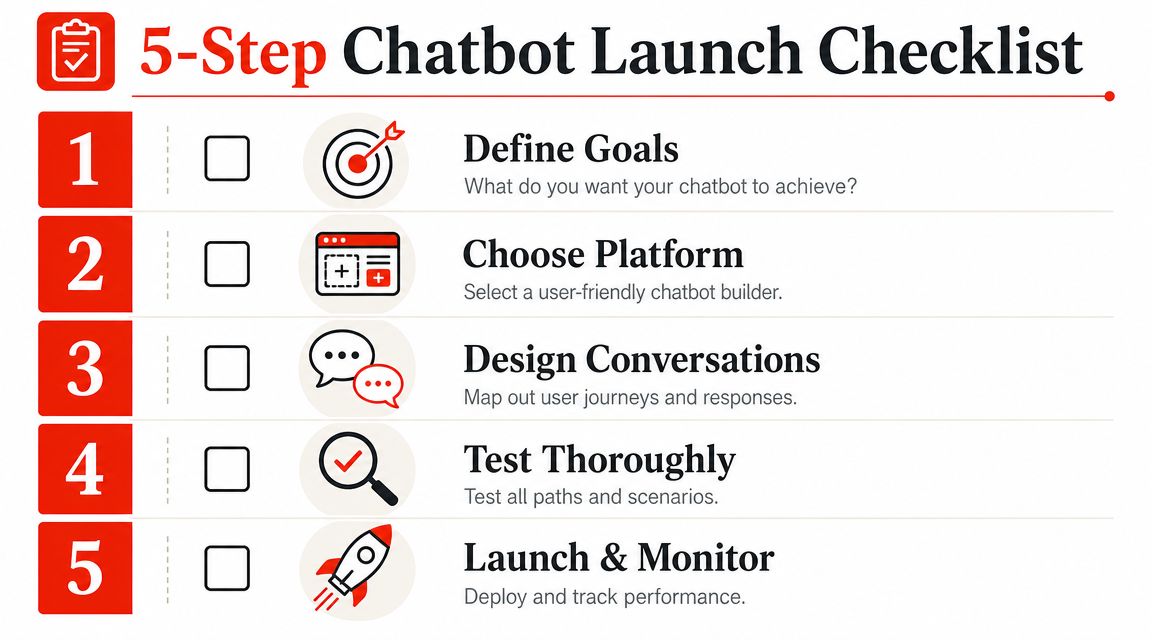
Step 5 Test it like a skeptical customer
Before launch, run through real scenarios. Ask vague questions. Ask messy questions. Try to break the flow.
Check for these issues:
- Dead ends: Does the bot get stuck when a visitor goes off-script?
- Weak handoff: Is it easy to reach a human when needed?
- Poor capture: Does the bot collect contact details without sounding pushy?
- Brand mismatch: Does the tone sound like your business, not generic software?
- Bad routing: Are sales inquiries going to support, or vice versa?
Then refine in small passes. Most wins come from better prompts, tighter qualification logic, and faster escalation, not from making the bot more talkative.
Tracking Success and Avoiding Common Pitfalls
A chatbot can generate plenty of conversations and still hurt the sales process.
I've seen this happen with SMB teams that celebrate chat volume while reps complain that the pipeline is filling up with bad-fit inquiries, incomplete contact details, and handoffs that go nowhere. A busy bot is not the goal. Better leads, cleaner routing, and less time wasted are the goal.
Measure pipeline impact, not just activity
Start with four signals that show whether the bot is helping revenue or creating noise.
| Metric | What it tells you | What to watch for |
|---|---|---|
| Fallback rate | How often the bot fails to understand what someone wants | A high rate usually means your prompts, intent logic, or knowledge base need work |
| Goal completion rate | Whether visitors finish the action you designed for them | A low rate often points to friction in the flow, confusing questions, or weak CTA placement |
| Conversion rate | Whether conversations turn into real pipeline activity | A low rate can mean the bot is attracting low-intent traffic or qualifying too loosely |
| Human handover rate | How often the conversation needs a person | Useful for spotting whether the bot is screening well or getting in the way |
These metrics work best together. If fallback rate is low but conversion rate is weak, the bot may be answering questions fine while sending sales weak opportunities. If handover rate is high and goal completion is low, the flow may be forcing people into the wrong path too early.
That is a sales problem, not just a chatbot problem.
Read transcripts like a sales manager
Metrics tell you where to look. Transcripts tell you what to fix.
Review real conversations every week and look for patterns. Are serious buyers asking pricing or fit questions that the bot dodges? Are students, job seekers, and vendors getting treated like prospects? Are people dropping off right before the bot asks for contact details?
Those patterns affect lead quality fast. A chatbot works like a front-desk coordinator. If it greets everyone the same way and sends every visitor into the same line, your sales team pays for it later.
The common mistakes are predictable
Most failures come from a short list of decisions that look harmless at launch and expensive a month later.
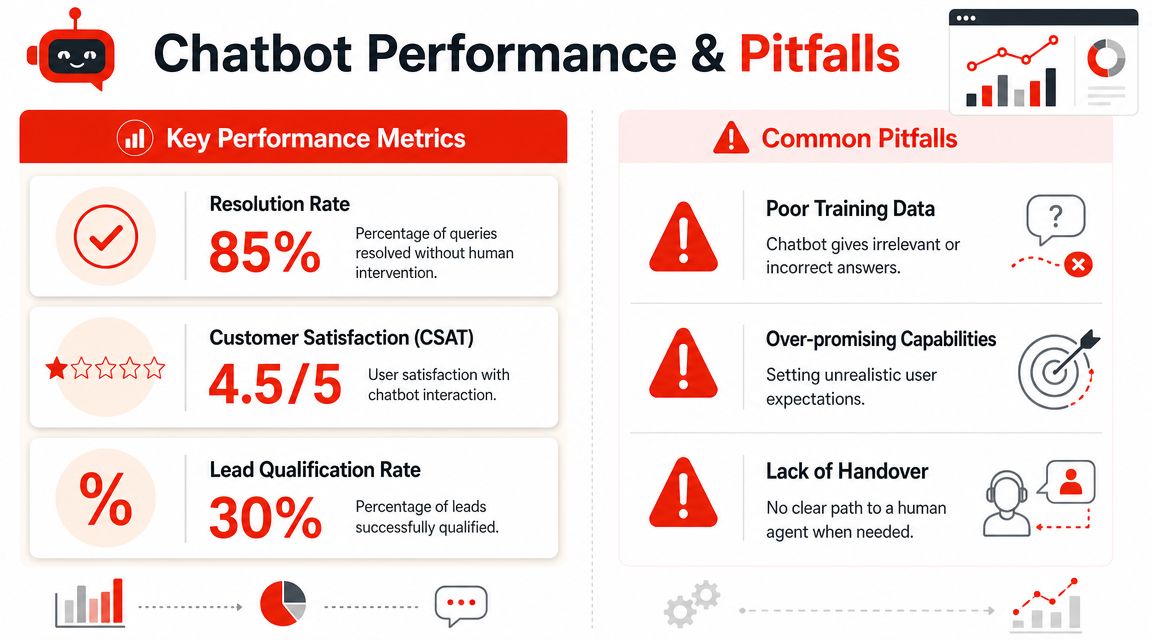
- Over-automating too early: Bots should qualify, answer common questions, and route cleanly. They should not pretend to run the whole sales conversation.
- Treating every chat as a lead: More contacts do not mean more opportunities. Tight qualification usually produces fewer submissions and better pipeline.
- Hiding the human option: High-intent buyers often want confirmation from a person before they book or buy.
- Using weak qualification questions: If the bot never asks about budget, timeline, location, or fit, sales gets a larger pile of low-quality follow-up.
- Ignoring transcript reviews: Teams miss buyer objections, confusing copy, and broken paths when nobody reads actual conversations.
Brand risk is part of performance
A chatbot is not only a conversion tool. It is also a public-facing representative of the business.
That creates real risk if responses drift off-brand, sound too confident, or invent answers. In trust-sensitive industries, that risk grows fast. Businesses need constrained responses, ongoing monitoring, and clear escalation paths, especially in regulated or reputation-sensitive categories, as discussed in Lakera's review of AI chatbot risks in business.
If the bot cannot answer clearly and correctly, it should pass the conversation to a person fast.
The best chatbot programs are managed like sales assets. Review performance, tighten the qualification logic, clean up weak handoffs, and keep training it on real buyer questions. That is how a chatbot stops being a novelty on the site and starts contributing to a healthier pipeline.
Frequently Asked Questions About Business Chatbots
How much do business chatbots cost
A small business usually does not have a chatbot budget problem. It has a pipeline problem. If the bot captures better-fit leads, filters out weak inquiries, and gives sales cleaner handoff notes, the monthly fee is easier to justify.
Pricing still varies widely. Simple tools may charge a modest monthly subscription, while custom setups cost more because they need deeper routing, integrations, and training. I usually tell owners to judge cost against two outcomes: more qualified leads and less staff time spent on people who were never likely to buy.
How long does setup take
The technical install is often the easy part. A plugin or script can go live fast.
The essential work involves deciding what the bot should ask, what counts as a qualified lead, and where a human should step in. A bot that only says hello can be live in a day. A bot that screens for budget, service fit, urgency, and location takes longer, but that extra setup is what turns casual chat volume into a healthier sales pipeline.
Will a chatbot replace my staff
No smart business should use it that way.
A chatbot works like an intake coordinator. It handles the repetitive front-end work, answers standard questions, collects details, and routes serious opportunities to the right person. Your team still handles judgment, objections, and closing. That division usually leads to faster response times and fewer hours wasted on low-intent conversations.
How do I know if my chatbot is working
Start with pipeline impact, not chat volume. If the bot creates more sales conversations with the right prospects, it is doing its job.
Track a small set of metrics that connect directly to revenue. Look at lead qualification rate, booked meetings, handoff quality, and close-rate by chatbot-sourced lead. Then review bot-level signals such as drop-offs, fallback replies, and incomplete form paths to find where prospects are getting stuck. As noted earlier, strong chatbot measurement combines conversation data with actual business outcomes, so you can tell whether the issue is traffic quality, qualification logic, or the sales follow-up process.
If you want your website to act more like a sales rep than a brochure, LeadBlaze is built for that job. It adds a 24/7 AI sales assistant to your site, answers visitor questions, qualifies leads, and captures the details your team needs so you can spend less time chasing weak inquiries and more time closing good ones.