Your Zendesk inbox might be under control, but your website probably isn’t. Support tickets get routed, tagged, and answered. New visitors land on service pages, pricing pages, and blog posts, then leave without raising a hand.
That gap is where most SMB teams get stuck. Zendesk handles service well, but many chatbot for zendesk setups stop at support deflection. They answer FAQs, suggest help articles, and escalate when needed. Useful, yes. Complete, no.
In practice, the harder problem is bridging pre-sales intent and post-sale support without splitting data across tools or forcing people into dead-end contact forms. If you want a chatbot for zendesk that does more than absorb repetitive tickets, the design has to start with one question: should the bot only reduce workload, or should it also qualify pipeline?
Beyond Support Deflection Why Zendesk Needs a Sales Chatbot
A lot of teams buy Zendesk to organize support, then try to stretch it into a lead capture layer. That usually creates friction.
Support bots are built to answer known questions. Sales conversations are messier. A visitor asks about pricing, implementation time, fit for a niche use case, or whether you serve a specific region. If the bot only knows how to route support requests, that visitor gets pushed into a generic form or a weak fallback.
Where native support automation falls short
Zendesk’s native bot stack is strong when your main objective is support efficiency. It can automate responses, suggest help content, and route customers into the right queue.
But SMBs often need something slightly different:
- Lead capture before ticket creation: Website visitors aren’t always asking for support. Many are evaluating, comparing, or checking fit.
- Qualification logic: Sales teams care about timeline, need, service type, budget range, and urgency. Support bots often don’t capture that level of detail by default.
- Proactive engagement: Service automation is reactive. Sales chat works better when it starts the conversation at the right page and moment.
Practical rule: If your highest-value conversations start on your website, a pure support bot won’t give marketing and sales enough context.
There’s also a cost discussion that official setup guides tend to sidestep. For SMBs, native Zendesk solutions can start at $50 per agent/month, while lightweight alternatives can offer flat-rate pricing such as $39/month with unlimited conversations and native integration. The same source also notes that 70% of SMB queries on forums seek “cheap Zendesk chatbot alternatives” without per-conversation billing (Zendesk chatbot pricing discussion).
That matters because support volume and lead volume don’t scale the same way. A growing agency or local service business may need broad website coverage before it needs more support seats.
The better operating model
The cleanest setup is usually this:
| Function | Best home |
|---|---|
| Support resolution | Zendesk |
| Lead capture and qualification | Website chatbot |
| Human follow-up | Zendesk or sales inbox |
| Shared context | Synced fields and summaries |
This turns Zendesk into the system of record, not the only conversational layer.
If you're exploring broader customer messaging patterns, this overview of a customer support chatbot is useful because it shows where support automation helps and where a sales-focused layer needs different logic.
The practical takeaway is simple. Zendesk is excellent at handling customer issues. Many SMBs still need a second conversational layer built for revenue, not just resolution.
Choosing Your Zendesk Chatbot Integration Path
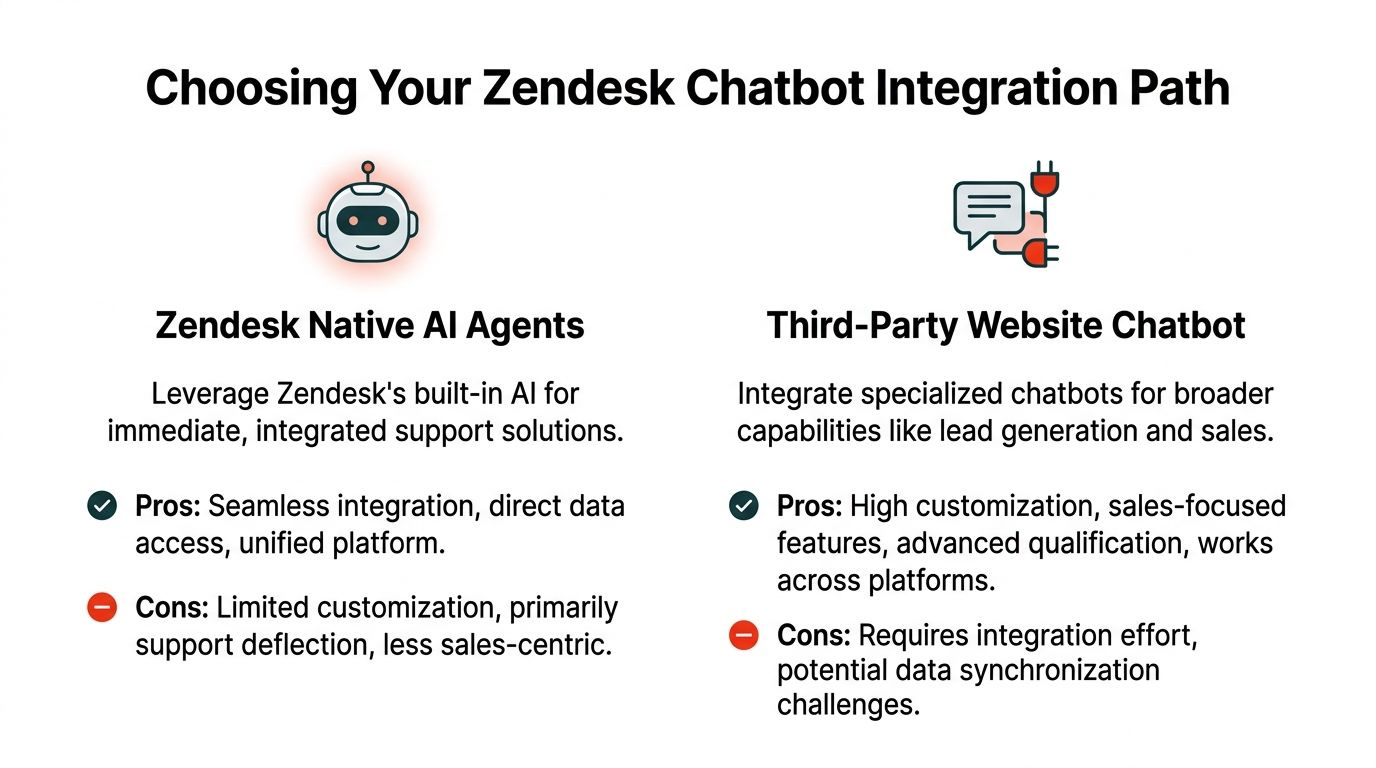
There are two viable paths for a chatbot for zendesk. Neither is universally better. The right choice depends on the job you're asking the bot to do.
Path one uses Zendesk native AI
Choose native Zendesk AI when your support team already has a well-maintained help center and most automation needs are post-sale.
Zendesk reports that 44% of agents say bots handle more basic inquiries, which frees them for higher-value interactions. It also highlights metrics like Resolution Rate, Rejection Rate, Containment Rate, and Transferred to Agent as core ways to evaluate performance (Zendesk knowledge base chatbots).
Native Zendesk works well when you need:
- Fast deployment: You already live in Zendesk and want fewer moving parts.
- Knowledge-base answers: Your content library is mature and accurate.
- Unified support operations: One admin surface, one reporting environment, one escalation path.
It works less well when lead qualification is the main use case.
Path two adds a third-party website chatbot
A specialist chatbot is usually the better fit when the website is part of the sales funnel, not just a support entrance.
That route makes sense when you need:
- Custom qualification flows: The bot asks different questions for a dentist, contractor, agency, or SaaS buyer.
- Pre-ticket summaries: The handoff includes intent, service need, page of origin, and a concise recap.
- Cross-platform flexibility: You want the same qualification logic across the site, landing pages, and campaign traffic.
A third-party route does require more planning. Data mapping, custom fields, and handoff rules need to be designed up front. That's where many teams stumble.
A chatbot that only says "How can I help?" isn't enough. A good sales-support setup decides what to ask next and where that answer should go.
A practical decision filter
Use this quick comparison when deciding:
| Decision factor | Native Zendesk AI | Third-party chatbot |
|---|---|---|
| Main goal | Support deflection | Lead capture and qualification |
| Setup complexity | Lower | Moderate |
| Knowledge base access | Strong | Depends on integration |
| Sales flow flexibility | Limited | Strong |
| Handoff customization | Basic to moderate | Strong if configured well |
If your team also cares about tracking how data moves between systems, this overview of Zendesk integration is worth reviewing before implementation. It helps frame the operational side of sync quality and event tracking.
For teams balancing live support with conversion goals, this guide to live chat support is a useful companion because it shows how real-time chat expectations differ between service and sales conversations.
The short version is this. If your website mostly serves existing customers, native Zendesk is often enough. If your site needs to qualify strangers into opportunities, add a specialist layer and pass the right context into Zendesk.
The Blueprint for Integrating a Website Chatbot with Zendesk
Most failed integrations don't fail because of code. They fail because nobody decided what information should move, when it should move, and where it should land inside Zendesk.
A reliable chatbot for zendesk setup needs a simple architecture. The website bot captures intent, qualifies the visitor, and sends a structured payload into Zendesk. Zendesk then creates a ticket, contact record, or routed conversation with the right fields already filled in.
Start with the destination, not the bot
Before you write a single welcome message, define the Zendesk objects the chatbot will populate.
In most SMB implementations, that means deciding:
- What gets created. A ticket, lead record, contact update, or conversation event.
- Which fields matter. Name, email, phone, service category, urgency, budget notes, timeline, source page, and summary.
- Who should receive it. Sales, support, location-based team, or a shared queue.
If those fields don't exist in Zendesk yet, create them first. Otherwise the bot will collect useful context and then dump it into an unstructured internal note where nobody can report on it later.
Keep the logic plain
The automation itself should follow a clean decision chain. Zendesk describes chatbot automation as a four-step process: input processing, customer intent recognition, processing against knowledge and rules, and retrieval of data to generate a response. It also notes that this approach can deflect up to 80% of inbound queries when the bot understands goals before they reach an agent (Zendesk chatbot automation).
For implementation, that usually becomes:
- Visitor asks a question
- Bot identifies intent
- Bot checks whether it can answer, qualify, or escalate
- Bot writes structured data into Zendesk
That sounds obvious, but many teams skip the middle layer. They either over-answer or over-escalate.
Implementation note: The handoff payload matters more than the widget styling. Agents forgive plain design. They don't forgive missing context.
Map fields before you connect anything
A practical field map prevents most cleanup work later.
| Chatbot field | Zendesk field |
|---|---|
| Visitor email | Requester email |
| Topic selected | Ticket category |
| Service interest | Custom sales field |
| Urgency | Priority or custom field |
| Conversation summary | Internal note |
| Qualified status | Tag or custom field |
This is also the moment to decide whether free-text answers should remain raw, be summarized, or both. For sales handoff, a concise summary is often more useful than a long transcript.
If you need a technical walkthrough from a bot-building perspective, this guide on how to build a smarter Zendesk chatbot is a solid reference because it frames the integration logic clearly without assuming an enterprise engineering team.
Use webhooks and APIs sparingly
You don't need a complex orchestration layer for most SMB deployments. A standard setup usually needs:
- An API connection or native integration: To create or update records in Zendesk.
- Webhook triggers: To push a conversation into the right workflow when a threshold is met.
- Tags or routing rules: To separate support issues from sales-ready conversations.
What you want to avoid is custom glue for every branch. If the workflow can't be explained in a short internal SOP, it's too brittle.
A quick product demo helps non-technical stakeholders see the flow more easily:
A good integration doesn't try to make Zendesk do everything. It gives Zendesk clean, structured context so humans can take over without restarting the conversation.
Designing Qualification Flows and Smart Handoff Rules
The integration can be technically perfect and still perform badly if the conversation design is weak. As a result, most chatbot for zendesk projects either become useful or become annoying.
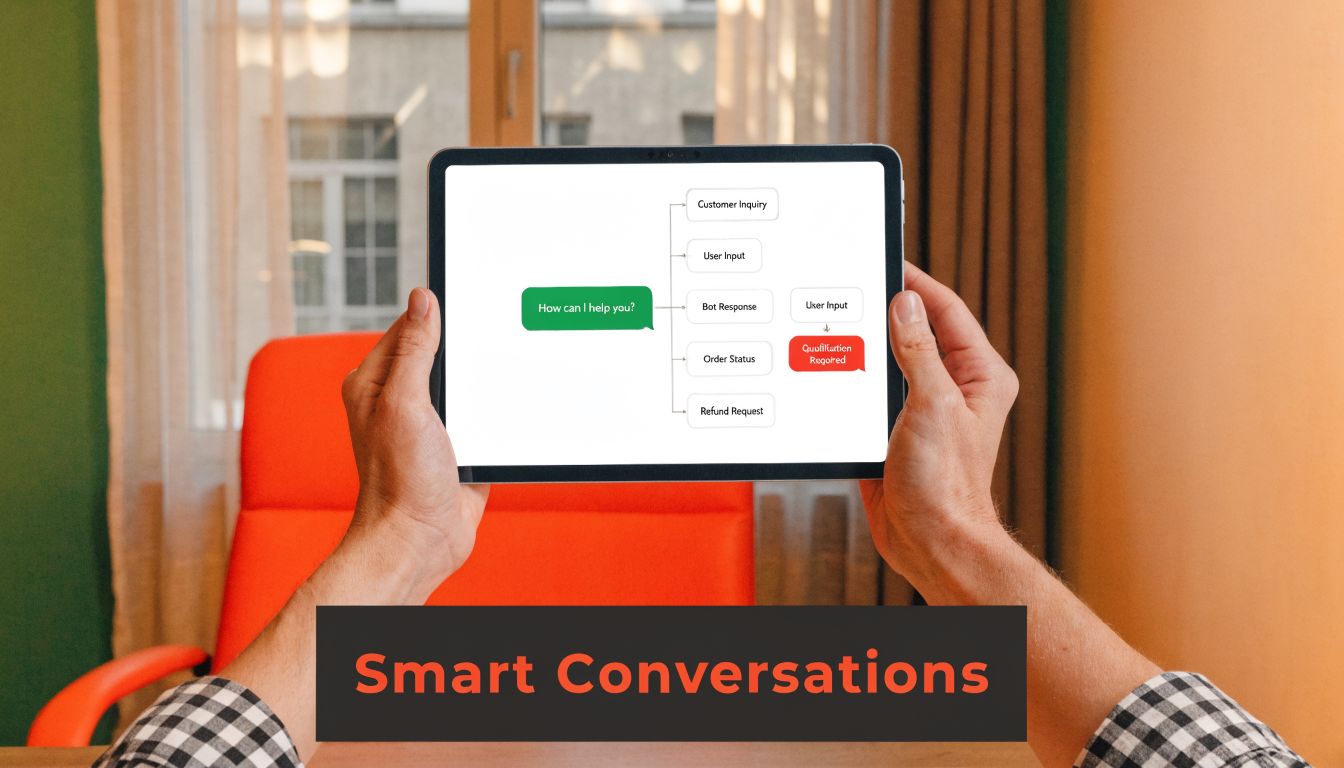
A strong qualification flow feels like a short, relevant conversation. A bad one feels like a support form chopped into chat bubbles.
Ask only what changes routing
Every question should have an operational purpose. If an answer doesn't affect routing, prioritization, or follow-up, don't ask it in the first pass.
The cleanest qualification flows usually follow four moves. Zendesk describes successful AI chatbot lead qualification as proactive engagement, intent detection, intelligent routing, and smooth handoff. It also reports 47% higher lead conversion rates and 52% productivity gains for sales teams using that approach to automate early funnel stages (Zendesk AI chatbot for sales).
In practice, that means:
- Open with relevance: Greet based on page context, not a generic hello.
- Identify intent quickly: Are they buying, booking, comparing, or asking for support?
- Capture only decisive details: Need, timeline, location, budget fit, or service type.
- Route with a summary: Send agents the gist, not just the transcript.
Write branches like a consultant, not a scriptwriter
The bot shouldn't interrogate everyone the same way.
A contractor lead might need project type, location, and timeline. A clinic inquiry might need service category and preferred appointment window. A B2B software inquiry might need team size, use case, and whether they want a demo or pricing clarity.
Use branching for moments like these:
| Visitor signal | Better bot response |
|---|---|
| Pricing question | Clarify use case, then route to sales |
| Support language | Send to service path |
| Urgent problem | Escalate early |
| High-intent buying phrase | Skip low-value questions |
If you need examples of how to structure branch logic, this walkthrough on how to create a bot is useful because it focuses on conversation design choices rather than just setup screens.
Don't aim for a "human-like" bot first. Aim for a bot that asks the next sensible question.
Build handoff triggers that protect the customer experience
Handoff rules should be explicit. If the bot sees urgency, confusion, negative sentiment, a direct human request, or a high-value sales signal, it shouldn't keep digging.
Good handoff rules usually include:
- Direct request triggers: "Talk to someone," "call me," "book now."
- Value-based triggers: Enterprise inquiry, multi-location need, or specialized service request.
- Sentiment triggers: Frustration, repeated failed answers, or complaint language.
- Compliance triggers: Topics that require a licensed or human-reviewed response.
The handoff payload should include the visitor's answers, detected intent, page context, and a short AI summary. That's what prevents the classic "How can I help you today?" loop after transfer.
Keep the brand voice useful
Persona matters less than clarity. Friendly is fine. Clever usually ages badly.
For SMBs, the best-performing bots tend to sound like a competent coordinator. Brief, polite, and specific. They acknowledge what the person wants, explain the next step, and don't overperform.
When qualification and handoff are designed together, agents step into a conversation already in motion instead of reopening one from scratch.
Monitoring Performance and Optimizing for Results
A common initial focus involves total chats. That's rarely the metric that tells you whether the setup is working.
A chatbot for zendesk should be measured from both sides. The bot side tells you what happened in the conversation. Zendesk tells you what happened after the conversation.
Start with the metrics Zendesk already gives you
Zendesk's core bot metrics include Containment Rate, Suggestion Rate, and Click-through Rate. It also reports that adoption by over 10,000 organizations has led to a 38% reduction in first response times, which is a useful benchmark for the operational upside of automation (Zendesk chatbot statistics).
Those metrics matter, but they mean different things depending on the use case.
- Containment Rate: Best for support flows. If it's low, the bot may lack content or the flow may be routing too quickly.
- Suggestion Rate: Useful when article recommendations are part of resolution.
- Click-through Rate: Tells you whether suggested content feels relevant.
For sales-support hybrids, I care just as much about what happens after transfer.
The post-handoff metrics matter more than vanity counts
Track these inside Zendesk and your chatbot dashboard:
- Ticket creation accuracy: Are the right fields populated, or are agents fixing records manually?
- Routing quality: Did the conversation land with the correct team?
- Agent acceptance: Do agents trust the summary, or do they ignore it and reread transcripts?
- Lead quality by chat path: Which qualification flows produce actual follow-up opportunities?
A high transfer volume isn't automatically good or bad. It has to be interpreted.
A transfer-heavy bot may be doing its job, or it may be failing to answer obvious questions. The difference shows up in ticket quality and agent feedback.
A simple optimization cadence
Use a recurring review process:
- Pull a sample of transfers
- Check whether the bot asked one unnecessary question
- Find where visitors dropped off or got confused
- Tighten one branch at a time
Don't redesign the whole flow every week. Small edits win faster. Change the opening prompt, rewrite one branch, improve one summary template, then measure the downstream effect.
The strongest teams treat chatbot tuning like queue management. Ongoing, operational, and based on real conversations.
Troubleshooting Common Zendesk Integration Issues
The most frustrating issues in a chatbot for zendesk rollout are usually predictable. They look technical on the surface, but most come back to workflow design.
One issue shows up more than any other: context loss during handoff. Benchmarks cited in discussion around Zendesk's sales-scenario gaps show 60% dissatisfaction when conversation nuance is lost during escalation. The same analysis notes that bots often gather only basic details and miss custom qualification rules that sales teams need (Zendesk handoff limitations analysis).
When the handoff loses context
If the agent sees only a name, email, and "needs help," the handoff payload is too thin.
Fix it by checking:
- Summary construction: Make sure the bot writes a concise recap, not only raw transcript text.
- Field mapping: Confirm that service type, urgency, and intent are going into structured Zendesk fields.
- Trigger timing: Don't escalate before the bot has captured the minimum viable context.
When tickets are messy or incomplete
This usually happens when chatbot answers don't match Zendesk field formats.
Check for:
- Dropdown mismatches: The bot may send free text into a controlled field.
- Required field failures: Zendesk may reject part of the payload if mandatory values are missing.
- Inconsistent tagging: Similar intents may be labeled differently across flows.
The cure is boring and effective. Standardize values. If one flow says "book demo" and another says "demo request," agents will feel that inconsistency immediately in views and reports.
When routing sends leads to the wrong people
Routing breaks when qualification logic and Zendesk assignment rules use different definitions.
Audit both sides:
- Bot logic: What counts as sales, support, urgent, or location-specific?
- Zendesk triggers: Which fields or tags control assignment?
- Fallback path: Where do uncertain conversations go?
If nobody owns the fallback queue, it becomes a graveyard.
Routing should fail safely. If the bot isn't confident, send the conversation to a monitored queue with a strong summary attached.
Most integration problems don't require a rebuild. They require cleaner field definitions, tighter handoff rules, and less ambiguity between chatbot logic and Zendesk workflow rules.
If your website gets traffic but too few qualified conversations, LeadBlaze is worth a look. It adds a sales-focused AI assistant to your site, qualifies visitors with custom rules, and gives your team concise summaries instead of bloated transcripts, which makes it a practical companion to Zendesk when you need lead capture and support to work together.