Your website is getting visitors. Some are curious. Some are ready to buy. Some just need one quick answer before they contact you.
But the only path forward is a contact form with five fields and a promise that someone will reply later.
That gap is where a lot of leads disappear. Not because your offer is weak, but because your site asks people to wait when they want to move now. For a small business or agency, that delay hurts twice. You lose the chance to qualify the lead, and you lose control of the first impression.
A chatbot can fix that. Not the gimmicky kind that pops up and says “Hi” with no real purpose. A useful one that answers common questions, asks the next smart question, and routes people toward booking, calling, or sharing the details your team needs. The part most buyers miss is that the bot itself isn’t the main decision. The real decision is the chatbot development framework behind it.
Why Your Website Needs More Than a Contact Form
A contact form is passive. It waits for the visitor to do all the work.
That made sense when most business websites acted like brochures. Today, people land on your site with specific intent. They want pricing clarity, service availability, eligibility, timing, or proof that you understand their problem. If they can’t get momentum in that moment, many will leave and keep comparing options.

The real problem isn’t traffic
Most SMBs don’t need another lecture about getting visitors. They need a better way to turn existing attention into conversations.
A strong chatbot does three practical things that a form can’t:
- It responds immediately. A visitor asks, “Do you serve my area?” and gets an answer without waiting for office hours.
- It qualifies as it chats. Instead of collecting only name and email, it can ask about budget, timeline, service type, or urgency.
- It keeps the brand experience moving. People feel guided instead of dropped into a dead end.
If you’re thinking through the sales side of this, this guide on ChatGPT for lead generation is useful because it connects conversational AI to actual pipeline work, not just website novelty.
This isn’t experimental anymore
The market signal matters here. One industry guide projects the chatbot development framework market will grow from $11.45 billion in 2026 to $32.45 billion by 2031, which means it is expected to nearly triple in five years, according to AgileEngine’s chatbot development guide. That matters because categories don’t grow like that when buyers still see them as side projects.
Bottom line: Businesses are no longer treating chatbots as decorative widgets. They’re treating them as operating infrastructure for support, lead qualification, and conversational automation.
For a local service business, that might mean screening inquiries before the phone rings. For an agency, it might mean pre-qualifying leads across multiple client sites. For a software company, it could mean routing demos versus support questions without forcing users into the wrong queue.
If you want a more direct look at why a live conversational touchpoint outperforms a static form, this article on a chat widget on website is a practical companion.
A contact form captures messages. A chatbot, when built on the right foundation, captures intent.
What Is a Chatbot Framework Really
Often, “framework” is interpreted as advanced code that can be safely ignored. That’s a mistake, because the framework shapes what the chatbot can understand, remember, and do.
A chatbot development framework is the underlying system that organizes how a bot handles language, conversation flow, and actions. It’s not the welcome message. It’s not the color of the widget. It’s the machinery underneath.
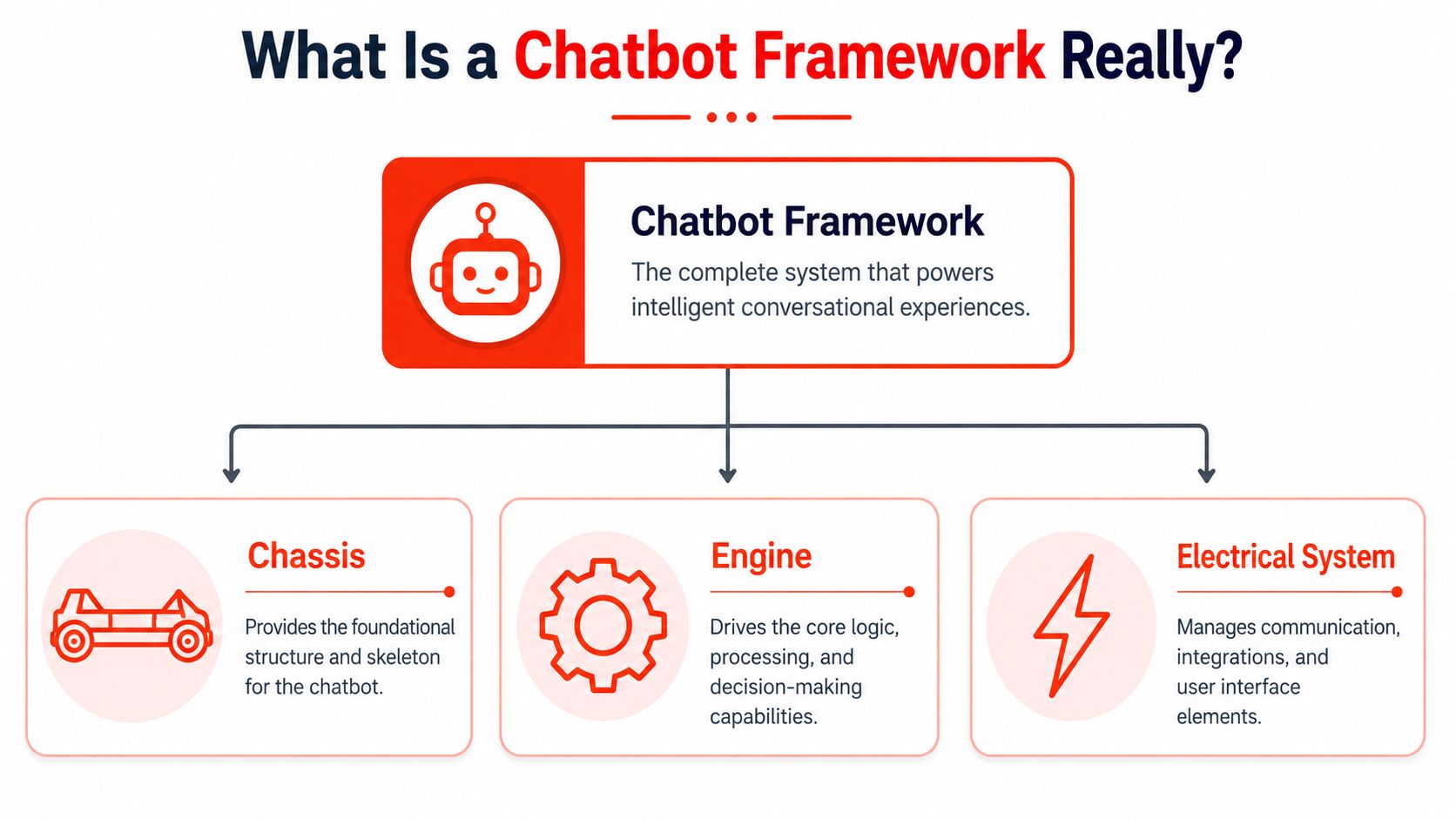
Use the car analogy
Think of a chatbot like a car.
The visitor sees the paint, seats, and dashboard. That’s the visible experience. But what makes the car usable is the structure underneath: the chassis, the engine, and the electrical system. A chatbot framework works the same way.
According to Chatiant’s explanation of chatbot architecture, a chatbot development framework separates the system into three technical layers: natural language understanding, dialogue management, and integrations. That architecture matters because it coordinates intent recognition, conversation state, and external actions as one system.
Natural language understanding is the ears
This is the part that interprets what the visitor means.
If someone types, “Need a quote for kitchen remodeling,” the bot has to recognize that this is probably a sales inquiry, not a support request. If another person writes, “Do you work weekends?” the bot has to detect a scheduling or service-availability question.
This layer doesn’t just hear words. It tries to identify intent.
Common confusion shows up here. Teams often think, “If the bot uses AI, it must understand everything.” It won’t. Understanding depends on how the framework is designed, trained, and constrained.
Dialogue management is the brain
Once the bot understands the request, it has to decide what happens next.
Does it ask a follow-up question? Does it remember what the user already said? Does it avoid repeating itself? Does it know the difference between a first-time visitor and someone halfway through a booking flow?
That’s dialogue management. It tracks the state of the conversation so the bot can move from one step to the next without feeling random.
Here’s a simple example:
| Visitor says | Good dialogue management does this |
|---|---|
| “I need dental implants” | Recognizes a treatment inquiry and asks about location or appointment timing |
| “Actually, I mean Invisalign” | Updates the context instead of treating it as a brand new conversation |
| “Can someone call me tomorrow?” | Switches from information mode to handoff or lead capture |
Later in the section, it helps to see this in motion:
Integrations are the hands
The chatbot stops being a talking box and starts doing useful work.
It might create a lead in your CRM, book a calendar slot, route a transcript to a sales inbox, or check internal information before answering. Without integrations, many bots can only chat. With integrations, they can move work forward.
A chatbot that can't connect to your real systems often creates more manual work, not less.
That's why “framework” matters more than many marketing teams expect. You aren't just picking a chat interface. You're picking the operating model behind how conversations turn into outcomes.
The Three Paths to Building Your Chatbot
Once you understand what the framework does, the next decision gets easier. You have three broad paths.
You can build from scratch with an open-source framework. You can buy a managed service that handles most of the setup and infrastructure for you. Or you can assemble a bot in a low-code platform that gives you more control than a simple widget without demanding a full engineering project.
Those paths sound similar from the outside. In practice, they lead to very different costs, timelines, and maintenance burdens.
Path one is open-source control
This route fits teams that want deep customization and have technical resources available.
A framework such as Rasa gives developers the freedom to define conversation logic, tune behavior, host the system where they want, and connect it to internal tools with a high degree of control. That can be attractive if you have unusual workflows or strict internal requirements.
The tradeoff is ownership in the full sense of the word. Your team owns setup, testing, infrastructure, updates, debugging, and ongoing refinement. That's not just a development decision. It's an operating commitment.
Path two is managed SaaS speed
This route fits teams that want business results faster than they want architectural freedom.
A managed service handles more of the hosting, interface, setup process, and day-to-day administration. Instead of asking your team to build the engine, it gives you a working engine with settings you can configure.
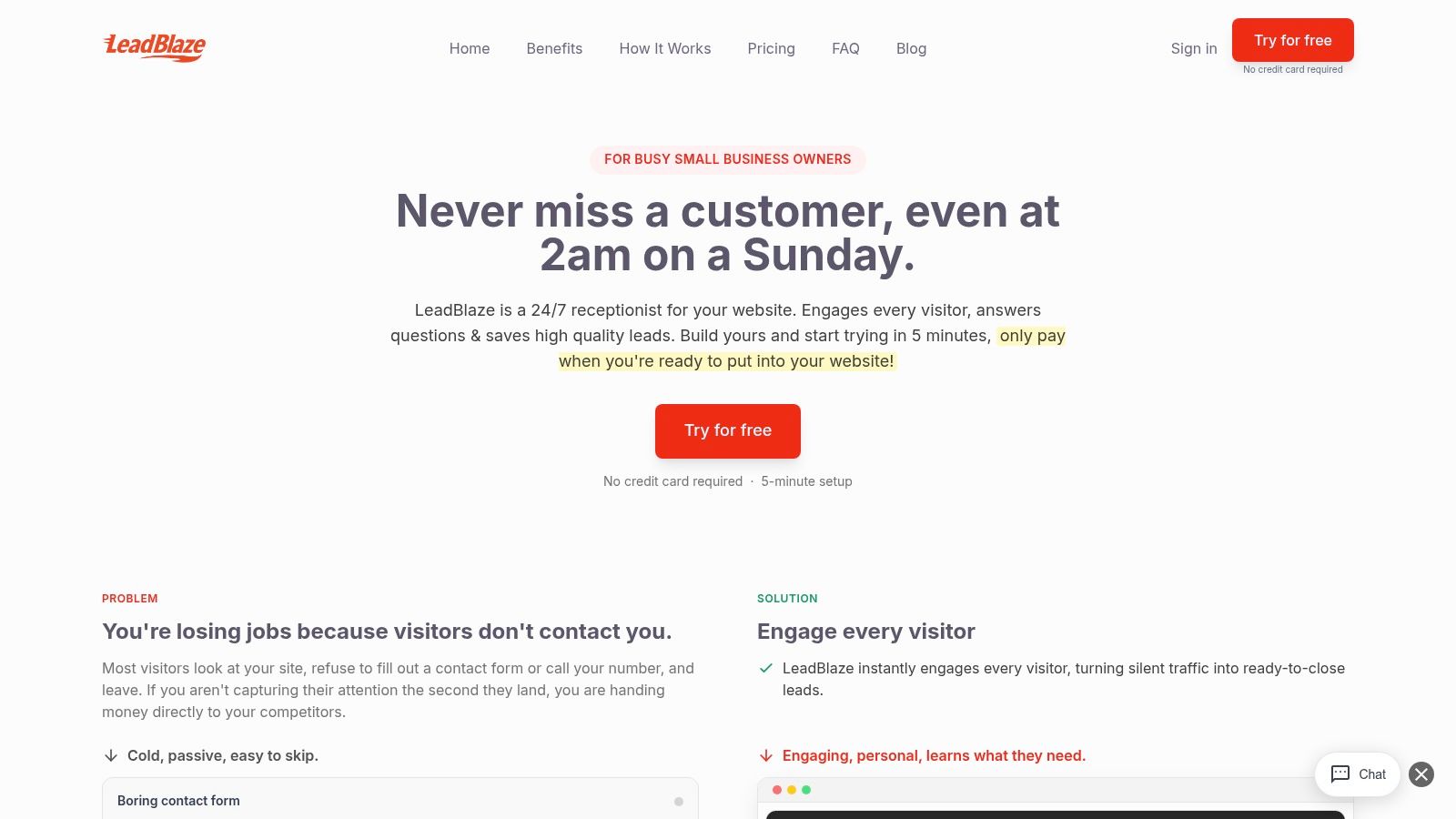
One example is LeadBlaze, which is built for qualifying website visitors, learning from site content, and capturing the information sales teams need without requiring a long custom build. This overview of a chatbot development service shows how agencies and SMBs use that model when they care more about deployment speed and consistency than code-level control.
Path three is low-code flexibility
This is the middle lane.
Platforms like Voiceflow give teams a visual builder so they can shape flows, test logic, and collaborate without writing everything from scratch. That makes them appealing to agencies, product teams, and marketers who want more say in how the conversation works.
But low-code still requires operational discipline. Someone needs to think through routing, edge cases, and how the bot will behave once real users stop following the neat demo script.
Here's the side-by-side comparison most SMBs need.
Chatbot Frameworks Compared Open-Source vs. Managed vs. Low-Code
| Criteria | Open-Source (e.g., Rasa) | Managed SaaS (e.g., LeadBlaze) | Low-Code Platform (e.g., Voiceflow) |
|---|---|---|---|
| Setup speed | Slower. Requires technical setup and configuration | Faster. Typically designed for rapid deployment | Moderate. Faster than custom build, slower than plug-and-play |
| Technical skill required | High | Low to moderate | Moderate |
| Control over logic | Highest | More opinionated | Flexible within platform limits |
| Maintenance burden | High. Your team handles updates and reliability | Lower. Vendor manages more of the stack | Shared. Platform handles infrastructure, your team handles flow quality |
| Best fit | Engineering-led teams with custom needs | SMBs and agencies focused on lead capture and quick launch | Teams that want design control without full custom code |
| Risk if chosen poorly | Long build cycles and hidden upkeep | Feature mismatch if needs are highly specialized | Workflow complexity can outgrow the visual setup |
Practical rule: Choose the path your team can sustain after launch, not the one that looks smartest in a software demo.
A lot of agencies also need to think beyond the website itself. If client acquisition and qualification happen across messaging channels, a resource on how to automate WhatsApp for agencies can help you connect chatbot thinking to broader lead workflows.
The wrong choice usually isn't “too little AI.” It's buying a level of technical freedom your team will never have time to manage.
How to Choose the Right Framework for Your Business
Most buyers ask the wrong question first.
They ask, “Which framework has the most features?” or “Which one uses the most advanced AI?” Those questions sound strategic, but they often lead SMBs into tools that are hard to evaluate and harder to govern.
The better question is simpler. Which framework will help us qualify leads, protect the brand, and produce results we can verify?
Start with the business job
A chatbot for a law firm intake flow is not the same as one for a home services quote request. A bot for an agency landing page is not the same as one for an existing-customer support queue.
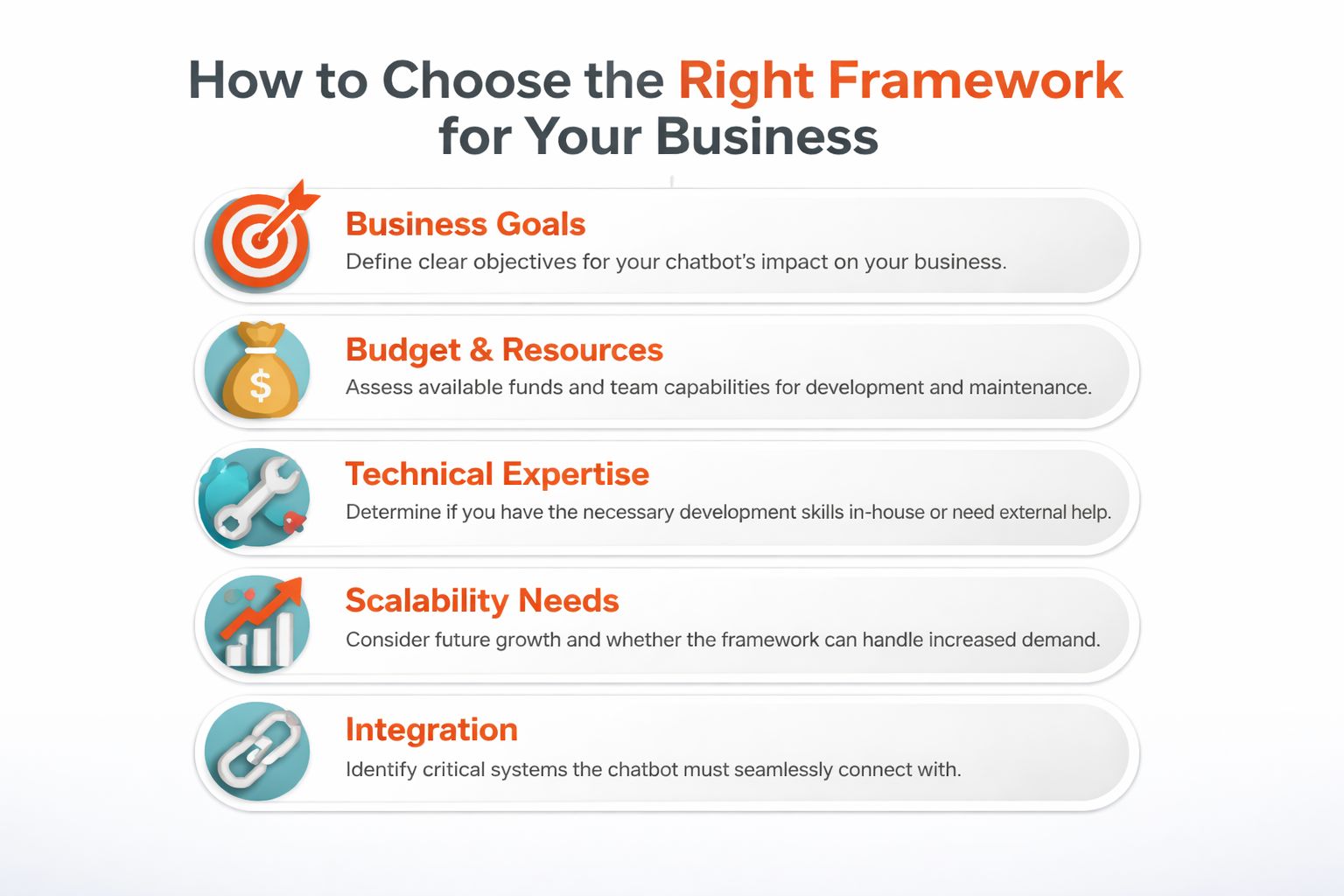
Before comparing platforms, pin down these five factors:
- Business goal: Do you need appointment requests, qualified quote inquiries, demo bookings, or support deflection?
- Team capacity: Who will maintain this after launch. A developer, a marketer, an account manager, or no one?
- Required handoffs: Where should the conversation go next. CRM, calendar, inbox, human rep?
- Scope: What should the bot answer, and what should it avoid?
- Success criteria: How will you know the bot is helping rather than just chatting?
That last point gets ignored far too often.
Evaluate quality, not just capability
A 2026 systematic review found that many chatbot studies lacked clear performance criteria and argued for a more encompassing, multidimensional evaluation framework, as discussed in this PMC review on chatbot evaluation. For an SMB, the lesson is direct: don't buy a chatbot framework just because it can generate answers. Buy one you can evaluate for quality and usefulness.
That means asking questions like these:
| Question to ask | Why it matters |
|---|---|
| Can we review conversation quality easily? | You need a way to spot weak or off-brand answers |
| Can we see whether leads are actually qualified? | Volume without relevance wastes sales time |
| Can the bot stay inside a defined scope? | Broad, loose bots create risk fast |
| Can a human step in when needed? | Some conversations should not stay automated |
| Can we test it against real customer questions before launch? | Demo performance often hides production problems |
More automation isn't automatically better. A framework that answers more often can still produce worse business outcomes if the answers are weak, unsafe, or irrelevant.
Look for fit, not ambition
A lot of SMBs overbuy. They choose a framework with endless customization because they fear being boxed in later. Then they under-resource the project and end up with a half-finished bot no one trusts.
A smarter approach is to choose based on operating reality:
- If you need speed and low upkeep, lean toward managed solutions.
- If you need unusual business logic, low-code can be a useful middle ground.
- If your team already builds software products, open-source can make sense.
The framework should match your organization's behavior, not its aspirations.
That's especially true for lead qualification. A flashy bot that sounds impressive but misclassifies buyers will create extra cleanup for your team. A narrower bot that asks the right questions, hands off cleanly, and stays on-message often creates more value.
Your First Steps From Prototype to Production
The safest way to launch a chatbot is not to make it do everything. It's to make it do one business job well.
Start with a narrow prototype. Good starting points include qualifying one service type, answering pre-sales questions for one audience, or collecting the details needed for a callback. When teams start broad, they usually create fuzzy behavior. When they start narrow, they learn faster.
Begin with one contained workflow
Pick a use case with a clear finish line.
A dental clinic might start with “implant consultation requests.” A contractor might start with “kitchen remodel quote qualification.” An agency might start with “book a discovery call if the lead fits our client profile.”
That focus helps with scope, testing, and internal trust.
Set guardrails before you go live
Many chatbot projects become unstable. Teams spend time on greetings and button colors, then leave answer quality to chance.
A 2026 report on AI chatbot safety described a framework that verifies answers against internal documentation before sending a response, reflecting the need for governance in customer-facing roles, as summarized by Tech Xplore's coverage of chatbot verification. That principle matters even if you're not building advanced verification from scratch.
At minimum, define guardrails such as:
- Allowed topics: What the bot can answer confidently.
- Disallowed topics: Pricing promises, legal claims, medical advice, or anything your team wants handled by a human.
- Fallback behavior: What happens when confidence is low or the request is outside scope.
- Handoff rules: Which questions should trigger a human follow-up.
A safe chatbot is not one that answers every question. It's one that knows when not to answer.
Test with messy real questions
Don't test with perfect internal examples only.
Use actual phrasing customers would type: short messages, vague requests, mixed intent, misspellings, and abrupt topic changes. Ask your team to try to break the flow. That is where weak assumptions show up.
A simple review loop works well:
- Collect real visitor questions
- Run them through the prototype
- Flag wrong, vague, or risky outputs
- Tighten scope and revise prompts or flows
- Repeat until the bot behaves consistently
Keep deployment simple
Production doesn't have to mean a massive rollout.
For most SMBs, a website bot should be easy to place through a plugin or code snippet, then connected to a small set of practical systems like email notifications, a CRM, or booking software. If you're thinking about that setup path, this guide on how to build an AI chatbot gives a straightforward implementation view.
The key is to treat deployment as an operational launch, not a design milestone. Once the bot is live, someone should review transcripts, monitor failures, and update the bot as customer questions shift.
Conclusion Your Path to Conversational Growth
A chatbot development framework is not just a technical choice. It's a business choice about how your company handles attention, intent, and trust.
If your site still depends on a static contact form, you're asking visitors to do extra work at the exact moment they want clarity. A chatbot can close that gap, but only if the framework behind it supports the outcomes that matter. Not just answering questions, but qualifying leads, respecting boundaries, and handing conversations forward cleanly.
Three ideas matter most.
First, understand the build path you're choosing. Open-source, managed SaaS, and low-code platforms all solve different problems.
Second, don't judge a framework by feature lists alone. Judge it by how well you can evaluate quality, usefulness, and fit for your actual workflow.
Third, treat governance as part of the product. A chatbot that says the wrong thing with confidence can damage trust faster than no chatbot at all.
For most SMBs and agencies, the smart move isn't the most customizable path. It's the path that gets a useful, narrow, measurable chatbot live quickly, then improves through review and iteration. That usually means choosing simplicity, clear scope, and a reliable handoff model over endless technical possibility.
You don't need to automate every conversation this quarter.
You need to stop losing qualified visitors because your site has no one there to meet them.
If you want a practical way to turn website traffic into qualified conversations, LeadBlaze gives SMBs and agencies a managed path to launch an AI sales assistant without a long custom build. You can add it to your site quickly, set qualification rules and brand tone, and start capturing better lead context while keeping the experience focused and on-message.