Your website already has traffic. Some visitors are curious. Some are comparing options. A few are ready to buy. Then they hit the same dead end: a static contact form that asks for everything upfront and gives nothing back.
That’s where most lead capture breaks.
A strong chat bot script fixes that because it doesn’t behave like a form. It behaves like a guided sales conversation. It greets, filters, answers, and routes people based on what they need. When the script is built around qualification instead of generic friendliness, your chatbot stops being a novelty widget and starts acting like a 24/7 revenue tool.
Modern chatbot practice grew out of earlier rule-based systems such as ELIZA, created at MIT in 1966, but the important shift is practical: the script is now the operational document that shapes support, lead capture, and qualification in real business settings, as outlined in Crisp’s chatbot scripting guide. The companies getting value from chat aren’t just “adding AI.” They’re making sharper decisions about what to ask, when to ask it, and what should happen next.
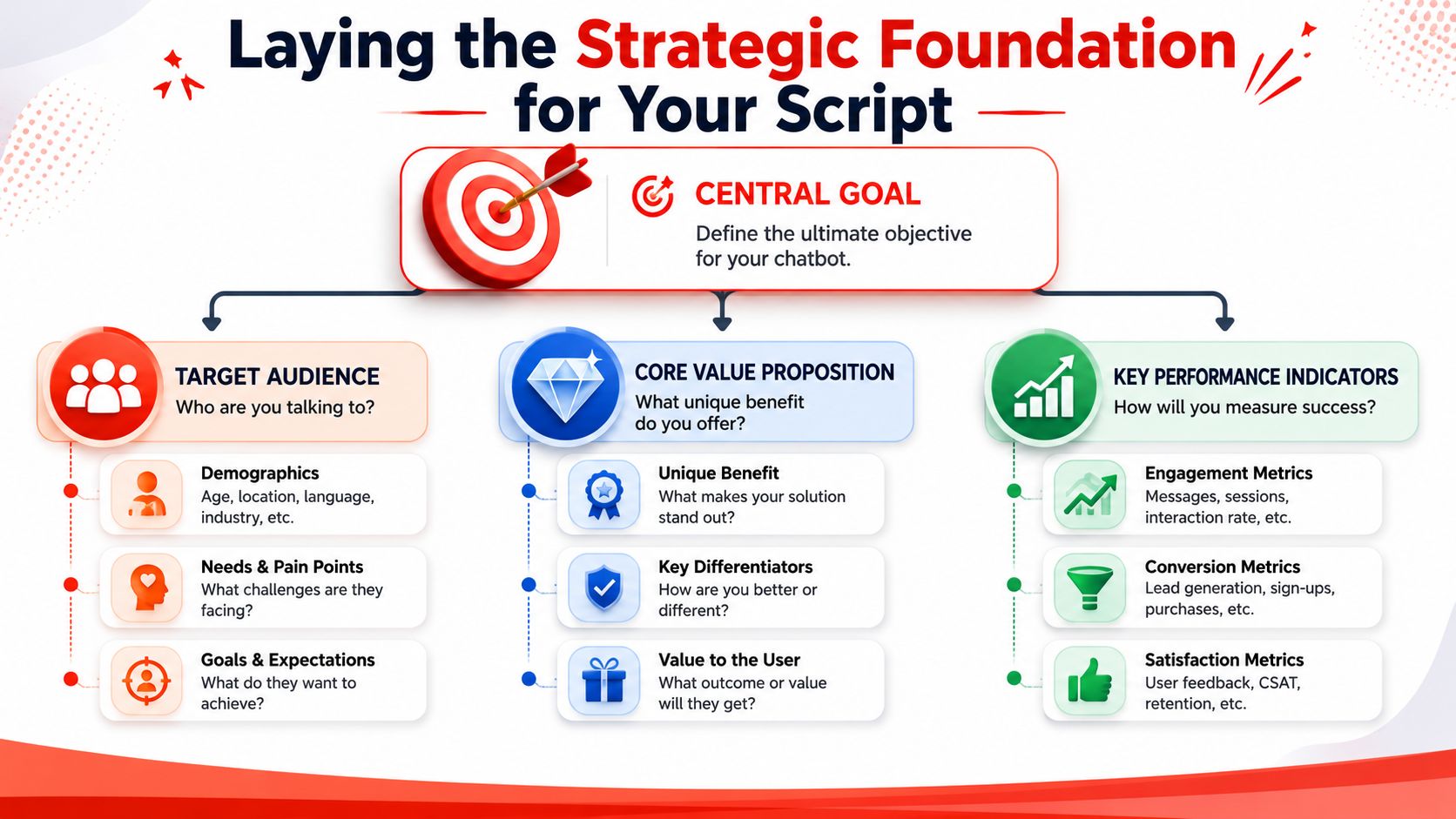
Laying the Strategic Foundation for Your Script
A weak chatbot usually starts with a vague brief. “Answer questions.” “Engage visitors.” “Help users.” Those sound reasonable, but they produce bloated flows that ask too much, too soon, and rarely move anyone toward a commercial outcome.
A useful chat bot script starts with one decision. What is this bot’s main job? If you can’t answer that in one sentence, the script will drift.
Pick one commercial outcome
The most common chatbot use cases across businesses are sales (41%), customer support (37%), and marketing (17%), according to Master of Code’s chatbot statistics roundup. That’s exactly why so many scripts underperform. Teams try to serve all three equally in one flow and end up with a bot that does none of them well.
For lead generation, the primary job should be narrower than “help visitors.” Better options look like this:
- Book qualified demos for a SaaS product
- Screen service requests for a local business
- Capture and route inbound leads for an agency
- Answer pre-sale objections before handing off to sales
Once that job is clear, every question has to earn its place.
Define qualified before you write dialogue
Greetings are often written first. That’s backward. Start with the threshold that separates a casual browser from a lead your team wants.
For example, a local contractor may care about service area, project type, and urgency. A B2B software company may care about role, use case, and whether the visitor needs a demo or just documentation. An agency may care about scope, timeline, and budget fit.
Practical rule: If a question doesn’t affect routing, prioritization, or follow-up, it probably doesn’t belong in the first conversation.
This is the point where “need to have” beats “nice to have.” Name, email, phone, company size, project details, preferred date, budget, location, and source can’t all be mandatory in the opening exchange. That turns chat into a worse form.
A better standard is simple: ask only for information that changes the next step.
Align the script with buying intent
High-converting scripts respect the visitor’s context. Someone who arrives on a pricing page needs a different opening from someone reading a blog post. Someone on mobile needs less friction than someone browsing on desktop during work hours.
That’s also why broad lead generation planning matters outside the chatbot itself. If you’re refining your site-wide inbound process, these practical lead generation strategies are useful because they force the same discipline: define intent, reduce friction, and match the ask to buyer readiness. The same logic applies inside chat. You’re not collecting data for its own sake. You’re moving a buyer forward.
For teams tightening their overall inbound setup, LeadBlaze’s own guide to lead generation best practices is also a helpful reference point because it frames qualification as part of the conversion journey, not a disconnected form field exercise.
Decide what success looks like
Before launch, write down the outcomes that matter. Not vanity metrics. Operational ones.
- Conversation starts tell you whether the opener attracts attention
- Completion through qualification shows whether the flow is too long
- Handoff quality reveals whether sales gets usable context
- Disqualified traffic patterns show whether the bot is filtering properly
If you skip this foundation, script writing becomes guesswork. If you get it right, every line in the bot has a job, and the conversation starts doing the work your contact form never could.
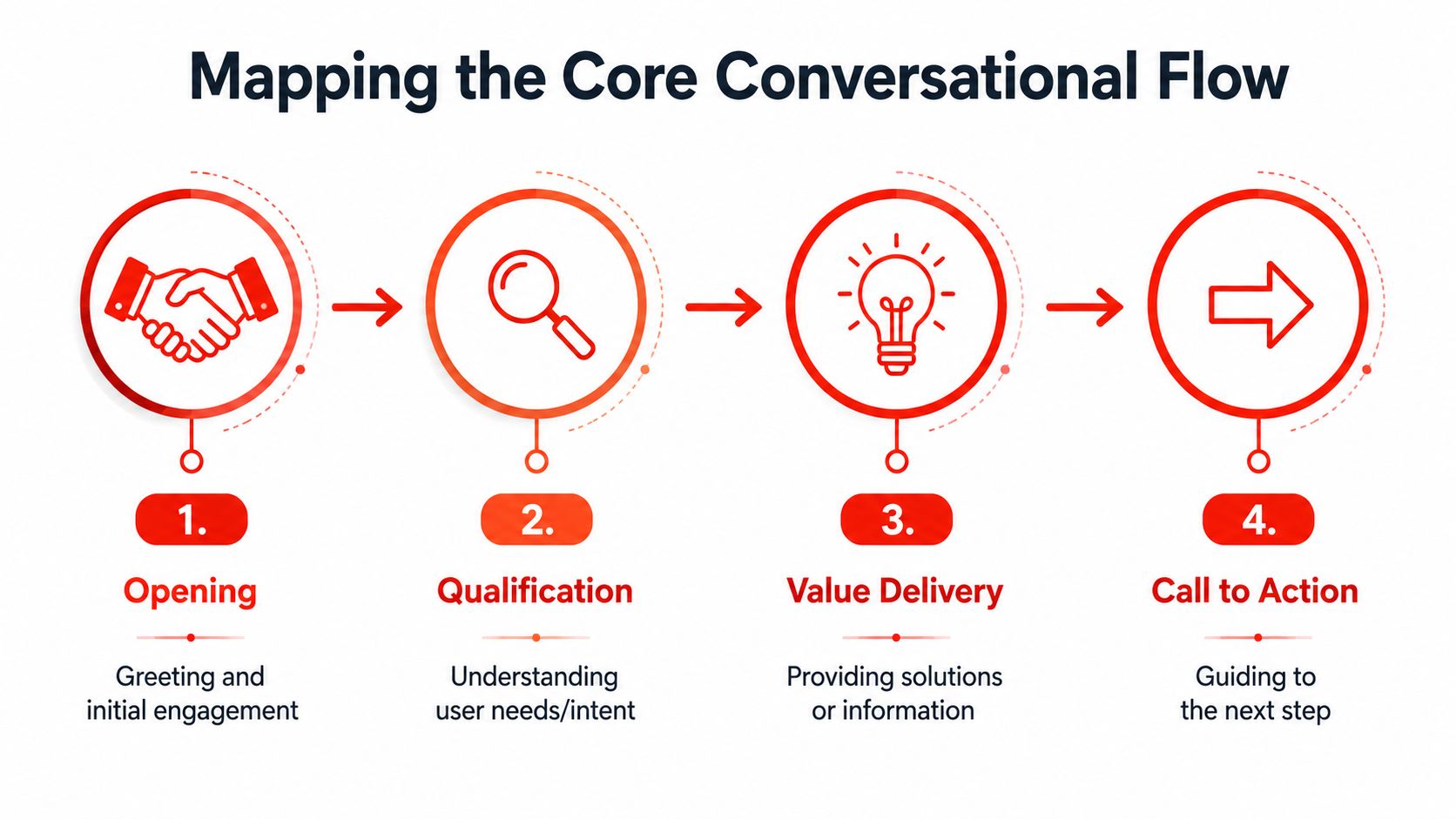
Mapping the Core Conversational Flow
Most high-converting chatbot conversations feel simple on the surface because the structure underneath is disciplined. The cleanest way to build that structure is to map the happy path first, then add branches only where they matter.
That approach is recommended in Jotform’s chatbot script methodology, which advises teams to define the bot’s primary job, map the happy path first, and then build information-collection and handoff flows. That sequence matters because complexity multiplies fast once you start adding edge cases.
Start with the opener
The opener should do one thing well. It should make the next click feel obvious.
Bad openers are broad and passive. “Hi, how can I help you today?” sounds harmless, but it places all the effort on the visitor. Good openers narrow the path without sounding rigid.
Try prompts such as:
- Looking for pricing, support, or a quick recommendation?
- Need help choosing the right service?
- Want a fast quote or just have a question?
These work because they reduce blank-screen friction. The visitor doesn’t have to invent the conversation.
Sequence qualification in the right order
The second stage is where most scripts lose momentum. Teams ask for contact details too early, or they front-load every qualifying field because they’re afraid the lead will disappear.
A better sequence is usually:
Intent first
Why is the visitor here right now?Fit second
Are they in the right segment, location, use case, or company profile?Urgency or readiness next
Are they researching, comparing, or ready to talk?Contact details after value is clear
Once the visitor sees a useful next step, sharing details feels reasonable
A chat flow should feel like progress, not paperwork.
This is why short branching works better than a long interrogative sequence. Every answer should shape the next question.
Use the value exchange before the ask
The strongest scripts don’t demand contact information out of nowhere. They offer a next step tied to the visitor’s answers.
That next step might be:
- A booked call
- A recommended service
- A pricing conversation
- A handoff to the right team member
- A follow-up with personalized information
When the user can see what they get, the ask makes sense. Without that exchange, “Can I get your email?” feels premature.
End with a clear handoff
The handoff is not a closing pleasantry. It’s an operational transition.
If the lead is qualified, tell them exactly what happens next. If they aren’t, route them to a lighter conversion path such as an answer, a resource, or a lower-commitment follow-up. If the bot can’t resolve the request, say that plainly and offer the human route.
A practical chat bot script doesn’t need dozens of branches on day one. It needs one clean path that matches your best-fit buyer, a few smart forks for common variations, and a handoff that sales or service staff can use.
Writing Dialogue That Feels Human and Converts
A visitor lands on your pricing page at 9:40 p.m., opens the chat, and asks a basic question. If the bot answers like a support ticket form, that lead stalls. If it replies like a competent rep who knows what to ask next, the conversation keeps moving and sales gets context instead of a dead email address.
That is the job of dialogue in a chat bot script. The flow sets direction. The wording determines whether people stay long enough to qualify themselves.

Write like a rep, not a form
Good chatbot dialogue sounds spoken. It uses short turns, clear prompts, and language tied to the visitor’s goal. Bad dialogue sounds like a database trying to collect fields.
That difference shows up in small choices. “What are you looking to get done?” gets more replies than “State the reason for your inquiry.” The first sounds human and gives the visitor room to answer in plain English. The second sounds administrative.
Keep each message focused on one job:
- ask one question
- confirm one detail
- reduce one concern
- offer one next step
Once a message tries to do two or three of those at once, reply rates drop and the conversation starts to feel heavier than it should.
Brevity keeps momentum
Chat is not a landing page in miniature. Visitors scan it fast, often on mobile, and decide in seconds whether the exchange feels useful.
Short copy works because it respects that behavior. A long explanation before a simple question creates friction. A tight prompt keeps momentum:
- “Need a quote or just comparing options?”
- “Is this for your team or just you?”
- “Want a fast answer or a call tomorrow?”
Each line moves the conversation forward while still sounding natural.
Buttons carry the routine work
Buttons and quick replies are not just a design choice. They improve conversion because they reduce typing, keep answers structured, and stop the script from drifting into vague back-and-forth too early.
Use buttons for repeatable intent signals such as:
- I need a quote
- I have a product question
- I’m comparing vendors
- I need support
Then switch to open text only when the detail will change the recommendation, routing, or sales handoff.
This is one of the clearest trade-offs in chatbot writing. More open text can make the bot feel flexible, but it also creates messy inputs, weaker routing, and more junk leads. More buttons make qualification cleaner, but they can feel rigid if overused. The right balance is usually guided choices first, free text after the visitor has committed to the path.
Phrase questions around the benefit
Visitors answer faster when the reason for the question is obvious. That does not mean adding a long explanation before every prompt. It means writing questions that carry their own context.
Here is the difference:
| Instead of This (Robotic & Demanding) | Try This (Conversational & Guiding) |
|---|---|
| Please provide your full name, email address, and phone number to continue. | I can point you the right way first. What’s the best email for follow-up? |
| State the reason for your inquiry. | What are you looking to get done? |
| Select one of the following service categories. | Which of these sounds closest to what you need? |
| Your request has been submitted successfully. | Got it. I’ve passed that along, and someone will follow up with the right context. |
| Please describe your problem in detail. | A quick summary is enough. What’s going on? |
The pattern is simple. Strong dialogue lowers pressure, makes the next step feel reasonable, and gives the visitor confidence that answering will lead somewhere useful.
Copy check: If your message sounds like a form label, rewrite it as something a good sales rep would actually say.
Teams refining first-touch greetings can borrow patterns from these welcome message examples for different page intents.
A useful walkthrough on tone and flow sits well here:
Handle hesitation in plain language
Hesitation is predictable. Some visitors are early in research. Some are worried they will get pushed into a sales call. Some are not sure they fit your offer.
The script should absorb that friction without sounding defensive or needy.
Use language like:
- Just researching? I can still point you in the right direction.
- Not ready to book? I can answer a couple of quick questions first.
- Not sure which option fits? I can narrow it down.
That kind of copy keeps the conversation alive. “Please complete all required fields” does the opposite. It turns a live interaction into admin work.
One practical test catches a lot of weak copy. Read the script out loud. If a sharp SDR, sales manager, or intake coordinator would never say it to a real prospect, the bot should not say it either.
Adapting Your Script for Different Industries
The framework stays stable across industries. The qualifying logic changes. That's where a lot of generic chatbot advice falls apart. It gives you polite openings but not the questions that separate weak leads from real opportunities.
Local service provider
Take a plumber. The visitor usually wants speed, clarity, and reassurance that the company serves their area. The script shouldn't waste time asking broad discovery questions that belong in a consultation call.
A tighter flow looks like this:
Bot: Need help with plumbing, heating, or an urgent issue?
Visitor: Urgent issue
Bot: I can help route this quickly. What's the postcode?
Visitor: [Postcode]
Bot: Got it. Is this a leak, blocked drain, boiler issue, or something else?
Visitor: Leak
Bot: Is the leak active right now?
Visitor: Yes
Bot: Thanks. What's the best phone number for a call back?
That script works because every answer changes the next action. The postcode checks service fit. The issue type helps route the job. The urgency tells the team whether to call now or later.
What doesn't work for this business is a chat flow that begins with full contact details, then asks for a long written description. In urgent service categories, that creates delay when the visitor wants triage.
B2B SaaS company
Now take a software company selling to teams. The goal isn't just to collect an email. It's to determine whether the visitor is a likely demo candidate, a current user needing support, or someone still evaluating options.
A practical sequence might be:
Bot: Are you looking for a demo, pricing info, or help with a specific question?
Visitor: Demo
Bot: Great. What best describes your role?
Visitor: Operations
Bot: What are you trying to solve?
Visitor: Lead qualification on our website
Bot: Are you exploring for yourself or for a team?
Visitor: Team
Bot: Thanks. Where should we send the best next step?
This flow gives sales useful context before a rep joins. It also filters out casual information seekers without making the conversation feel exclusive.
The best scripts don't ask more questions. They ask the questions that change the sales motion.
Marketing agency
Agency scripts need even more discipline because agencies attract a wide spread of inquiries. Some are ideal clients. Some want free advice. Some need services the agency doesn't offer. The script has to protect time without feeling cold.
An effective agency flow often sounds like this:
Bot: Need help with SEO, paid ads, web design, or a broader growth plan?
Visitor: Paid ads
Bot: Are you looking for ongoing management or a one-time setup?
Visitor: Ongoing management
Bot: What's the rough timeline?
Visitor: This month
Bot: And what kind of monthly budget range are you planning for?
Visitor: Not sure yet
At that point, the bot doesn't need to reject the lead. It can branch. If the budget is unclear, it can offer a strategy call or a lighter diagnostic path. If the budget is clearly misaligned, it can route to resources or a lower-commitment offer.
What matters is that the bot captures commercial shape before the human conversation starts. That's what turns chat from “help desk on the homepage” into a qualification layer that protects calendars and improves follow-up quality.
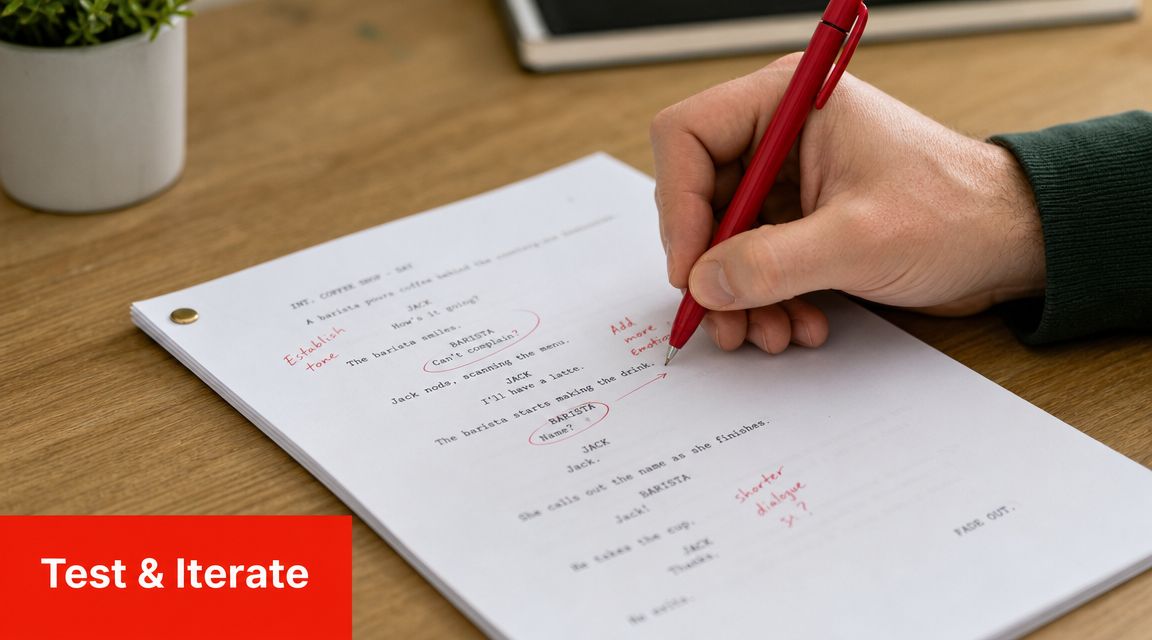
Testing Iterating and Implementing Your Script
A bot goes live on Monday. By Friday, the team has a transcript full of avoidable losses. Good prospects bounced after the first question. Low-fit visitors reached sales. Reps got handoffs that said “interested in pricing” and little else. The script did its job in staging. It failed in market conditions.
That gap is normal. Internal reviews catch wording problems. Live traffic exposes qualification problems.
Watch for revenue friction, not just chat volume
Chat teams often track starts, completions, and response time first. Those numbers matter, but they do not tell you whether the script is helping pipeline. The better read is where the conversation stops producing useful sales signals.
Review transcripts and session paths for patterns like these:
-
The visitor exits after the opener
The first message is too broad for the page, or it asks for commitment before offering value. -
A qualifier causes a sharp drop-off
The question may be arriving too early, using vague language, or asking for information the visitor does not want to share yet. -
Sales gets weak handoff notes
The bot is collecting answers that sound useful in theory but do not help a rep route, prioritize, or prepare. -
The same off-script question appears repeatedly
The script needs stronger fallback options, better source material, or a clearer branch for common edge cases.
One pattern matters more than the rest. If qualified buyers are leaving before contact capture, the script is costing revenue. Fix that before polishing anything else.
Change one script variable at a time
Teams often respond to early friction by rewriting the entire flow. That makes it hard to know what improved results. A tighter process is to test one decision at a time, then compare transcript quality and downstream conversion.
Start with changes that affect qualification speed:
-
The opener
Test a generic greeting against a page-specific prompt such as “Need pricing, implementation help, or a product walkthrough?” -
The first qualifying question
On high-intent pages, urgency may outperform role. On service pages, need category may produce cleaner routing. -
The point where you ask for contact details
If visitors disappear at the email request, move it later and earn the ask by giving a relevant next step first. -
Fallback wording
Replace dead ends with recovery prompts that keep the conversation commercial, such as “I can help with pricing, fit, or setup. Which one do you need?”
This work is operational, not creative. The goal is to remove guesswork from the buying path.
Clean source material keeps the bot credible
If the bot draws from AI prompts, a knowledge base, or past support content, weak inputs will show up fast in live conversations. Landbot's article on chatbot training data and preprocessing explains why teams need to clean source material before expecting reliable answers. Messy inputs create long replies, inconsistent terminology, and weak recovery when a visitor goes off script.
Review what the bot is pulling from:
- Website copy
- Help center articles
- Support logs
- Sales FAQs
- Past live chat transcripts
Outdated pricing language, conflicting service descriptions, and old support macros all create the same business problem. The visitor loses confidence, and the rep inherits a colder lead.
A qualification script can direct the conversation. It still needs accurate source material to hold up under real buyer questions.
Implementation decisions should match your sales process
The platform does not need to be flashy. It needs to support routing logic, clean field capture, transcript review, and useful summaries for the next human step.
If your team is connecting chat to a larger workflow, the Icypeas guide for ChatGPT integration shows a practical way to connect AI-driven processes without treating the bot like an isolated widget. For teams evaluating build options, this AI sales assistant setup for website qualification flows is one example of how to structure custom qualification rules and conversation summaries around lead capture.
The trade-off is straightforward. A rigid decision tree gives tighter control, but it can feel brittle when visitors phrase needs in unexpected ways. A more flexible AI assistant handles variation better, but it needs tighter prompt control, better source content, and more transcript review.
Implementation is where strategy becomes sales infrastructure. Review conversations every week. Tighten one branch at a time. Remove questions that do not change routing or follow-up. Keep the script focused on one job: identify fit, capture context, and get qualified buyers to the right next step.
Turn Your Script into a Lead Generation Asset
A visitor lands on your pricing page at 10:47 p.m., asks whether you support their use case, and leaves three minutes later because no one answered the right question fast enough. That is not a chat problem. It is a scripting problem.
A strong chat bot script turns late-night traffic into qualified pipeline. It identifies intent, gathers the few details your team needs, and pushes high-fit prospects toward a booked call, demo request, or routed handoff. Script quality is increasingly important because chat now sits closer to revenue than support.
What separates productive chat from wasted chat
The gap usually comes down to four choices.
-
A single conversion goal
Each flow needs one job. Book a demo. Route a support request. Pre-qualify an enterprise lead. Mixed goals create messy conversations and weak handoffs. -
Questions that change action
Ask for team size, budget range, timeline, or use case only if those answers affect routing, priority, or follow-up. If a question does not change what happens next, cut it. -
Tight, low-friction dialogue
Visitors should never work hard to understand the bot. Short prompts, clear answer options, and specific next steps keep momentum high. -
Transcript-driven improvement
Review real conversations. Find where qualified visitors stall, where weak leads slip through, and where the bot creates extra work for sales.
That approach aligns with broader inbound performance. If you are comparing ways to improve capture quality across channels, these data-driven lead generation tactics support the same idea. Traffic only pays off when your system can separate buying intent from casual interest.
Your website can handle the first qualification step
Small and mid-sized sales teams rarely reply instantly around the clock. A scripted chatbot can handle the first layer of qualification before a rep gets involved.
That changes the economics of inbound. Instead of sending every form fill to sales, the bot can ask two or three high-value questions, filter out poor-fit inquiries, and give your team useful context before follow-up starts. A visitor who says, "We need this for 40 locations and want to launch next quarter," should not enter your CRM the same way as someone asking for a student discount.
The script controls that outcome. Good scripting reduces wasted meetings, speeds up response quality, and improves close-rate conditions by giving sales cleaner conversations to pick up.
If you want a working model, this guide on how to create a bot for website lead qualification shows how to structure a simple flow around lead capture and next-step routing.
LeadBlaze adds that qualification layer to website chat. Teams can define what counts as a qualified lead, answer visitor questions from site content, and pass concise conversation summaries to sales for follow-up. If you want to see how it works, visit LeadBlaze.